

Domain Expiration Warning Signs: How to Identify Renewal Risks Early
- Watchman Tower Team
- Updated: July 27, 2026
- Category: Domain Monitoring
- Read Time: 5 min
Learn how to recognize early domain expiration warning signs before they become renewal incidents. This guide covers unexpected expiry dates, failed auto-renewals, outdated billing information, unclear ownership, missing registrar alerts, and other operational risks that can lead to domain loss.
Domain expiration rarely happens without warning. In most cases, operational signals begin appearing long before a domain actually expires. The challenge is recognizing these warning signs early enough to investigate and resolve the underlying issue.
Some warning signs are technical, such as unexpected changes to expiration dates or failed automatic renewals. Others are operational, including unclear ownership, outdated contact information, or registrar accounts that no one actively manages.
This guide explains the most common domain expiration warning signs, why they matter, and what actions should be taken before they become domain renewal incidents.
Why Domain Expiration Warning Signs Matter
Domain expiration is often viewed as a single event, but it is usually the result of smaller operational failures that develop over time. Missed reminders, outdated billing information, or unclear ownership rarely cause immediate problems. Instead, they gradually increase the likelihood that a future renewal will fail.
Recognizing warning signs early allows organizations to correct these weaknesses before they threaten websites, email services, APIs, customer portals, or other systems that depend on the domain.
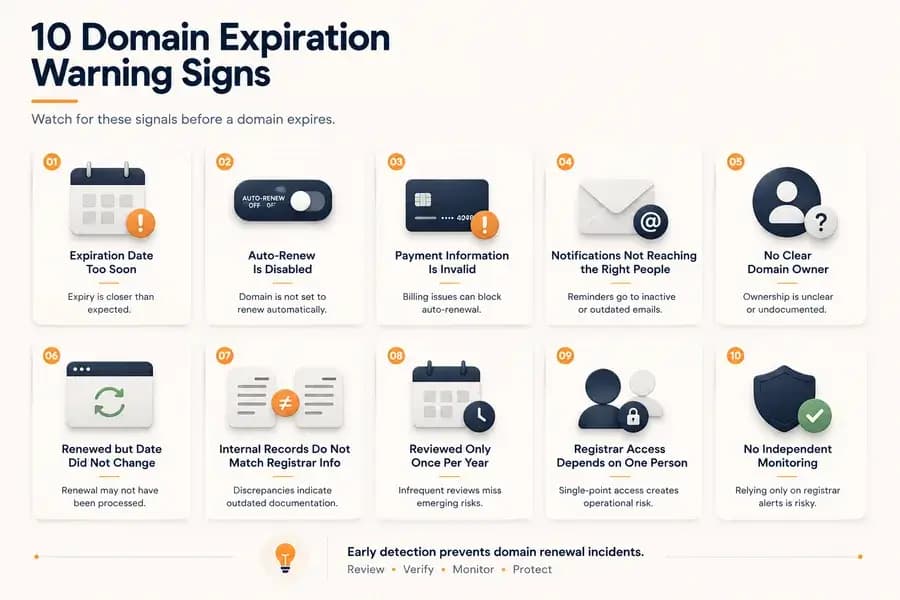
Warning Sign 1: The Expiration Date Is Closer Than Expected
An expiration date that is much sooner than anticipated should never be ignored. It may indicate that a planned renewal was not completed, the renewal period was shorter than expected, or internal records are no longer accurate.
Verify the current expiration date directly with the registrar and confirm that it matches the organization's renewal expectations.
Warning Sign 2: Auto-Renew Is Disabled
Automatic renewal provides an additional layer of protection against accidental expiration. If auto-renew has been disabled unexpectedly, the domain immediately becomes more dependent on manual processes and reminder systems.
While auto-renew is not a replacement for monitoring, an unexpected change to its configuration should always be investigated.
Warning Sign 3: Payment Information Is No Longer Valid
Failed payments are one of the most common reasons automatic renewals do not complete successfully. Expired credit cards, billing restrictions, or changes to payment methods can all prevent renewal even when auto-renew remains enabled.
Regularly reviewing payment information helps eliminate one of the most common causes of domain expiration.
Warning Sign 4: Registrar Notifications Are No Longer Reaching the Right People
Renewal reminders lose their value if they are delivered to inactive inboxes, former employees, or email addresses that are no longer monitored.
Organizations should periodically verify who receives registrar notifications and whether those individuals still have responsibility for domain management.
Warning Sign 5: Nobody Clearly Owns the Domain
Every important domain should have a clearly identified operational owner. When responsibility becomes unclear, renewal tasks are more likely to be delayed or overlooked.
Ownership confusion commonly appears after organizational restructuring, staff turnover, acquisitions, or changes in external service providers.
Warning Sign 6: The Domain Was Renewed but the Expiration Date Did Not Change
Completing a renewal should normally result in an updated expiration date. If the displayed date remains unchanged after renewal, verification is required.
Temporary synchronization delays can occur, but organizations should always confirm that the renewal has been processed successfully rather than assuming everything completed correctly.
Warning Sign 7: Internal Records Do Not Match Registrar Information
Spreadsheets, documentation, and internal inventories gradually lose accuracy unless they are maintained regularly.
Differences between internal records and registrar data may indicate outdated documentation, incomplete renewal records, or operational processes that are no longer being followed consistently.
Warning Sign 8: Critical Domains Are Reviewed Only Once Per Year
Many organizations only review domain information when annual renewal reminders arrive. This leaves little time to resolve unexpected billing problems, ownership questions, or account access issues.
Periodic reviews throughout the year provide more opportunities to identify risks before renewal deadlines become urgent.
Warning Sign 9: The Registrar Account Depends on One Person
When only one employee, contractor, or administrator controls registrar access, the organization becomes vulnerable to personnel changes, unavailable contacts, or lost credentials.
Shared ownership, documented recovery procedures, and multiple authorized administrators reduce this operational risk.
Warning Sign 10: No Independent Monitoring Exists
Organizations that rely exclusively on registrar notifications have limited visibility into domain renewal risk and should implement independent domain expiry checks.
Domain expiry monitoring methods provide an additional layer of visibility that helps identify approaching expiration regardless of the registrar's notification process.
How to Respond to Domain Expiration Warning Signs
Warning signs should trigger investigation rather than immediate assumptions. A single indicator does not necessarily mean a domain is about to expire, but it often reveals an operational weakness that deserves attention.
A practical response includes:
- Verify the current expiration date.
- Confirm that renewal has been completed when expected.
- Review payment information and auto-renew settings.
- Confirm registrar account access and ownership.
- Ensure registrar notifications reach the correct people.
- Update internal documentation if inconsistencies are found.
- Increase monitoring frequency until the issue has been resolved.
Addressing warning signs early is usually far easier than recovering from an expired domain after services have already been interrupted.
Common Misconceptions About Warning Signs
"Auto-Renew Means Everything Is Fine"
Auto-renew reduces administrative work, but failed payments, account issues, or registrar problems can still prevent successful renewal.
"Registrar Emails Are Enough"
Registrar notifications are valuable, but they should not be the only source of operational visibility for important domains.
"We'll Notice If Something Goes Wrong"
Domain renewal failures often remain invisible until a service becomes unavailable. By that point, recovery may be significantly more difficult than addressing the original warning sign.
Conclusion
Domain expiration is rarely caused by a single mistake. More often, it is the result of multiple warning signs that were overlooked or left unresolved over time.
Reviewing expiration dates, payment settings, ownership, registrar access, and notification processes on a regular basis allows organizations to identify renewal risks before they affect critical services. Detecting these signals early is one of the simplest ways to strengthen any domain renewal strategy.
Free plan available. No credit card needed.
Want a Dedicated Expiry Monitoring Tool?
Don’t rely only on registrar emails. Watchman Tower gives you automatic expiry alerts across all registrars, with reminders at 30, 14, 7, and 1 day before expiry.
Learn more about Domain Expiry Monitoring →FAQ
What happens when a domain expires?v
Why should I enable and monitor the registrar lock status?v
How can nameserver inconsistencies affect my website?v
Why are SSL and WHOIS details critical for domain security?v
How can I automate domain expiration checks?v
Blog Posts
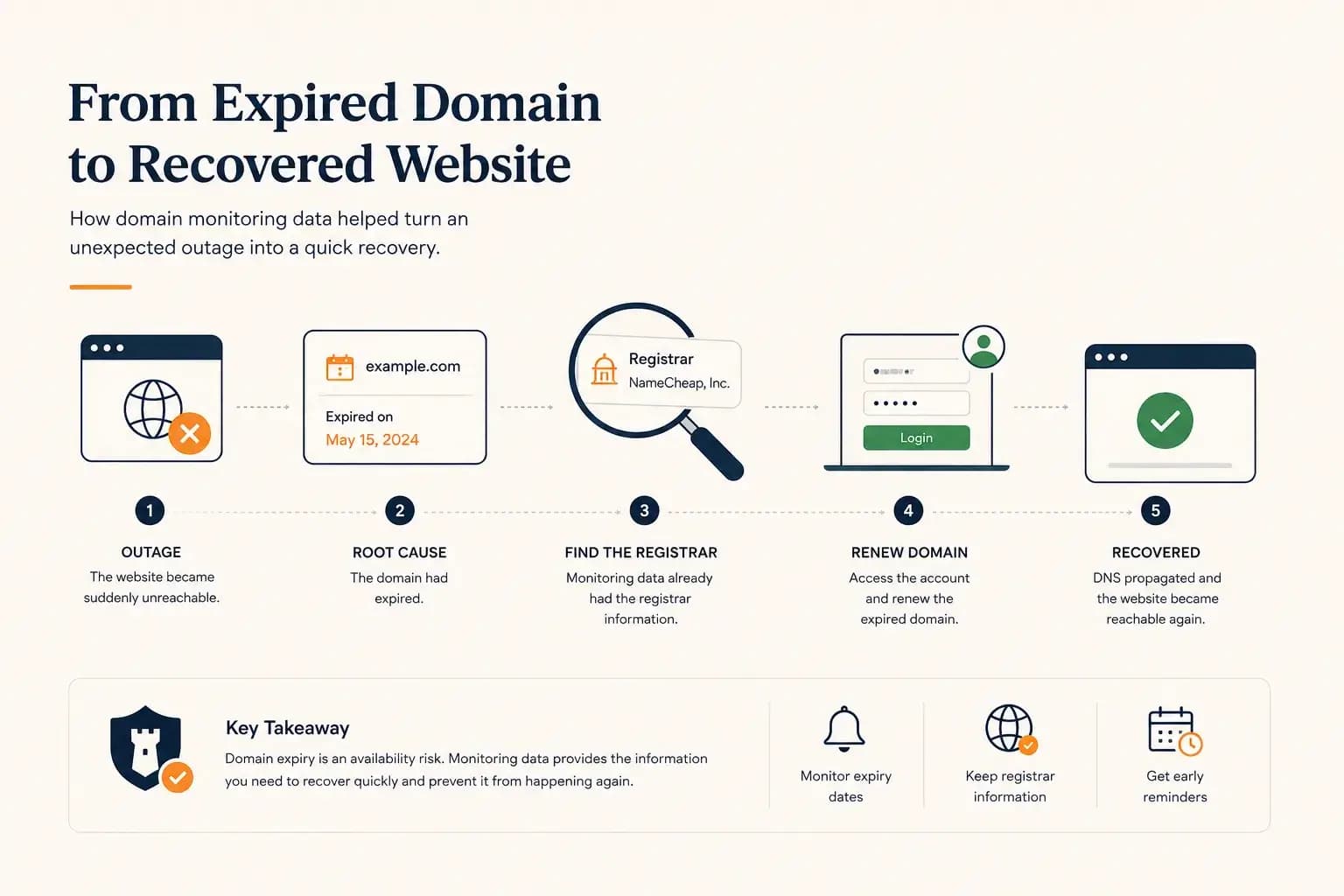
The Website Went Down — and the Owner Didn’t Know Where the Domain Was Registered...
A real-world expired domain recovery case: how a website went offline, how we identified the registrar from monitoring data, and how the domain was renewed before it was lost.
Learn more about The Website Went Down — and the Owner Didn’t Know Where the Domain Was Registered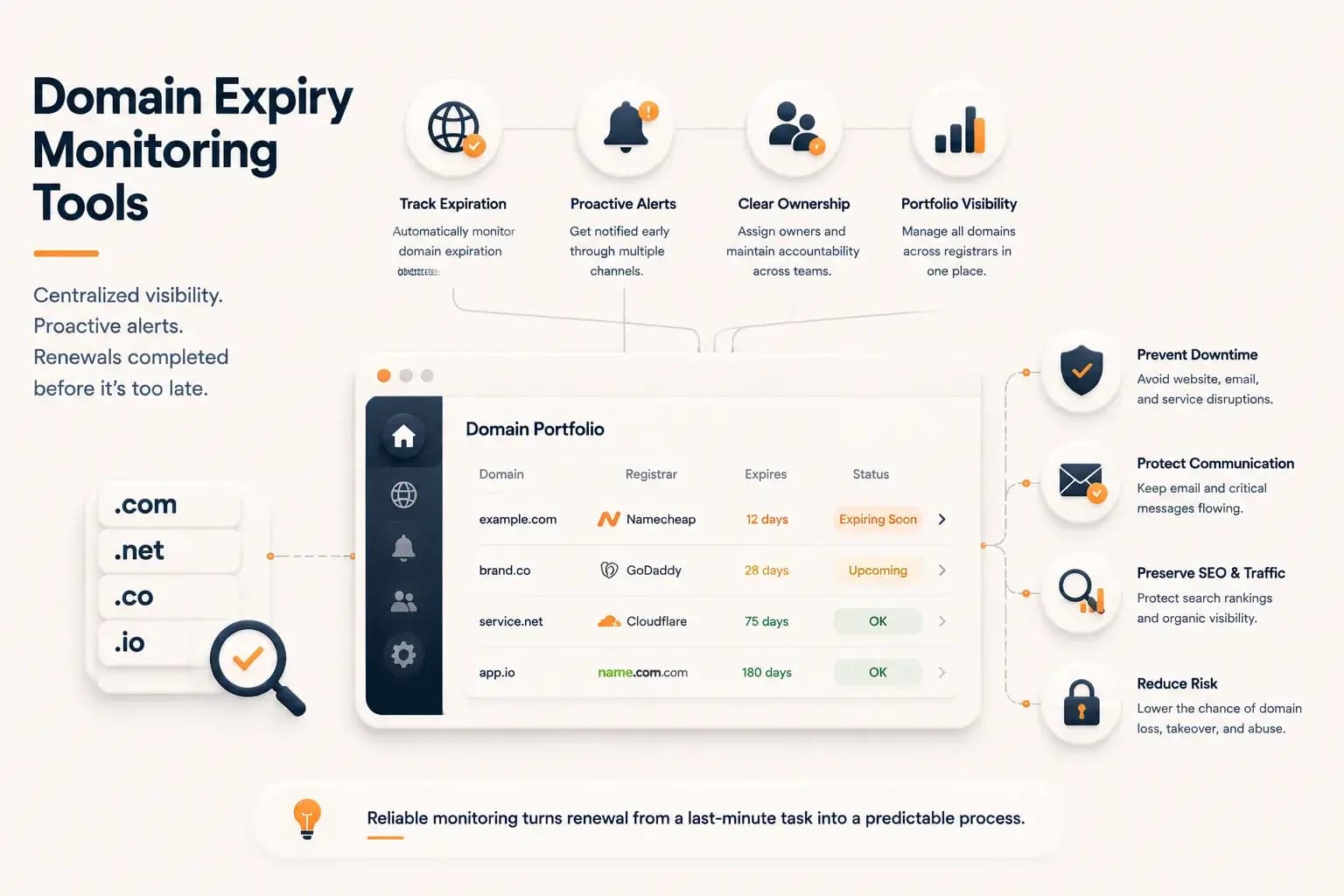
Best Domain Expiry Monitoring Tools: How to Choose the Right Solution...
Explore how domain expiry monitoring tools help organizations track renewal risks, manage multiple domains, and choose the right solution based on visibility, automation, and operational needs.
Learn more about Best Domain Expiry Monitoring Tools: How to Choose the Right Solution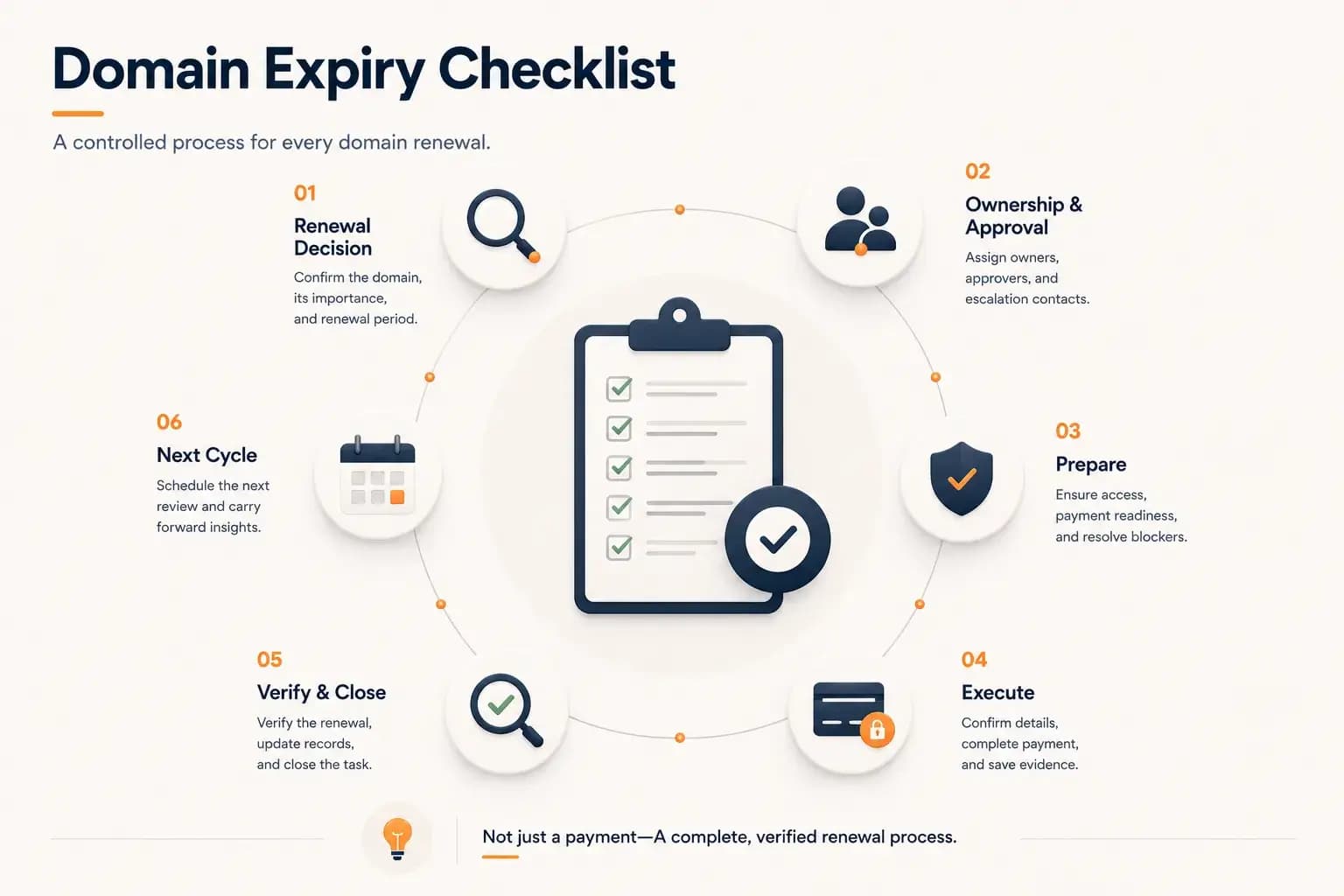
Domain Expiry Checklist: A Complete Renewal Process...
Follow a practical domain expiry checklist that standardizes every stage of the renewal process, from planning and ownership to execution, verification, documentation, and preparing the next renewal cycle. Learn how to reduce operational risk with a repeatable renewal workflow.
Learn more about Domain Expiry Checklist: A Complete Renewal Process