
Uptime Monitoring: What It Is, How It Works, and Why It Matters
- Updated: October 14, 2026
- Read Time: 4 min
Reliable uptime checks, response time tracking, and alerting that help teams detect real incidents earlier and connect availability to broader health visibility.
What Is Uptime Monitoring?
Uptime monitoring is the practice of checking whether a website, API, or service is reachable and responding correctly. It helps detect outages, errors, and availability issues early, before they impact users or business operations.
A monitoring system sends automated requests to defined endpoints at regular intervals, evaluates the responses, and records incidents when something goes wrong. This allows teams to understand not only when downtime occurs, but also how often and for how long.
Why Uptime Monitoring Matters
- Downtime can lead to lost revenue, failed transactions, and support overhead.
- Even short outages can negatively affect user trust and conversions.
- Search engines may reduce visibility for unreliable or frequently unavailable websites.
- Proactive monitoring shortens detection time and speeds up recovery.
Learn more: What Is Website Monitoring? Key Metrics & Benefits
How Uptime Monitoring Works
Every uptime monitoring system follows the same basic workflow. Automated checks verify that your website or API is reachable, validate the response, detect incidents, notify your team, and store the results for future analysis.
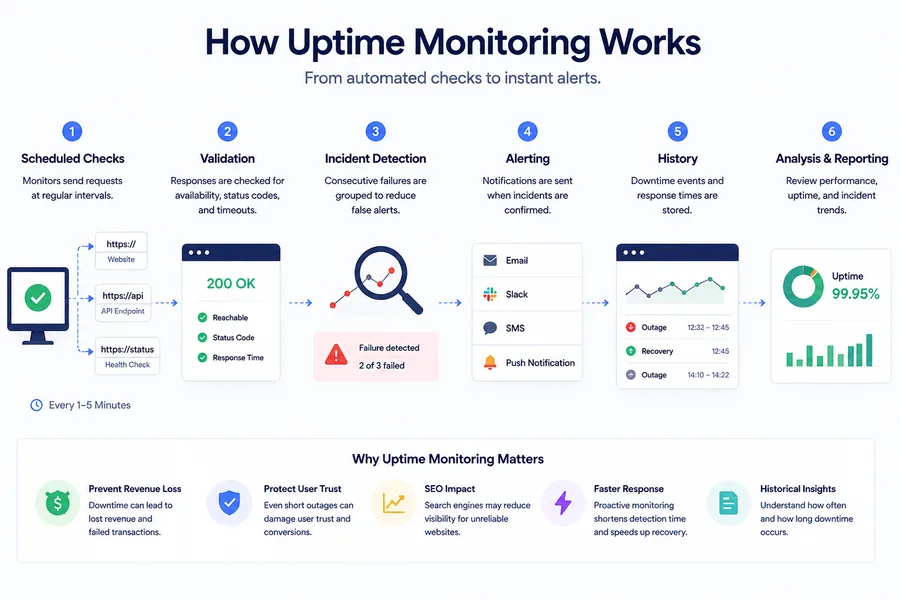
- Scheduled checks: Requests are sent at defined intervals, from every 30 seconds to every 5 minutes depending on plan.
- Validation: Responses are evaluated based on reachability, HTTP status codes, and timeouts.
- Incident detection: Consecutive failures are grouped to reduce false positives.
- Alerting: Notifications are triggered when incidents are confirmed.
- History: Downtime events and response times are stored for analysis and reporting.
Step-by-step setup guide: Uptime Monitoring: What It Is, Why It Matters, and How to Get Started
Uptime Monitoring vs Website Monitoring
Although the terms are often used interchangeably, uptime monitoring and website monitoring are not the same. Uptime monitoring focuses on availability, while website monitoring provides a broader view of your website’s health, performance, and user experience.
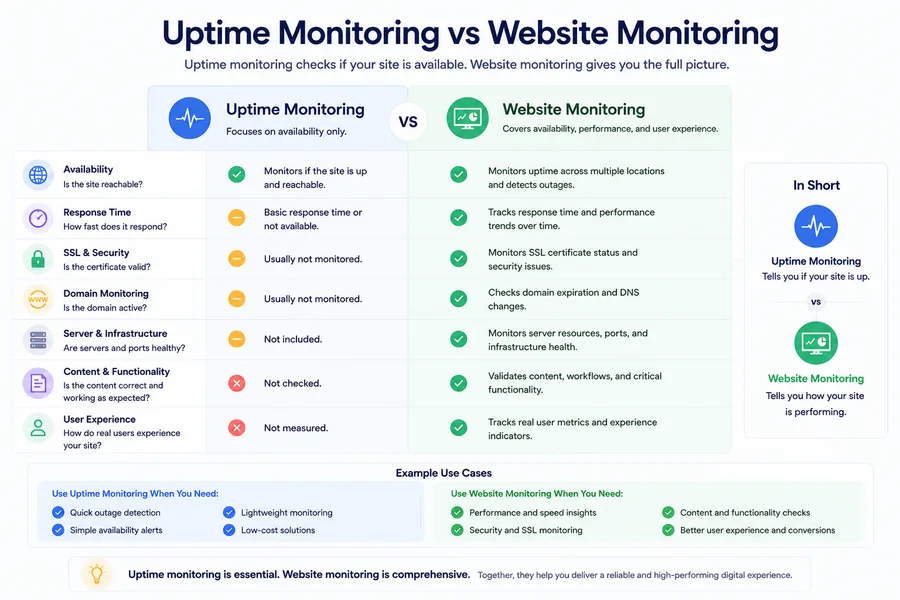
The comparison below highlights the differences between the two approaches and explains why most production websites benefit from combining both.
Uptime monitoring focuses on availability—whether a service is reachable and responding as expected. Website monitoring is broader and can include performance analysis, content validation, user experience metrics, and infrastructure signals.
Uptime monitoring: availability checks, alerting, and incident tracking.
Website monitoring: uptime monitoring plus performance and behavioral insights.
Uptime monitoring focuses on availability—whether a service is reachable and responding as expected. Website monitoring is broader and can include performance analysis, content validation, user experience metrics, and infrastructure signals. For a deeper breakdown, see our guide on website monitoring vs uptime monitoring.
What You Should Monitor
- Homepages and landing pages: critical entry points for users.
- APIs and backend services: health endpoints and core business operations.
- Checkout and payment flows: areas where failures directly impact revenue.
- Response times: slowdowns that degrade user experience before outages occur.
Related reading: Beyond Uptime: How to Detect Slowdowns and Performance Issues
Alerts and Notifications
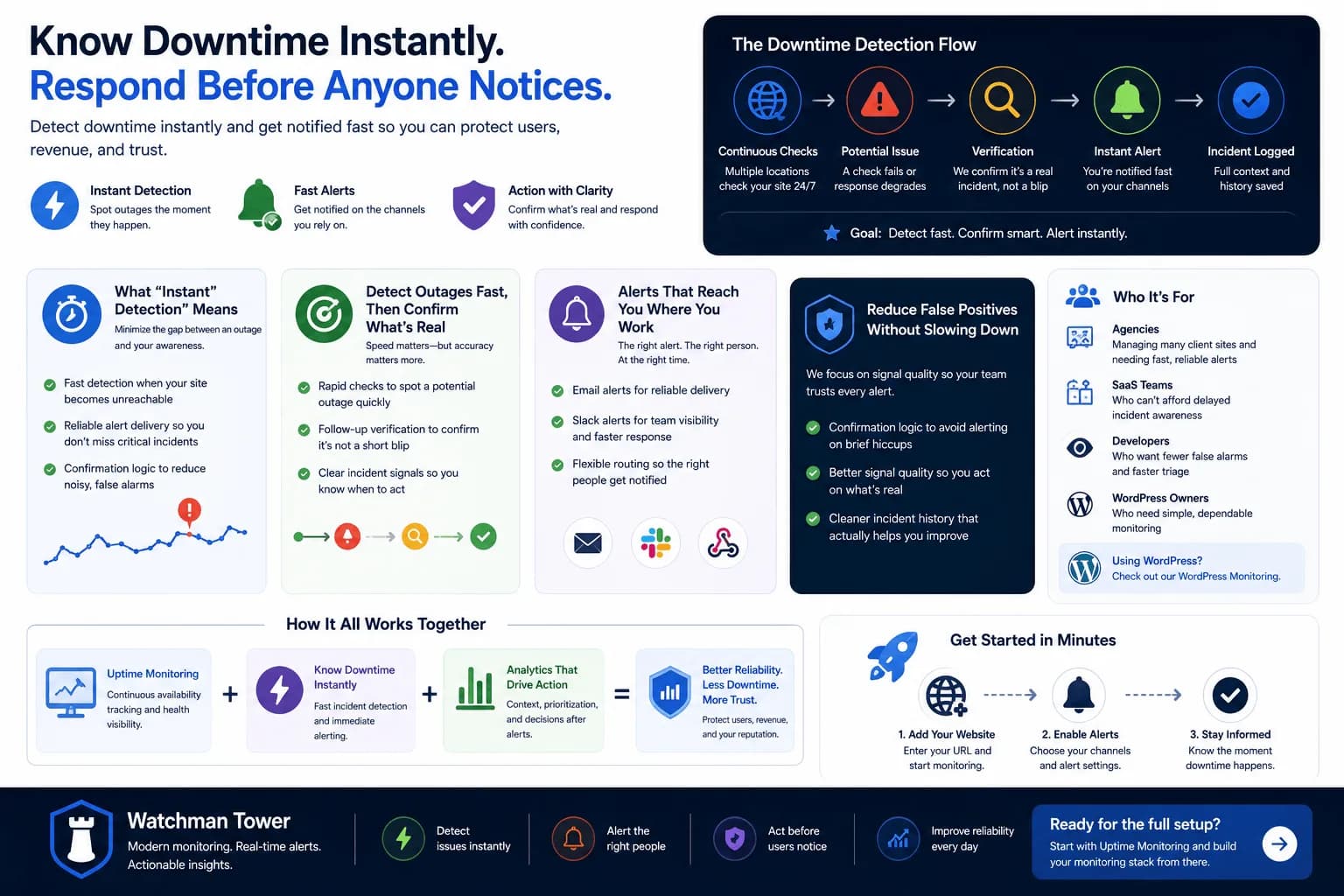
Effective uptime monitoring is not only about detection but also about timely communication. Alerts ensure the right people are informed as soon as an issue occurs, allowing teams to respond quickly and reduce downtime.
- Email notifications: receive detailed incident alerts and recovery updates.
- Slack alerts: send downtime notifications directly to team channels.
- SMS alerts: reach on-call team members when immediate attention is required.
- Push notifications: get instant alerts on mobile devices without relying on email.
How Watchman Tower Uptime Monitoring Works
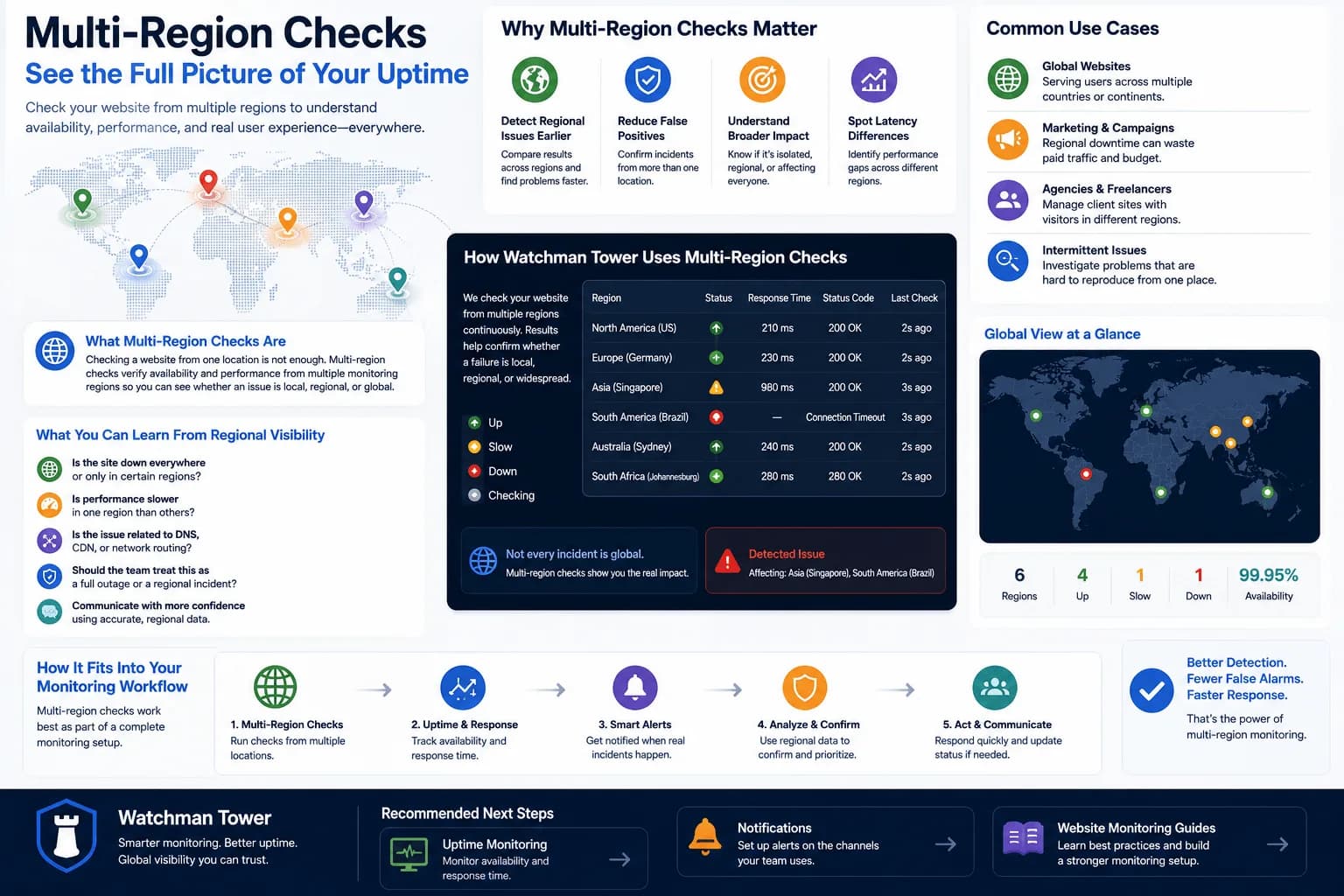
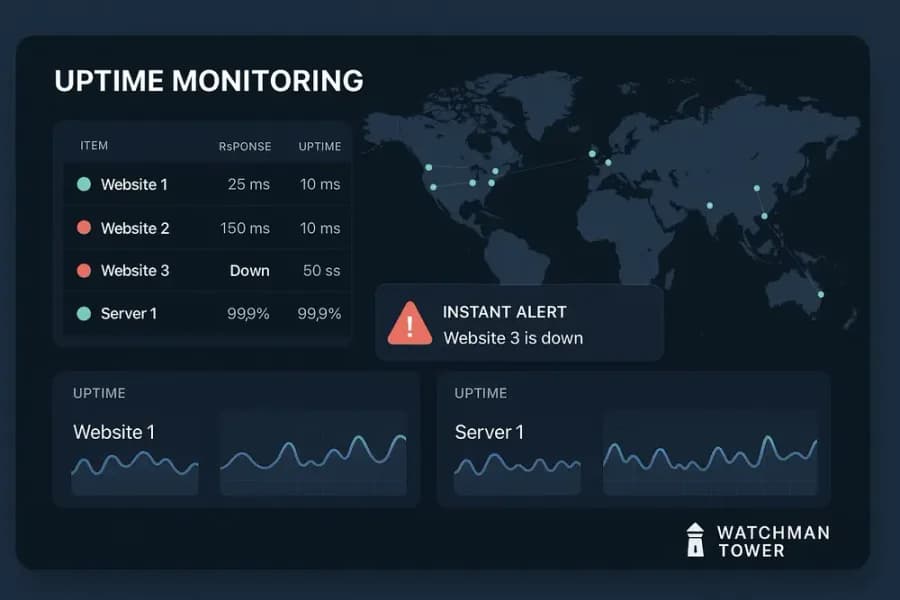
Watchman Tower provides uptime monitoring designed for clarity and reliability. You can monitor websites and API endpoints, track availability and response times, and review incidents in a clear, audit-ready timeline. Checks run from 3 regions on every plan, including Free.
- 24/7 uptime checks with response time measurement
- HTTP and HTTPS endpoint monitoring
- Configurable check intervals and per-channel alert settings
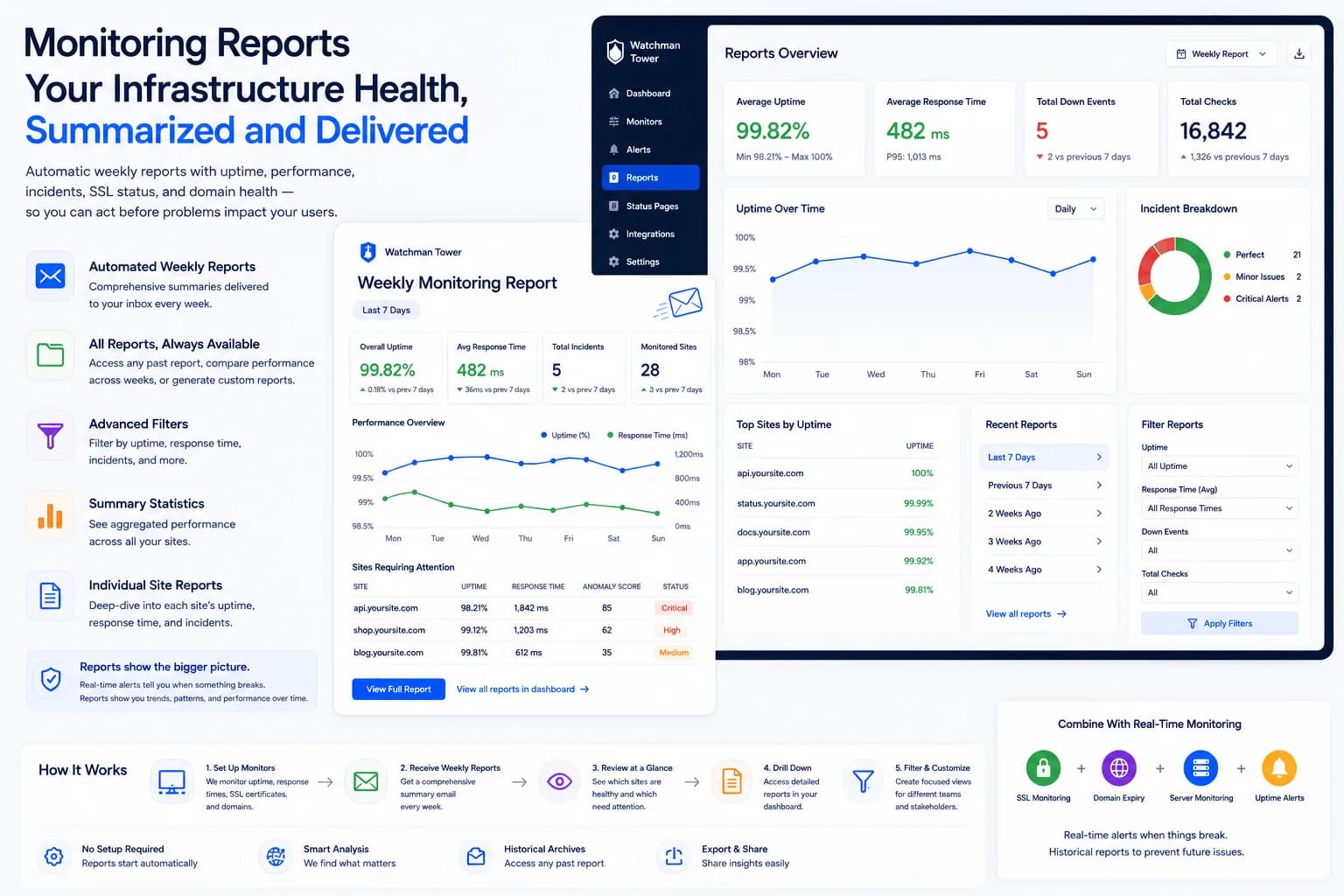
- Incident history with status codes and timing details
- Alerts via Email, Slack, SMS, and push notifications (Slack and SMS on Team and Stack plans)
Check your website's health in seconds
Uptime · Response time · SSL · Domain expiry · WordPress detection
The Uptime Monitoring Lifecycle
Reliable uptime monitoring is more than detecting downtime. It is a continuous operational cycle that helps teams identify issues, respond faster, verify recovery, and improve reliability over time.
The diagram below illustrates how continuous monitoring becomes continuous improvement.
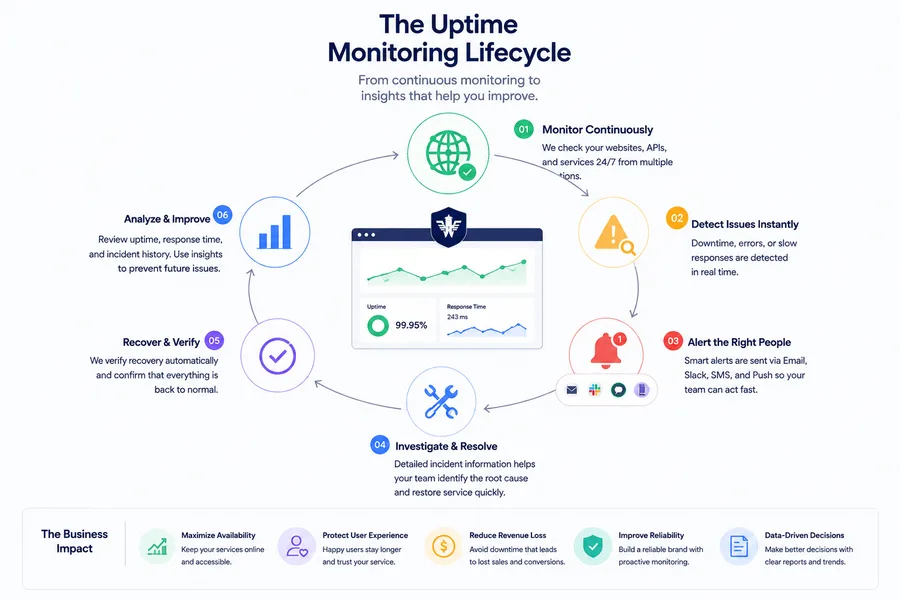
Each stage builds on the previous one, creating a feedback loop that strengthens availability, reduces incident response time, and helps prevent future outages.
Key Features & Benefits
Looking for a practical way to apply these concepts? See our 12-step uptime monitoring checklist for an operational, tool-agnostic approach.
| Feature | Benefit |
|---|---|
| Fast detection | Identify downtime immediately to reduce user and business impact. |
| Reduced noise | Receive fewer false alerts so your team can focus on confirmed incidents. |
| Clear incident history | Review downtime events, recovery details, and historical records for reporting. |
| Performance visibility | Track response time trends to detect slowdowns before they become outages. |
Free resources: Best Website Monitoring Tools in 2026
Related Guides
- Uptime Monitoring Checklist: 12 Practical Steps – A step-by-step guide to implementing reliable uptime monitoring in real-world scenarios.
- How to Monitor Website Uptime for Free – Get started with uptime monitoring using free tools and minimal setup.
- Uptime monitoring checklist
Free plan available. No credit card needed.