

Uptime Monitoring Checklist: 12 Steps to Ensure 24/7 Availability
- Watchman Tower Team
- Updated: July 21, 2026
- Category: Website Monitoring
- Read Time: 4 min
Use this uptime monitoring checklist to review coverage, reduce alert noise, and build a clearer response path before small availability issues become customer-facing incidents.
Use this uptime monitoring checklist to review whether your team is only checking if a page responds, or whether you have a reliable availability workflow that can detect real incidents early, reduce blind spots, and guide the right response when something changes.
This checklist is designed for teams that want a practical framework for improving uptime monitoring without overcomplicating the setup. You can use it to audit an existing monitoring stack, tighten alerting rules, or build a more reliable monitoring workflow from scratch.
If you are still defining your monitoring foundation, pair this checklist with the full uptime monitoring guide and the uptime monitoring feature overview. If you want to test a single URL first, you can also start with a free uptime check.
Who is this checklist for?
This checklist is useful for:
- SaaS teams running customer-facing applications
- DevOps and platform teams responsible for incident response
- Agencies managing uptime across multiple client sites
- Teams moving from basic up/down checks to a more reliable monitoring workflow
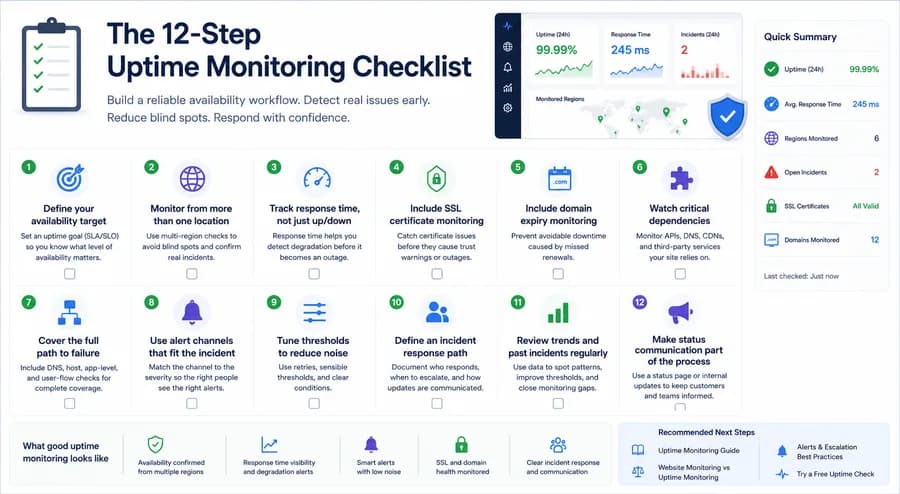
Quick summary
{{domainSnaphot}}
The 12-step uptime monitoring checklist
1. Define your availability target
Start by deciding what level of uptime matters for your business. A status page, SLA, or internal SLO gives your monitoring program a target. Without that target, it becomes harder to decide what should trigger an alert and what level of failure is acceptable.
2. Monitor from more than one location
Single-location checks can create blind spots. Multi-region confirmation helps you distinguish real incidents from local routing problems, temporary network issues, or isolated failures that should not trigger a full escalation.
3. Track response time, not just up/down status
A site can still be technically up while becoming slow enough to hurt users. Response-time tracking adds important context and helps you catch degradation before it becomes a visible outage.
4. Include SSL certificate monitoring
Availability is only one layer of website health. SSL expiry monitoring helps you catch certificate issues before they turn into trust warnings, failed checkouts, or broken customer experiences.
5. Include domain expiry monitoring
Domain monitoring protects against one of the most preventable outages. Even if uptime checks are configured correctly, a missed renewal can still take a site offline.
6. Watch critical dependencies
Your website may depend on APIs, DNS providers, CDNs, and third-party services. If a dependency fails, uptime checks alone may not tell the full story. Critical dependencies should be part of the monitoring picture.
7. Cover the full path to failure
Reliable monitoring means thinking beyond one check type. DNS issues, host failures, app-level errors, and broken user flows can all affect availability in different ways. A healthy setup covers more than a single ping.
8. Use alert channels that fit the incident
Alerts should be easy to notice and easy to trust. Match the channel to the severity of the issue. Low-priority warnings do not need the same escalation path as a confirmed outage.
9. Tune thresholds to reduce noise
Noisy alerts make monitoring less useful. Add retry logic, sensible thresholds, and clear escalation conditions so teams are notified about meaningful incidents instead of temporary noise.
10. Define an incident response path
Monitoring works best when people know what happens next. Clarify who responds first, which channel is used, when to escalate, and how updates are communicated during an incident.
11. Review trends and past incidents regularly
Historical uptime and response-time data help teams spot patterns, recurring weak points, and alerting gaps. Review reports regularly so monitoring improves over time instead of staying static.
12. Make status communication part of the process
If uptime matters to customers, a clear status communication path matters too. Whether you use a public status page or an internal incident process, communication should be part of the workflow, not an afterthought.
What good uptime monitoring looks like
A healthy uptime monitoring setup usually combines availability checks, response-time visibility, sensible alert routing, and adjacent health signals such as SSL and domain monitoring. The goal is not just more alerts. It is more confidence in what your monitoring is telling you.
Recommended next steps
If you want to go deeper, continue with the full uptime monitoring guide, learn how to improve alerts and escalation, compare website monitoring vs uptime monitoring, or try a free uptime check. You can also explore uptime monitoring to see how these layers fit together in a broader workflow.
Free plan available. No credit card needed.
FAQ
Who is this uptime monitoring checklist designed for?v
Why is monitoring from multiple locations important?v
Why should I track response time instead of just up/down status?v
Why include SSL certificate monitoring in uptime checks?v
Why is domain expiry monitoring important for uptime?v
What does a good uptime monitoring setup include?v
Blog Posts
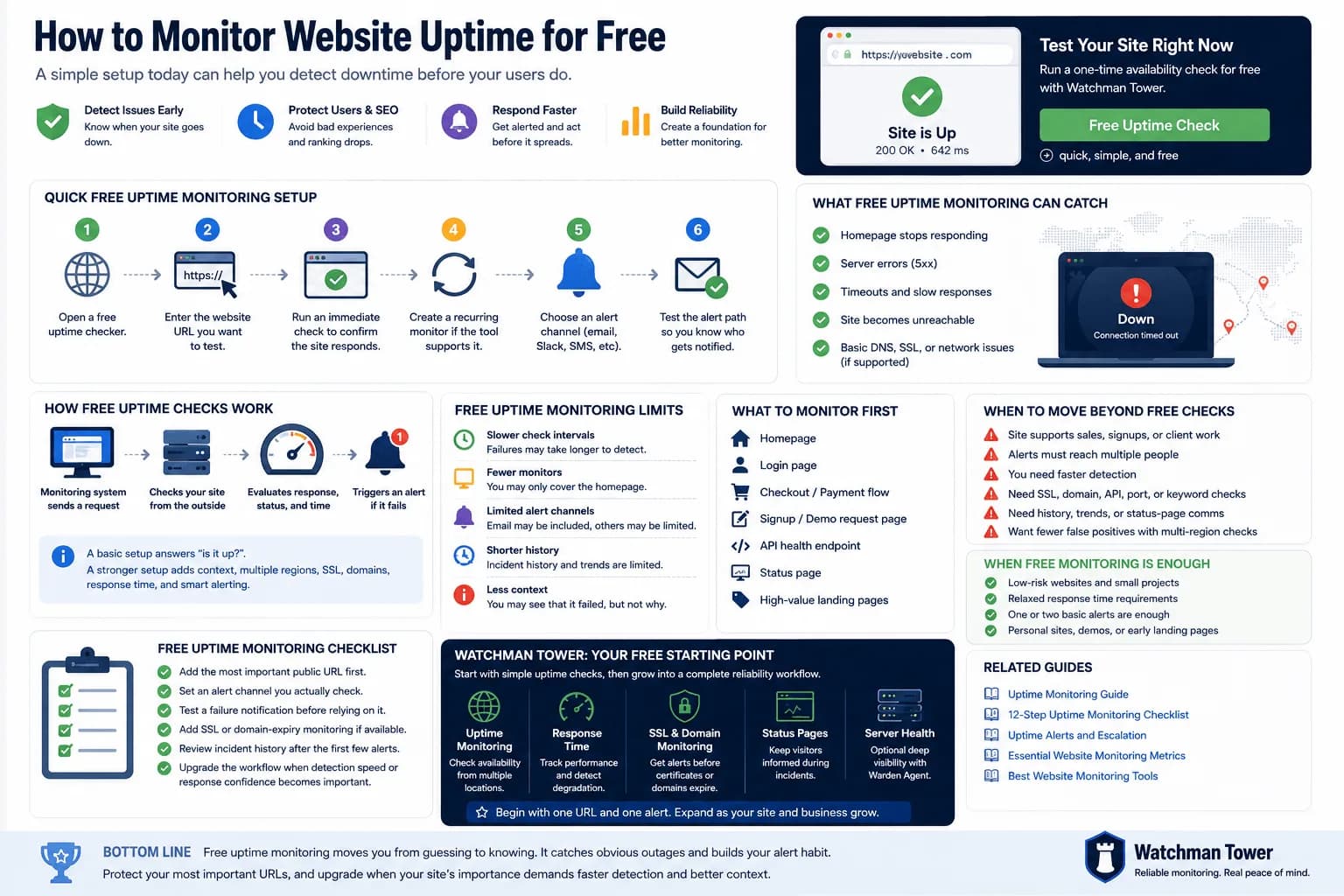
Monitor Website Uptime for Free: Setup, Limits, and Next Steps...
You can monitor website uptime for free by adding your URL to a basic checker, choosing an interval, and enabling alerts. This guide explains the fastest setup, what free checks can catch, and where free monitoring starts to fall short.
Learn more about Monitor Website Uptime for Free: Setup, Limits, and Next Steps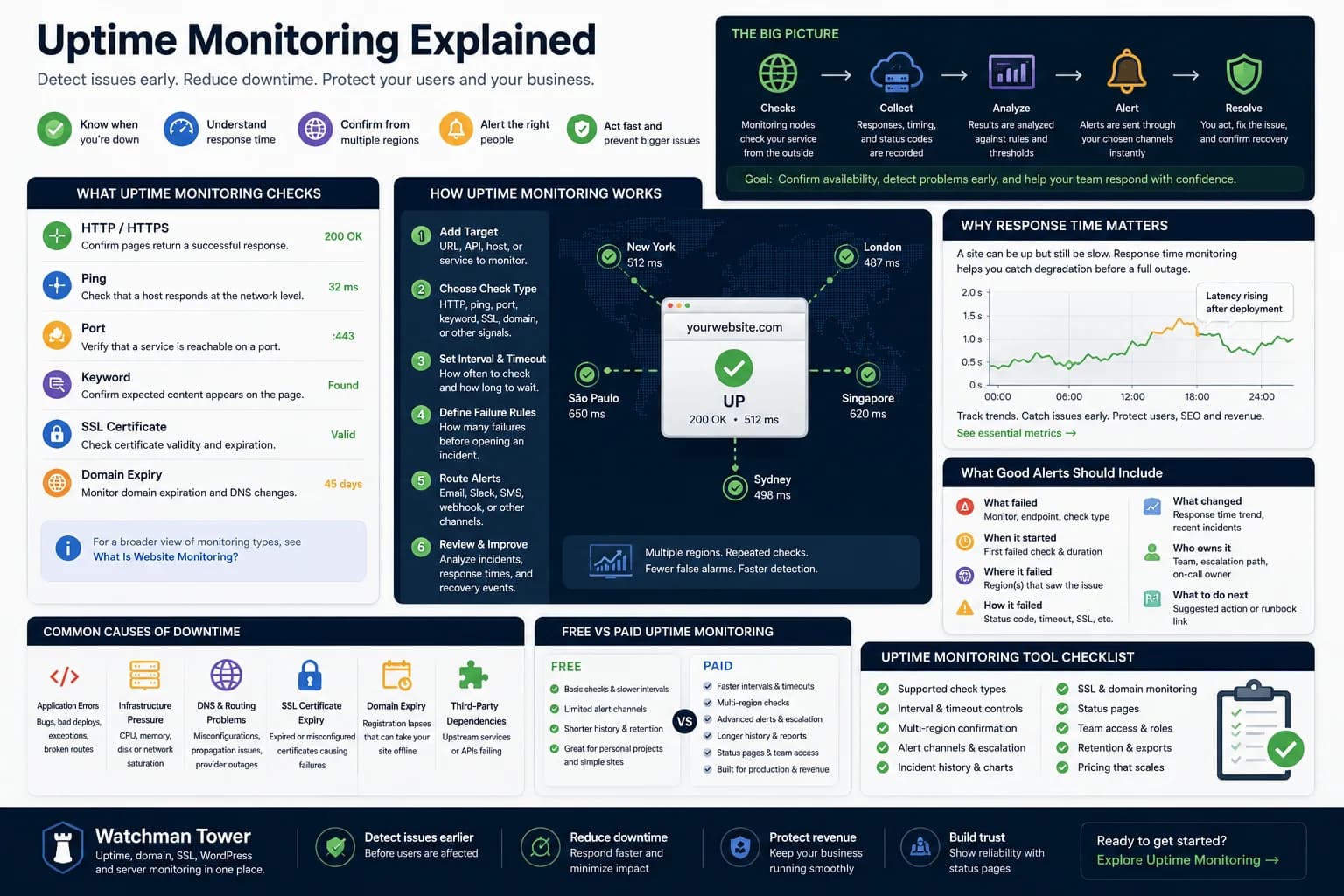
Uptime Monitoring Guide: How to Detect Downtime and Alert Faster...
Uptime monitoring helps you detect when a website, app, or service becomes unavailable. This guide explains how checks work, which signals matter, how alerts should be routed, and how to turn basic uptime checks into a practical response workflow.
Learn more about Uptime Monitoring Guide: How to Detect Downtime and Alert Faster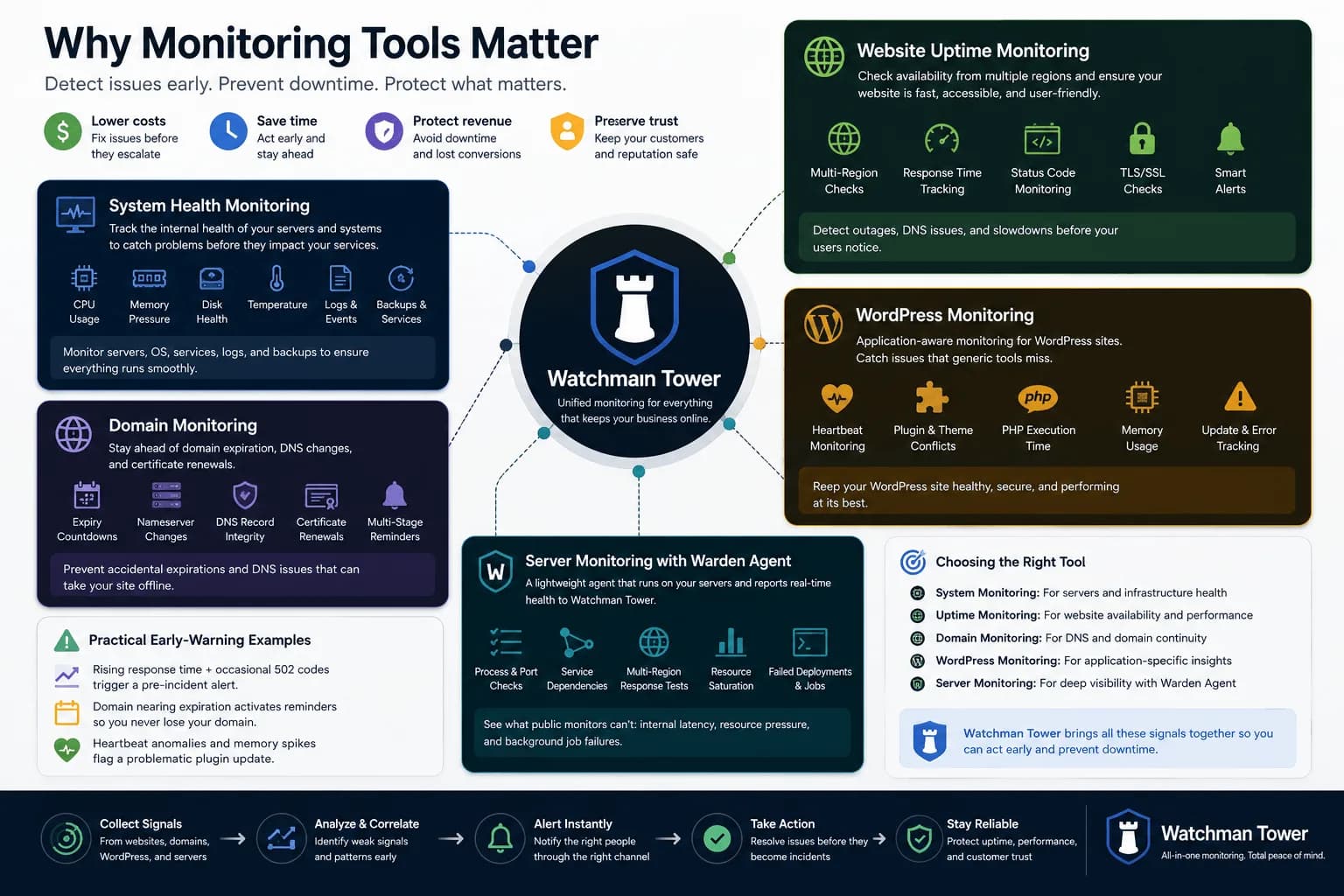
Different Types of Monitoring Tools: From System Health to Website Uptime...
Monitoring tools have expanded far beyond one-dimensional checks. This guide explains the main tool categories and where broader health visibility starts to matter.
Learn more about Different Types of Monitoring Tools: From System Health to Website Uptime