

Downtime is Expensive: The Real Costs No One Talks About
- Watchman Tower Team
- Updated: October 1, 2026
- Category: Website Monitoring
- Read Time: 5 min
The cost of downtime is more than the minutes a site is offline. This guide covers the direct and hidden costs, why incidents nobody notices are the most expensive, and how to frame the return on monitoring.
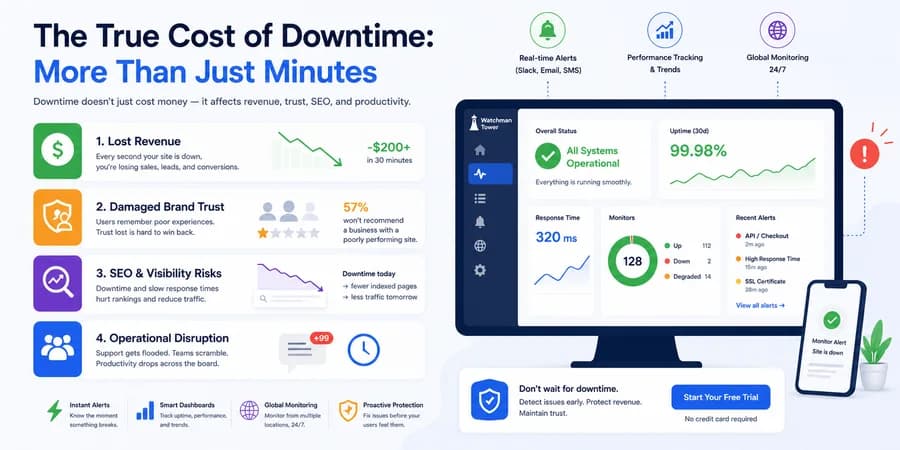
Most businesses measure downtime in minutes. The real cost is measured in revenue, trust, search visibility and the time of the people who have to deal with it. And the most expensive incidents are often not the outages everyone sees. They are the ones nobody notices for hours.
This guide covers what downtime costs, why undetected incidents cost more than visible ones, and how to put a number on the value of catching them early.
The Direct Costs of Downtime
Lost Revenue
While a site is down, sales, leads and sign-ups stop. For an online store that is lost income. For a SaaS or B2B service it is missed trial sign-ups and abandoned contact forms.
A rough estimate is simple: revenue per hour multiplied by the hours of downtime. A site that earns $10,000 a day loses a little over $200 in a 30-minute outage if revenue were spread evenly across the day. It never is. An outage during peak hours or a campaign costs several times the average, which is why the timing of an incident matters as much as its length.
Wasted Acquisition Spend
Every campaign assumes the site will load. When it does not, paid clicks, affiliate traffic and email sends keep arriving at a dead end, and the budget is spent with nothing to show for it. This cost is easy to miss because it appears in the marketing budget, not in the incident report.
Operational Disruption
Support queues fill up. Developers drop what they were doing to find the cause. Even a ten-minute incident costs far more than ten minutes of team time once the interruption, the investigation and the follow-up are counted.
The Costs That Do Not Show Up on the Day
Customer Trust
Users do not see an infrastructure problem. They see a failed login, a blank screen or a security warning, and they conclude that the product is unreliable. Trust is built through consistent experiences and worn down by repeated friction. Most users never report a problem. They simply leave, and some do not come back. How users behave during outages looks at this in detail.
Search Visibility
A short outage is unlikely to affect rankings. Frequent or prolonged downtime can: crawlers that repeatedly meet errors or slow responses crawl less, and pages that stay unavailable can drop out of the index. The effect arrives late and takes time to recover, so the traffic cost of an incident can outlast the incident by weeks.
The uptime monitoring guide explains how continuous checks shorten these windows.
Why Unnoticed Incidents Cost More Than Outages
A complete outage is visible, and it usually triggers action quickly. Silent degradation does not. The site appears online while users are already having problems:
- Slow response times that affect only some users
- API latency that rises gradually
- An SSL certificate that is about to expire
- Failures limited to one region
- Broken user flows that still return a technically valid response
The cost of an incident grows with the time nobody knows about it. A checkout that has been slow for two days has lost more than a site that was down for ten minutes.
Without monitoring, the sequence looks like this:
Customer reports the problem → team investigates → fix begins
With monitoring, it becomes:
System detects the problem → team investigates → most users never see it
How Incidents Go Unnoticed
Monitoring setups leave blind spots when they only check basic availability.
| Blind spot | What gets missed |
|---|---|
| Checking only up or down | A 200 response does not guarantee fast performance, correct data or a working user flow |
| Checking from one location | CDN issues, DNS propagation problems and routing failures that affect only some regions |
| Not tracking expiry dates | SSL certificates and domain renewals, which fail on a known date and can be caught in advance |
| No response time history | A site that has become three times slower is still technically online |
Each of these is covered in more detail in how monitoring tools detect downtime.
A Simple Way to Frame the Return on Monitoring
The costs above can be turned around into a return. A framing that works when explaining the value to leadership:
Return = (protected revenue + preserved acquisition spend + reduced support cost + regained engineering time) − monitoring cost
- Protected revenue: sessions × conversion rate × average order value for the time that would otherwise have been lost.
- Preserved acquisition spend: paid clicks that did not land on a failing or slow page.
- Reduced support cost: fewer tickets during incidents, especially when a status page tells customers what is happening.
- Regained engineering time: fewer unplanned interruptions and faster diagnosis.
The numbers will be estimates, and that is fine. The point is that the largest variable in every line is the same: how long the problem lasted before someone knew about it.
For a shorter version of the argument, see reasons uptime monitoring is essential.
What Reduces the Cost
- Detect from outside. Checks that run independently of your own infrastructure keep working when the site does not.
- Confirm before alerting. Checks from more than one location separate a real incident from a local network problem, so alerts stay trustworthy.
- Watch more than availability. Response time, SSL expiry and domain expiry catch the incidents that never show up as a simple outage.
- Route alerts to where people are. An alert nobody sees does not shorten the incident.
- Communicate during the incident. Clear status updates reduce support load and protect trust while the fix is in progress.
Watchman Tower covers these layers in one place: uptime, response time, SSL and domain expiry checks, with alerts by email, mobile push, Slack, SMS or webhook and a public status page for incident communication. For a hands-on example, see monitoring an API with Node.js.
Final Thought
The cost of an incident is not only the time a system is unavailable. It is everything that happens while nobody knows there is a problem. Shortening that window is the cheapest reliability improvement most teams can make.
Free plan available. No credit card needed.
FAQ
What are the hidden costs of downtime beyond lost revenue?v
How can I estimate the revenue cost of an outage?v
Can downtime affect search engine rankings?v
Why do unnoticed incidents cost more than visible outages?v
How do I explain the return on monitoring to leadership?v
Blog Posts
Free Uptime Monitor: How to Monitor Your Website Without Paying...
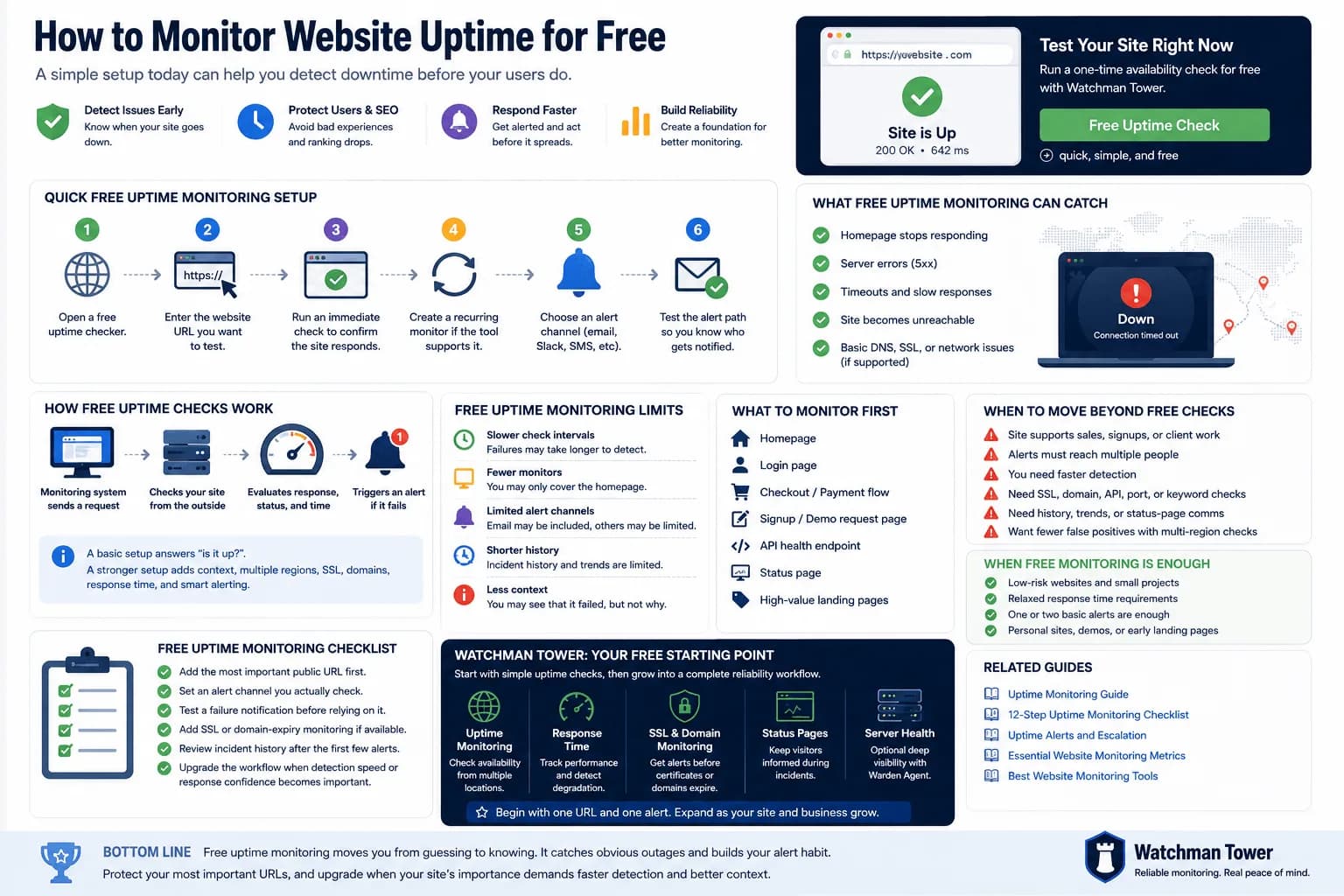
A free uptime monitor checks your URL on a schedule and alerts you when it stops responding. This guide shows the fastest setup, compares a one-off checker with a free monitoring plan, and explains where free monitoring falls short.
Learn more about Free Uptime Monitor: How to Monitor Your Website Without Paying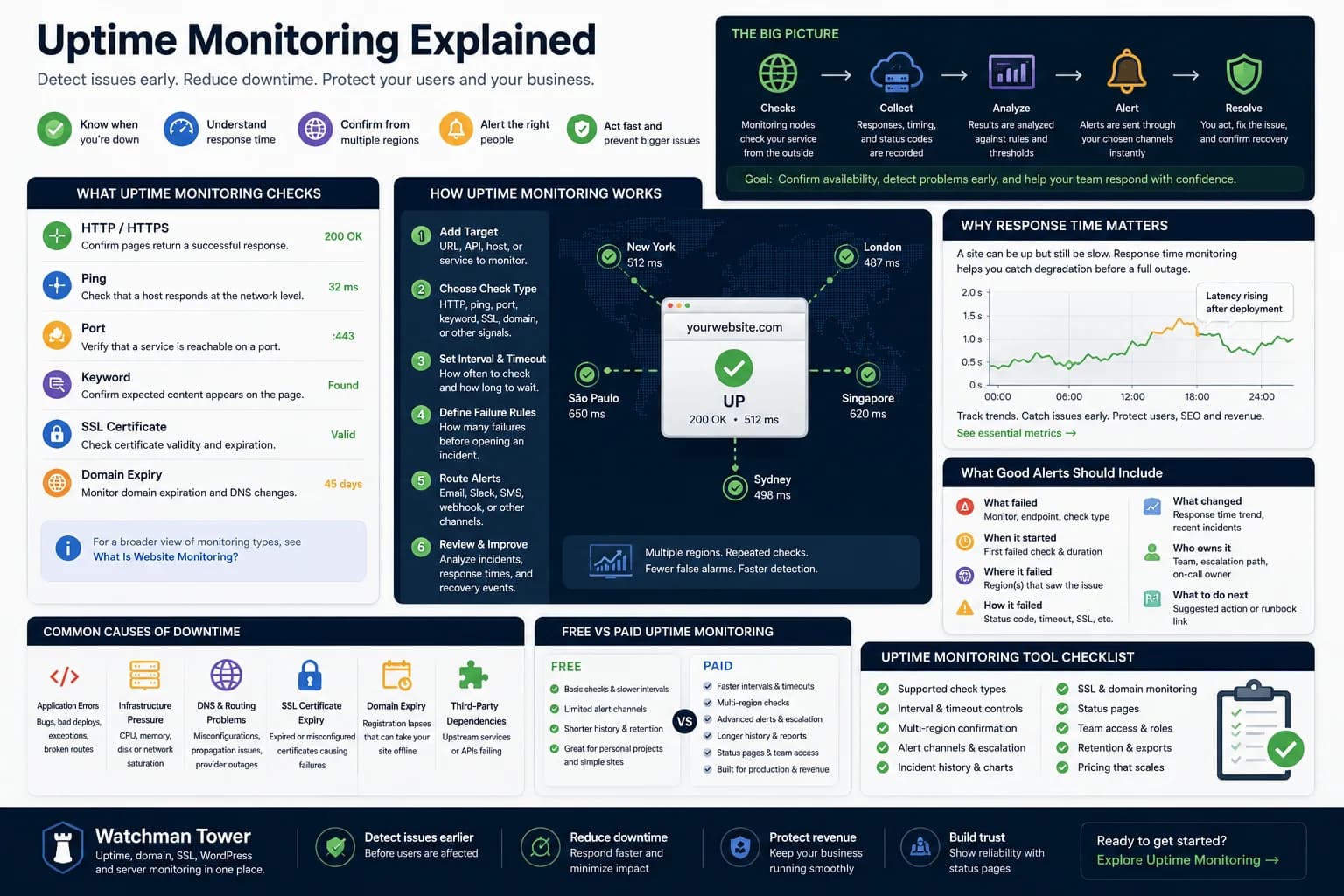
Uptime Monitoring Guide: How to Detect Downtime and Alert Faster...
Uptime monitoring helps you detect when a website, app, or service becomes unavailable. This guide explains how checks work, which signals matter, how alerts should be routed, and how to turn basic uptime checks into a practical response workflow.
Learn more about Uptime Monitoring Guide: How to Detect Downtime and Alert Faster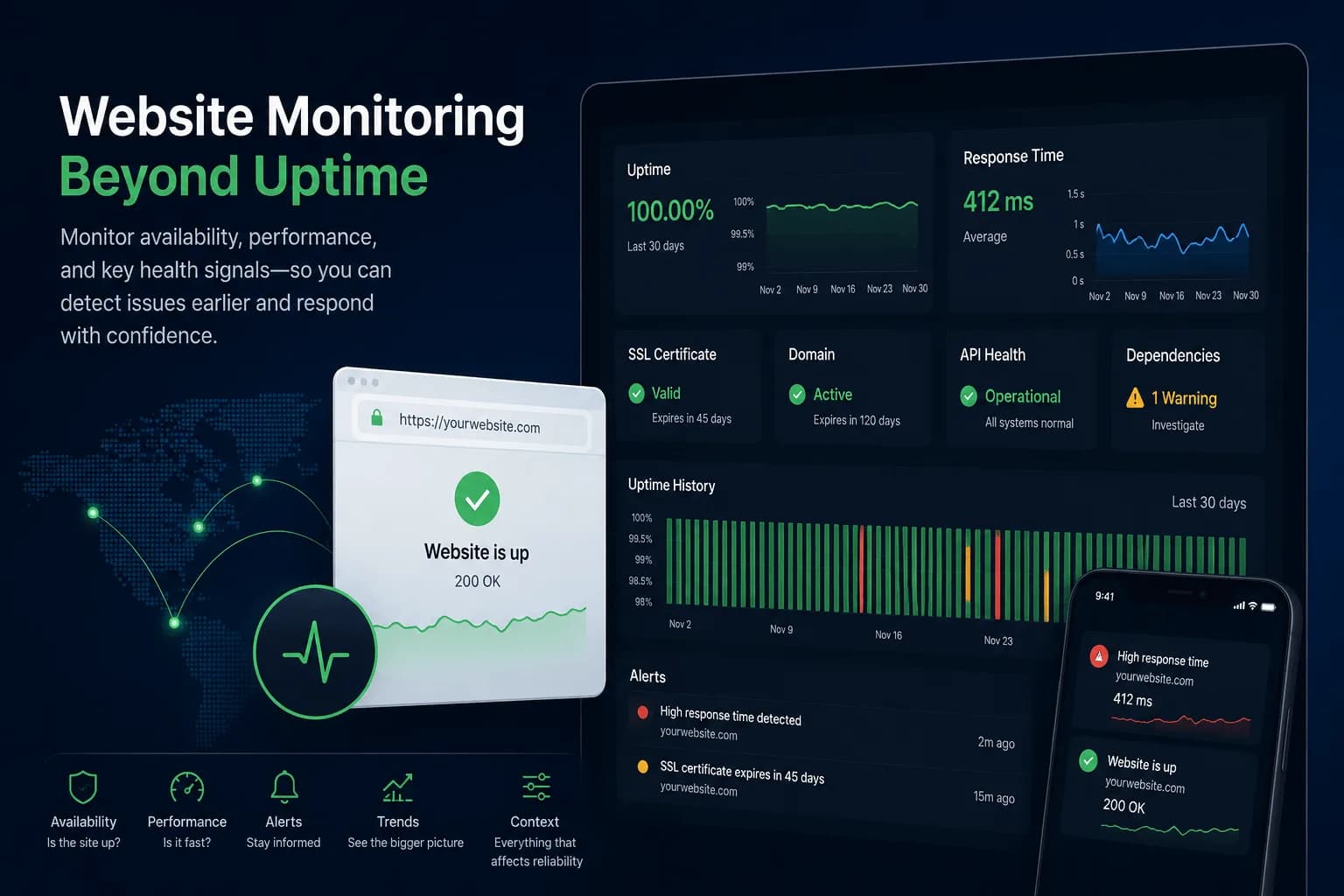
What Is Website Monitoring? How It Works and Why It Matters...
Website monitoring checks whether a site is available, how it performs and whether SSL, domain or dependency risks are building up around it. This guide explains how it works and how it differs from uptime monitoring.
Learn more about What Is Website Monitoring? How It Works and Why It Matters