Multi-Region Checks
- Updated: July 21, 2026
- Read Time: 2 min
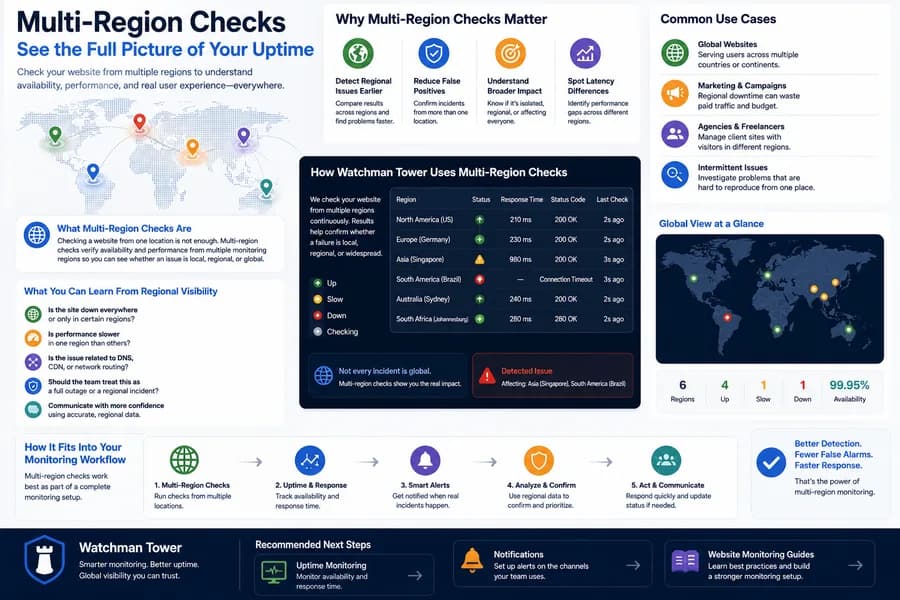
Watchman Tower currently runs multi-region checks across 3 active regions. Free workspaces can keep 1 active region per monitor, while paid workspaces can select multiple regions to separate local noise from broader availability problems.
What Multi-Region Checks Are
Checking a website from a single location is useful, but it does not always show the full picture. A service may be reachable in one region while users in another region are seeing timeouts, slow responses, or partial outages.
Multi-region checks help you verify availability and performance from multiple monitoring regions, so you can understand whether an issue is isolated, regional, or broadly affecting your site.
Why Multi-Region Checks Matter
Not every incident is global. Some problems only affect certain regions because of routing issues, CDN behavior, DNS propagation, or upstream network problems.
- Detect regional issues earlier by comparing results across multiple monitoring regions.
- Reduce false positives by confirming incidents from more than one location.
- Understand broader impact before escalating an issue internally or externally.
- Spot regional latency differences that may not appear from a single check location.
How Watchman Tower Uses Multi-Region Checks
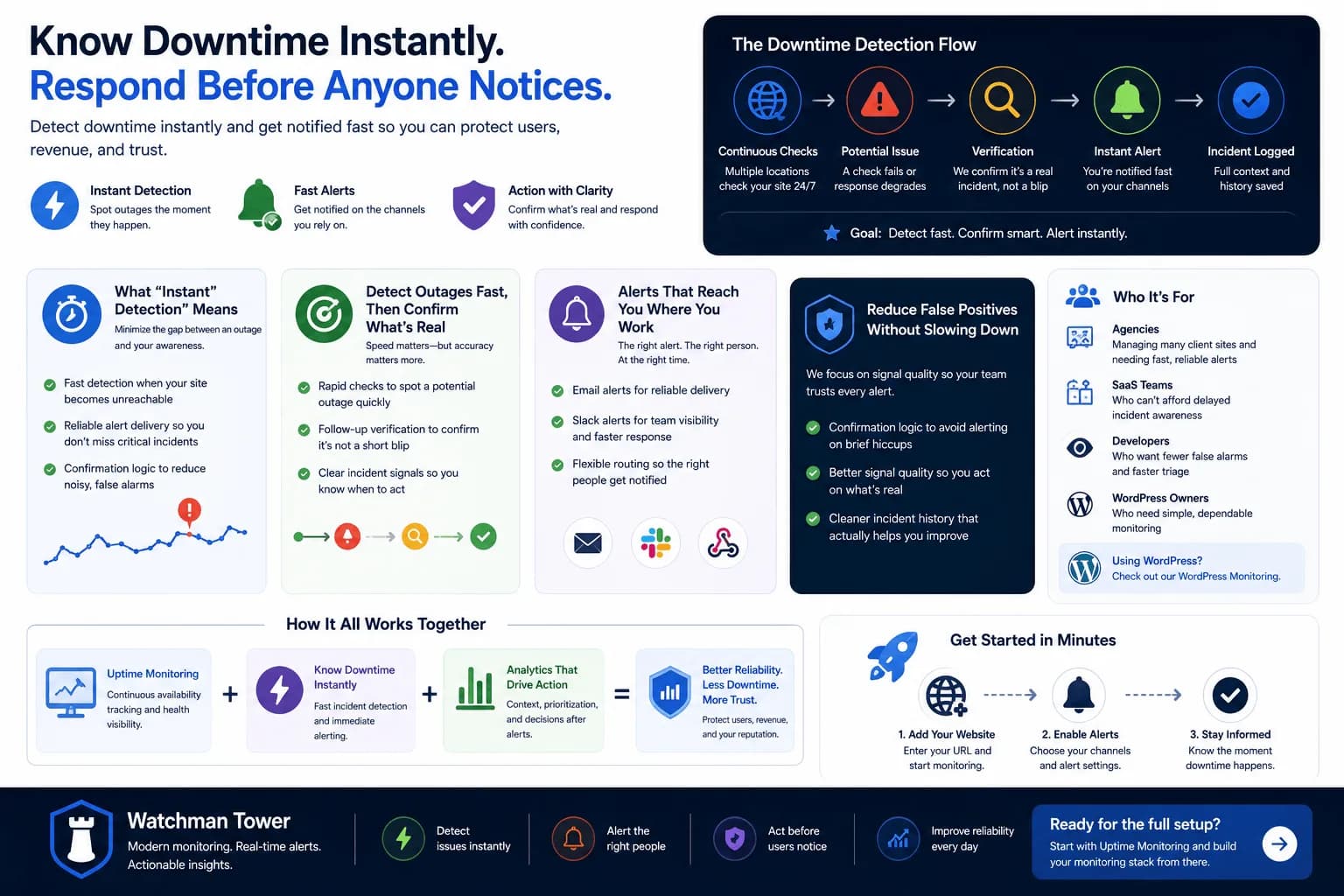
Watchman Tower uses multi-region checks to improve confidence in incident detection and response. Instead of relying on one location alone, multiple monitoring regions can help confirm whether a failure is local, regional, or widespread.
This gives teams a more reliable view of availability and makes it easier to separate temporary routing noise from real incidents.
What You Can Learn From Regional Visibility
- Is the site down everywhere or only in certain regions?
- Is performance slower in one region than others?
- Is the issue likely related to DNS, CDN, or network routing?
- Should the team treat this as a full outage or a regional incident?
That kind of visibility makes incident response more precise and helps teams communicate with more confidence.
Common Use Cases
- Global websites serving users across multiple countries or continents
- Marketing pages and campaigns where regional downtime wastes paid traffic
- Agencies managing client sites with visitors in different regions
- Teams investigating intermittent incidents that are difficult to reproduce from one location
How It Fits Into Your Monitoring Workflow
Multi-region checks work best as part of a broader monitoring setup. Teams often combine them with uptime monitoring, response time tracking, and alerting to get a clearer operational picture.
That means you can detect incidents faster, confirm them more accurately, and avoid reacting to noise too early.
Recommended Next Steps
Check your website's health in seconds
Uptime · Response time · SSL · WordPress detection
Free plan available. No credit card needed.