

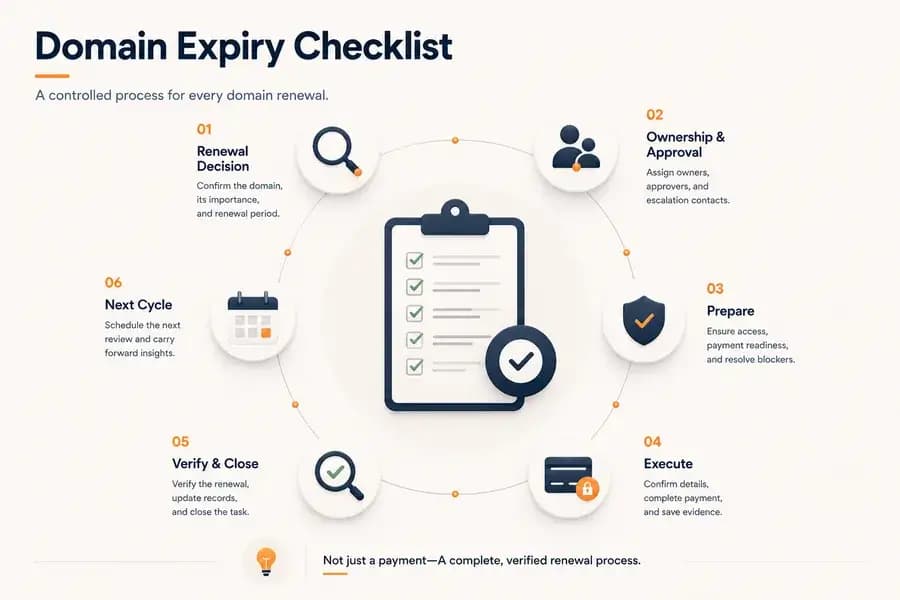
Domain Expiry Checklist: A Complete Renewal Process
- Watchman Tower Team
- Updated: October 1, 2026
- Category: Domain Monitoring
- Read Time: 9 min
Follow a practical domain expiry checklist that standardizes every stage of the renewal process, from planning and ownership to execution, verification, documentation, and preparing the next renewal cycle. Learn how to reduce operational risk with a repeatable renewal workflow.
A domain expiry checklist turns domain renewal into a controlled operational process. It defines the actions, approvals, records, and completion criteria required before a renewal can be considered successful.
The purpose of the checklist is not to explain how domain expiration data is checked. Its purpose is to ensure that every renewal is prepared, executed, documented, verified, and formally closed without relying on individual memory.
This checklist covers the complete renewal workflow: deciding whether the domain should be retained, assigning responsibility, preparing payment and access, completing the renewal, recording evidence, and preparing the next renewal cycle.
Why Domain Renewals Need a Checklist
Domain renewal is often treated as a simple payment task. In reality, a successful renewal depends on several people, systems, and administrative conditions working together.
A renewal may fail or become delayed when:
- No one is clearly responsible for the domain.
- The domain's business purpose has not been reviewed.
- Registrar access is unavailable.
- Financial approval is incomplete.
- The payment method cannot be used.
- The transaction is completed but never formally verified.
- Internal records are not updated after renewal.
A checklist prevents these dependencies from remaining invisible. It also establishes clear evidence that the renewal process was completed correctly.
Stage 1: Confirm the Renewal Decision
The first stage determines whether the domain should be renewed and why it remains necessary.
Confirm the Domain Is Still Required
Document whether the domain still supports an active business, technical, legal, defensive, or brand-protection purpose.
A domain should not be cancelled simply because it does not host a public website. It may still support:
- Email delivery
- Redirects
- APIs
- Authentication systems
- Customer portals
- Regional services
- Brand protection
Classify the Domain's Operational Importance
Assign a criticality level based on the cost of losing a domain.
A production domain supporting websites, email, authentication, or customer services should receive stricter controls than an experimental or temporary domain.
Approve the Renewal Duration
Decide how long the domain should be renewed for and record that decision before the transaction begins.
The selected registration period should reflect the domain's expected use, strategic value, and operational importance.
Stage 2: Assign Ownership and Responsibility
A renewal should not proceed without a clearly identified owner and executor.
Assign an Operational Owner
Record the person or team accountable for ensuring that the renewal reaches completion.
The operational owner does not need to perform every action personally, but remains responsible for coordinating the process and resolving blockers.
Assign the Renewal Executor
Identify who is authorized to access the registrar account and complete the transaction.
This role should not be implied through informal assumptions such as “the developer handles it” or “the agency probably manages it.”
Identify the Financial Approver
Record who can approve the renewal expense and whether any procurement, accounting, or management authorization is required.
Define an Escalation Contact
Identify who should be contacted if the renewal cannot proceed because of account access, payment, ownership, or registrar issues.
Stage 3: Prepare the Renewal
Preparation should be completed while there is still enough time to resolve operational problems without urgency.
Confirm Registrar Account Readiness
Confirm that the authorized executor can access the correct registrar account and complete any required authentication.
The checklist item is complete only when account access has been tested successfully—not when credentials are merely believed to exist.
Confirm Administrative Recovery Access
Ensure that account recovery channels and multi-factor authentication methods remain available to the organization.
Any dependency on a former employee, unavailable contractor, personal phone number, or inactive email address should be resolved before renewal approval.
Confirm Payment Readiness
Verify that an authorized payment method is available for the expected renewal amount.
Confirm any relevant:
- Spending limits
- Card expiration dates
- Billing approvals
- Account balances
- Regional payment restrictions
- Corporate purchasing requirements
Resolve Data Mismatches Before Approval
Any disagreement between the registrar account, internal domain inventory, monitoring system, or renewal record should be resolved before the transaction proceeds.
The checklist does not require re-explaining how the data is verified. It requires confirmation that the organization is using one agreed and current renewal record.
Set the Renewal Deadline
Establish an internal completion deadline that occurs well before the actual expiration date.
The internal deadline should leave enough time to recover from failed payments, blocked accounts, delayed approvals, or registrar support issues.
Stage 4: Execute the Renewal
The transaction stage should follow a controlled and documented sequence.
Confirm the Exact Domain
Match the domain being renewed against the approved renewal record before payment.
This is especially important when managing similar names, multiple extensions, country-specific domains, or large portfolios.
Confirm the Approved Registration Period
Ensure the registrar transaction matches the duration that was previously approved.
Confirm the Renewal Cost
Review the final price before completing payment. Unexpected renewal fees, added services, or incorrect registration periods should be resolved rather than approved automatically.
Complete the Authorized Payment
Use the approved payment method and follow any required financial controls.
Save Transaction Evidence
Retain the available evidence of the renewal attempt, including:
- Invoice or receipt
- Transaction identifier
- Confirmation email
- Payment reference
- Renewal date
- Name of the person who completed the transaction
A payment confirmation is evidence that a transaction was initiated. It is not, by itself, evidence that the renewal process is complete.
Stage 5: Verify and Close the Renewal
A domain renewal should remain open until the expected registration change has been confirmed and documented.
Confirm the Renewal Reached a Completed State
Ensure the registrar no longer shows the renewal as pending, processing, failed, refunded, or awaiting additional action.
Confirm the Expected Registration Period Was Added
Verify that the domain now reflects the approved renewal duration.
Any unexpected result must be investigated before the renewal task is marked complete.
Resolve Monitoring or Inventory Mismatches
Confirm that the organization's monitoring and inventory records now reflect the completed renewal.
Temporary synchronization delays may occur, but unresolved mismatches should remain open as follow-up tasks.
Update the Domain Inventory
Record the completed renewal in the central domain inventory.
The updated record should include:
- The renewed domain
- The new registration period
- The renewal cost
- The transaction reference
- The operational owner
- The renewal executor
- The completion date
- Any exceptions or follow-up actions
Close the Renewal Task
Mark the renewal as complete only after the transaction, registration change, and internal records have all been confirmed.
This creates a clear operational definition of done.
Stage 6: Prepare the Next Renewal Cycle
Renewal management should not stop when the current transaction is closed.
Schedule the Next Internal Review
Create the next review point based on the domain's importance and registration period.
Update Reminder and Escalation Dates
Ensure that future domain expiry reminders and escalation windows are based on the newly completed renewal.
Carry Forward Unresolved Risks
Document any issue that did not prevent the current renewal but could threaten future renewals.
Examples include:
- Dependence on one administrator
- Temporary payment arrangements
- Outdated account ownership
- Registrar consolidation needs
- Incomplete recovery access
Review the Process for Improvements
Record delays, errors, manual work, or unclear responsibilities encountered during the renewal.
These observations should be used to improve the next renewal cycle and enhance domain renewal management rather than being forgotten after the transaction is complete.
Domain Expiry Checklist Summary
Renewal Decision
- Confirm the domain is still required.
- Classify its operational importance.
- Approve the renewal duration.
Ownership and Approval
- Assign an operational owner.
- Assign an authorized renewal executor.
- Identify the financial approver.
- Define an escalation contact.
Preparation
- Test registrar account access.
- Confirm recovery and authentication access.
- Confirm payment readiness.
- Resolve data mismatches.
- Set an internal completion deadline.
Execution
- Confirm the exact domain.
- Confirm the approved registration period.
- Review the final renewal cost.
- Complete the authorized payment.
- Save transaction evidence.
Verification and Closure
- Confirm the renewal reached a completed state.
- Confirm the expected registration period was added.
- Resolve monitoring or inventory mismatches.
- Update the central domain inventory.
- Close the renewal task only after verification.
Next Renewal Cycle
- Schedule the next internal review.
- Update reminder and escalation dates.
- Carry forward unresolved risks.
- Record process improvements.
Common Domain Expiry Checklist Mistakes
Using the Checklist as a Data Lookup Guide
The checklist should define what must be completed, approved, recorded, and verified. Detailed instructions for checking domain data belong in a separate domain expiry checks procedure.
Treating Payment as the End of the Process
The process is not complete until the renewal result has been confirmed and internal records have been updated.
Leaving Responsibility Undefined
A checklist without named owners and approvers still depends on assumptions and individual memory.
Starting After the Renewal Becomes Urgent
A checklist cannot reduce operational risk when it is started too late to resolve access, payment, ownership, or approval problems.
Closing Tasks with Unresolved Exceptions
Mismatched records, pending registrar states, and incomplete follow-up actions should remain visible until they are resolved or formally accepted.
Applying the Same Controls to Every Domain
Renewal controls should reflect the domain's importance. Critical production domains require earlier deadlines, stronger ownership, and more formal verification than temporary or low-impact domains.
From a Checklist to Domain Renewal Management
A checklist controls one renewal. Domain renewal management is the practice around it: the inventory, ownership, documentation and review habits that make every renewal follow the same path, whoever happens to be on the team that year.
Most missed renewals trace back to the same few gaps:
- Multiple registrars. Domains registered through different providers over the years leave renewal dates and account access scattered across accounts nobody reviews together.
- Unclear ownership. Domains stay registered under former employees, agencies or personal accounts, so a routine renewal turns into an access problem.
- Scattered documentation. Renewal dates, billing records and administrative contacts live in separate documents that age at different speeds.
- Manual reminders. A missed calendar event, an overlooked email or a delayed approval is enough to fail a renewal.
The checklist above handles each renewal as it comes up. The table below shows what changes when the surrounding process is automated instead of held in people's memory.
| Manual renewal management | Automated renewal management |
|---|---|
| Depends on individuals remembering dates | Expiry dates are tracked continuously |
| Higher administrative effort per domain | Repetitive checks are removed |
| Greater risk of a missed reminder | Upcoming renewals stay visible to the team |
| Workable for a handful of domains | Scales to portfolios across several registrars |
Automation does not remove responsibility for the renewal. It keeps the date in front of the people who own it, which is what domain expiry monitoring is for.
How Often Should the Checklist Be Used?
The complete checklist should be used for every planned renewal.
Critical domains should also receive readiness reviews before the formal renewal process begins. These reviews confirm that ownership, access, payment arrangements, and escalation paths remain operational throughout the year.
The checklist can also be used after organizational changes, registrar migrations, acquisitions, staff departures, or changes to financial systems.
Conclusion
A domain expiry checklist is an execution and control framework for domain renewal. It ensures that the renewal decision is approved, responsibility is assigned, operational dependencies are prepared, the transaction is documented, and the result is formally verified.
Its value comes from creating a repeatable definition of done. A domain renewal is not complete when someone clicks a payment button. It is complete when the expected registration period has been added, the evidence has been recorded, internal systems have been updated, and the next renewal cycle has been prepared.
Free plan available. No credit card needed.
Want a Dedicated Expiry Monitoring Tool?
Don’t rely only on registrar emails. Watchman Tower gives you automatic expiry alerts across all registrars, with reminders at 30, 14, 7, 3, and 1 day before expiry.
Learn more about Domain Expiry Monitoring →FAQ
What should I check 60 days before my domain expires?v
What are the critical checks 30 days before domain expiry?v
What should I focus on 14 days before my domain expires?v
What are the last-minute checks in the final week before domain expiry?v
Why is it risky to rely solely on auto-renewal for domains?v
How can I make my domain renewal process more reliable?v
Blog Posts
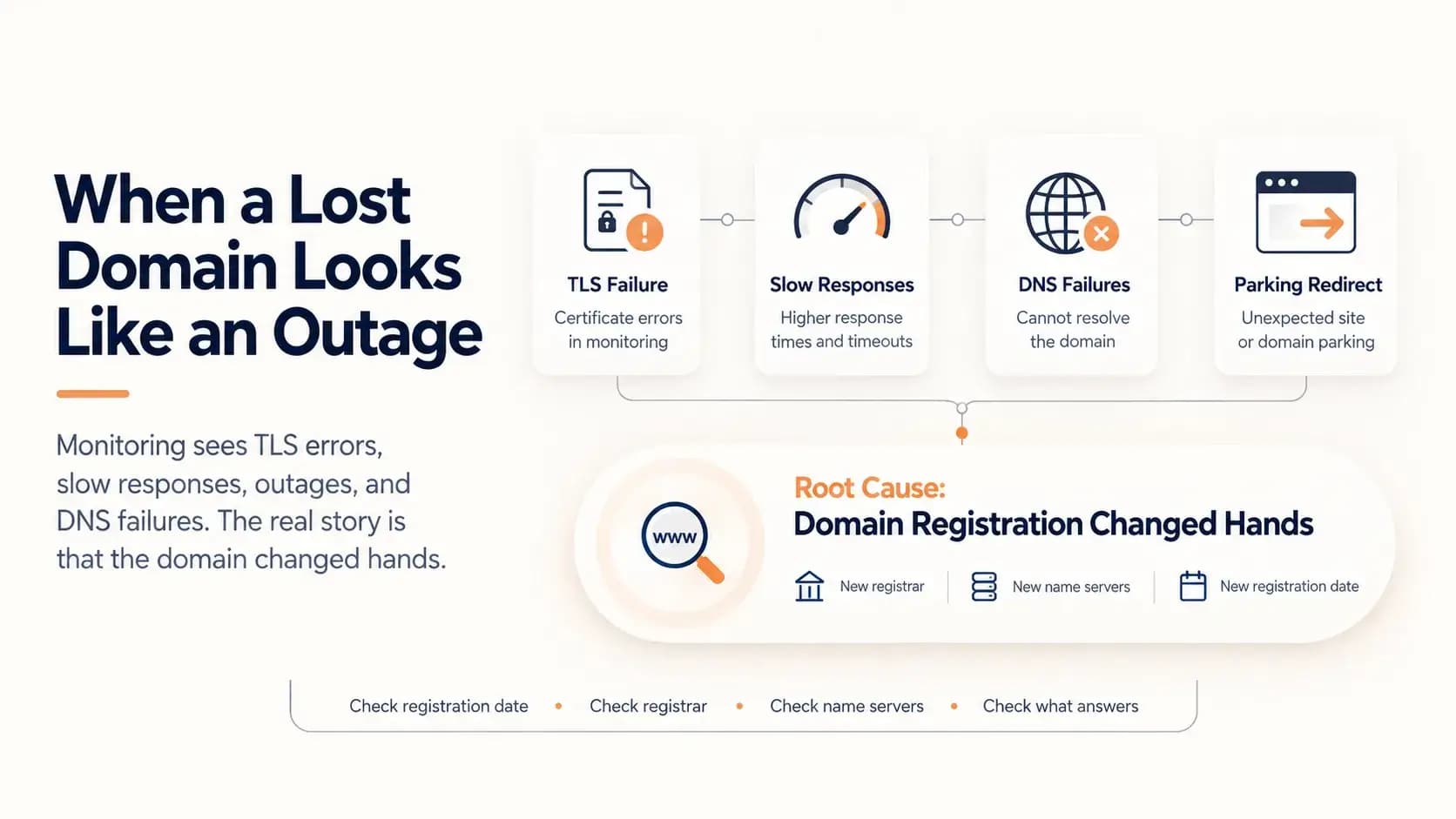
What Happens When a Domain Expires and Someone Else Registers It...
A domain that lapses and is registered by someone else does not look like a lost domain. It looks like a certificate error, slow responses, an outage and DNS failures. This case follows one such domain through five weeks of accurate but misleading alerts, and shows how to tell the difference.
Learn more about What Happens When a Domain Expires and Someone Else Registers It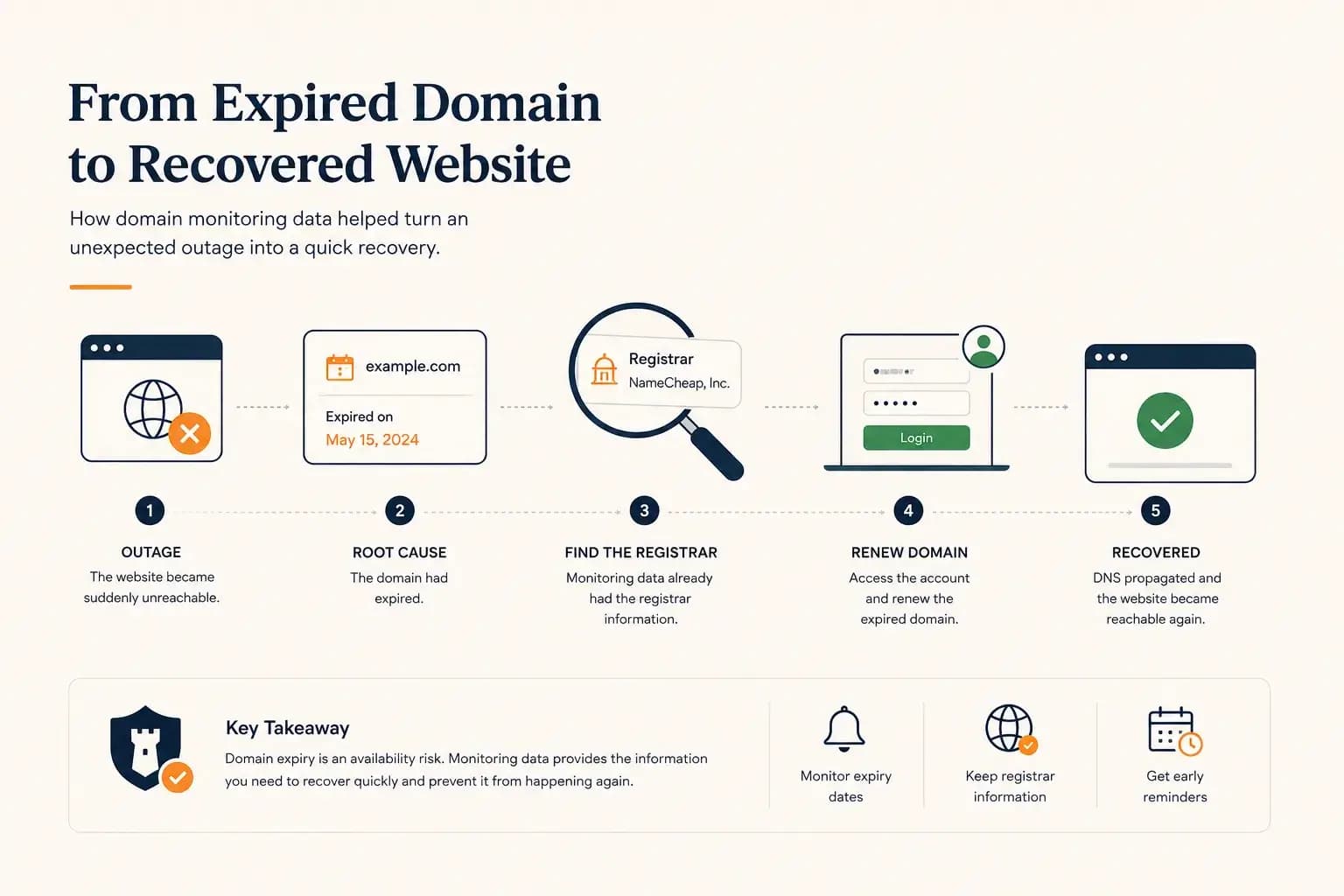
The Website Went Down — and the Owner Didn’t Know Where the Domain Was Registered...
A real-world expired domain recovery case: how a website went offline, how we identified the registrar from monitoring data, and how the domain was renewed before it was lost.
Learn more about The Website Went Down — and the Owner Didn’t Know Where the Domain Was Registered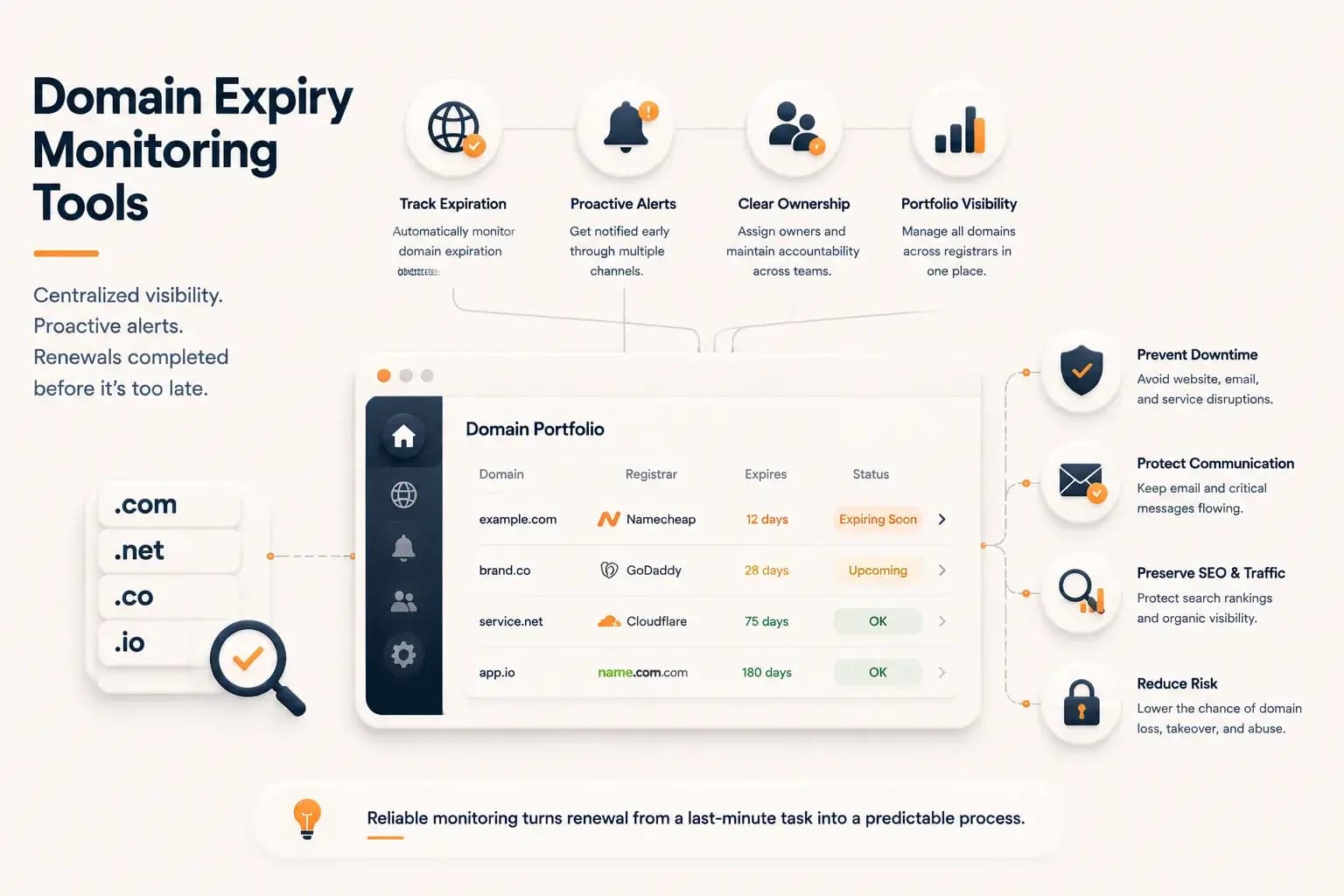
Best Domain Expiry Monitoring Tools: How to Choose the Right Solution...
Explore how domain expiry monitoring tools help organizations track renewal risks, manage multiple domains, and choose the right solution based on visibility, automation, and operational needs.
Learn more about Best Domain Expiry Monitoring Tools: How to Choose the Right Solution