

The Website Went Down — and the Owner Didn’t Know Where the Domain Was Registered
- Watchman Tower Team
- Updated: August 23, 2026
- Category: Domain Monitoring
- Read Time: 8 min
A real-world expired domain recovery case: how a website went offline, how we identified the registrar from monitoring data, and how the domain was renewed before it was lost.
Recovering an expired domain can be straightforward when you know which registrar manages it, still have access to the account, and act before the recovery window closes.
Real incidents are often messier.
In this case, a website suddenly became unreachable. The server was still running, the application had not been changed, and there was no deployment incident. The actual problem was simpler: the domain had expired.
Then a second problem appeared.
The domain owner no longer remembered where the domain had originally been registered.
Fortunately, historical domain monitoring data still contained the registrar information. That turned what could have become a slow and uncertain recovery process into a clear sequence: identify the registrar, regain access, renew the domain, and restore the website.
This case shows how to recover an expired domain in practice, what information matters during recovery, and why registrar and expiry data can become operationally important when something goes wrong.
The Incident: The Website Suddenly Became Unreachable
The first symptom was simple: the website could no longer be reached.
At that point, several causes were possible:
- A hosting failure
- A server outage
- A DNS problem
- An expired SSL certificate
- A failed deployment
- An expired domain
The domain expiry date immediately stood out.
The domain registration had passed its renewal date, which meant the public website was no longer operating normally even though the underlying server and application had not necessarily failed.
Why an Expired Domain Can Look Like a Website Outage
A domain name is part of the website’s availability chain.
Visitors do not connect directly to a WordPress application, Node.js service, or web server by remembering its IP address. They normally begin with the domain name.
If the domain expires, the server can remain healthy while the public path to the website breaks.
Operationally, the result is the same as downtime:
- Visitors cannot reach the website normally
- Email associated with the domain may be affected
- APIs and subdomains may become unreachable
- Search engines may encounter failures
- Connected services may stop resolving the domain
This is why domain expiry should be treated as an availability risk rather than only an administrative renewal task.
The broader operational impact is covered in The Cost of Losing a Domain.
The Second Problem: The Owner Didn’t Know the Registrar
Discovering that the domain had expired did not immediately solve the incident.
The next question was:
Where was the domain registered?
The owner could not remember which registrar had been used when the domain was originally purchased.
This is more common than it may seem. Domains can remain active for years, renewal emails may go to old inboxes, staff responsibilities change, and registrar accounts may be forgotten until something goes wrong.
During normal operation, registrar information may look like simple metadata.
During a recovery incident, it becomes the path back to control of the domain.
Using Monitoring Data to Identify the Registrar
The domain was already being tracked through Watchman Tower as part of the website’s monitoring setup.
Alongside the expiry date, the stored domain information included the registrar responsible for the registration.
That meant there was no need to begin the recovery process by searching old invoices, checking multiple email accounts, or guessing which provider had originally sold the domain.
The registrar could be identified directly from the domain information already available in the monitoring system.
Once the registrar was known, the next step became straightforward: access the correct account and check whether the domain was still eligible for renewal or recovery.
How to Find Where an Expired Domain Is Registered
If you do not already have historical monitoring data, there are several ways to identify the registrar responsible for a domain.
- Check RDAP or WHOIS registration data
- Search previous renewal or registration emails
- Review old invoices and payment records
- Check password managers for registrar accounts
- Review DNS or nameserver configuration for clues
The goal is not only to identify the registrar brand. You ultimately need access to the account that controls the domain.
If the domain has already expired, speed matters because the available recovery options change as the domain progresses through the registrar and registry lifecycle.
Check Whether the Expired Domain Can Still Be Recovered
An expired domain is not always lost immediately.
Depending on the top-level domain, registrar, and registry policy, there may be a period after expiration during which the existing owner can still renew or recover the domain.
The exact lifecycle varies, but the practical recovery process usually starts with three questions:
- Has the domain actually expired?
- Which registrar currently manages it?
- Is the domain still within a renewal or recovery window?
In this case, the domain was still recoverable.
Once the correct registrar had been identified, the owner was able to access the account and renew the registration before the domain progressed into a more difficult recovery state.
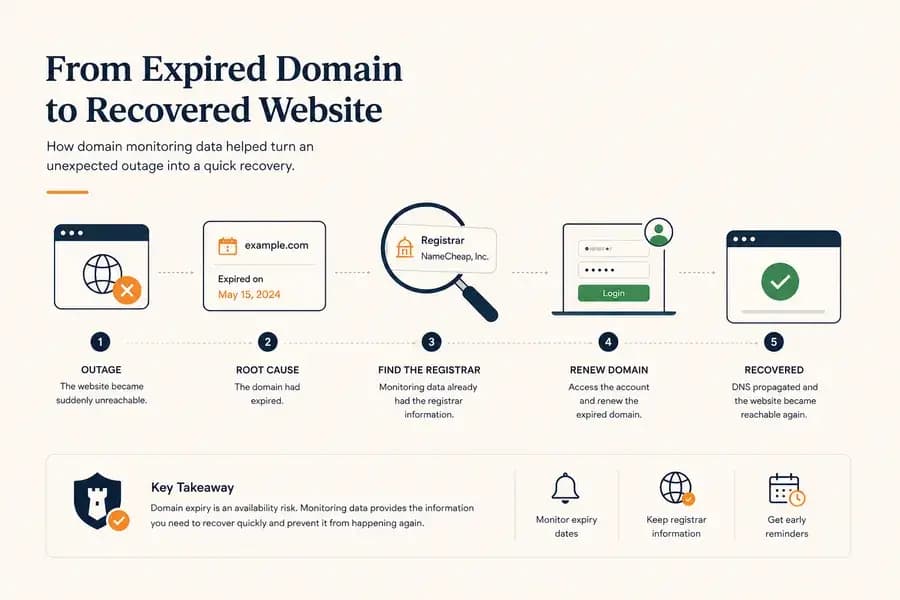
The Recovery Process
The actual recovery was much simpler than the investigation that led to it.
The sequence looked like this:
- The website became unreachable.
- The domain expiry was identified as the likely cause.
- The owner confirmed that they did not remember the registrar.
- Historical domain monitoring data was checked.
- The registrar was identified.
- The owner accessed the registrar account.
- The expired domain was renewed.
- Public access to the website recovered after the domain and DNS path became active again.
No server rebuild was required. No application code needed to change. The infrastructure behind the website had remained available throughout the incident.
The broken dependency was the domain registration itself.
Why a Renewed Domain May Not Recover Instantly
Renewing an expired domain does not always mean the website becomes reachable immediately.
Several systems may need time to return to their normal state:
- The registrar must update the registration status.
- Registry data may need to propagate.
- DNS records may need to become active again.
- Recursive DNS resolvers may still contain cached failure responses.
- CDN or proxy services may need to observe the restored DNS state.
This is why recovery should be verified from outside the infrastructure rather than assumed complete as soon as the renewal payment succeeds.
External monitoring provides a useful confirmation point: the incident is not really over until the public website is reachable again.
What This Incident Taught Us About Domain Monitoring
The most important lesson from this incident was not simply that domains should be renewed on time.
It was that domain information becomes operational data during an incident.
Domain Expiry Is an Availability Dependency
The server can be healthy. The application can be healthy. The SSL configuration can be correct.
If the domain registration fails, visitors may still lose access to the entire service.
Domain expiry therefore belongs in the same operational conversation as uptime, DNS, SSL, and infrastructure availability.
Registrar Information Matters During Recovery
Before an incident, the registrar name can look like passive registration metadata.
During recovery, it answers an immediate operational question:
Where do we need to go to regain control of this domain?
Keeping registrar information visible alongside expiry data can save valuable time when ownership history, invoices, or account details are unclear.
Renewal Reminders Are Incident Prevention
The best recovery process is the one you never have to perform.
Domain expiry reminders give teams time to act before the registration reaches its expiration date, while the domain is still functioning normally.
This is particularly important when responsibility is distributed across clients, agencies, developers, finance teams, or former employees.
Our guide to domain expiry reminders explains how early renewal alerts reduce the risk of missed expirations.
How to Recover an Expired Domain: A Practical Checklist
If a website is unavailable and you suspect the domain has expired, work through the recovery process in this order:
- Verify the domain status. Check the expiry date and current registration status using your registrar, RDAP, WHOIS, or existing monitoring data.
- Identify the registrar. Find the company currently responsible for the registration.
- Locate the correct account. Confirm which account or organization owns the domain.
- Check the recovery options. Determine whether normal renewal is still available or whether the domain has entered a recovery or redemption stage.
- Renew or recover the domain. Complete the registrar's required process as quickly as possible.
- Verify DNS. Confirm that the expected nameservers and DNS records are still in place.
- Verify the public website. Do not assume recovery is complete until external checks confirm that the site is reachable again.
- Add independent expiry monitoring. Make sure the same incident cannot happen silently a second time.
The Difference Between Detecting Expiry and Managing Renewal
Domain expiry monitoring and domain renewal management solve related but different problems.
Monitoring answers:
When is this domain at risk of expiring?
Renewal management answers:
Who is responsible for renewing it, where is it registered, and has the renewal actually been completed?
The incident in this case crossed both areas. The expiry date explained why the site had failed, while registrar information provided the path to recovery.
For a broader operational process, see Domain Renewal Management.
Where Watchman Tower Helped
Watchman Tower was not the registrar and did not renew the domain automatically.
Its role was visibility.
The monitored domain already had expiry and registration information associated with it. When the incident occurred, that information made it possible to identify the registrar immediately instead of reconstructing the ownership history from scratch.
That distinction matters.
Monitoring does not replace registrar access, renewal ownership, or operational responsibility. It reduces uncertainty when those systems need attention.
Final Lesson
An expired domain can make a healthy server and a healthy application look completely unavailable.
Recovering the domain may be simple if the right information is available quickly. In this case, the decisive information was not a server log or application error. It was the domain expiry status and the registrar responsible for the registration.
Domain monitoring is therefore useful both before and during an incident: before expiry, it helps teams prevent the problem; after expiry, historical registration data can help shorten the path to recovery.
Free plan available. No credit card needed.
Want a Dedicated Expiry Monitoring Tool?
Don’t rely only on registrar emails. Watchman Tower gives you automatic expiry alerts across all registrars, with reminders at 30, 14, 7, and 1 day before expiry.
Learn more about Domain Expiry Monitoring →FAQ
What happens when a domain expires?v
How can I find out which registrar manages my expired domain?v
Can an expired domain still be recovered?v
What is the step-by-step process to recover an expired domain?v
Why might a website remain unavailable after renewing an expired domain?v
How does domain monitoring help prevent or resolve expiration issues?v
Blog Posts
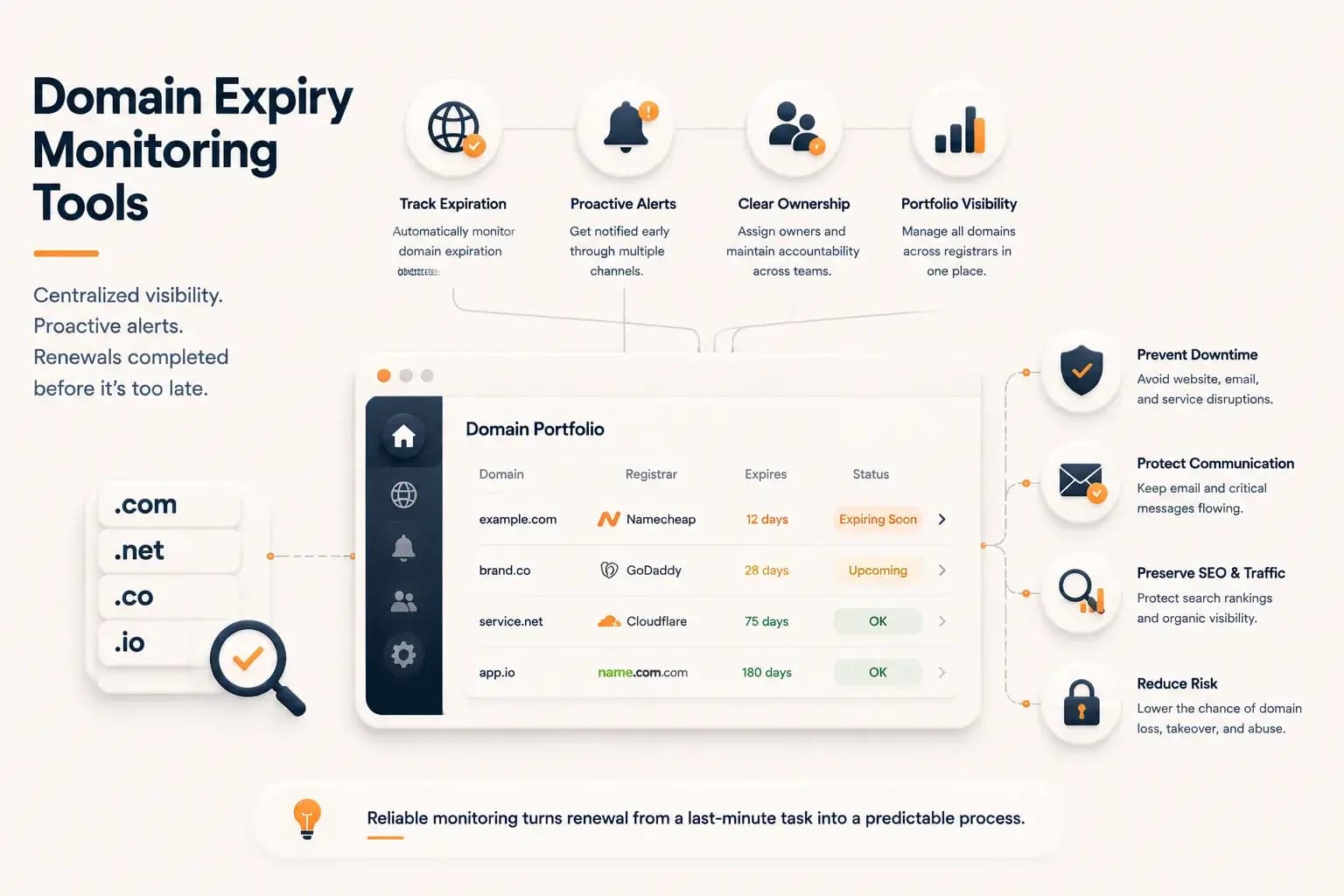
Best Domain Expiry Monitoring Tools: How to Choose the Right Solution...
Explore how domain expiry monitoring tools help organizations track renewal risks, manage multiple domains, and choose the right solution based on visibility, automation, and operational needs.
Learn more about Best Domain Expiry Monitoring Tools: How to Choose the Right Solution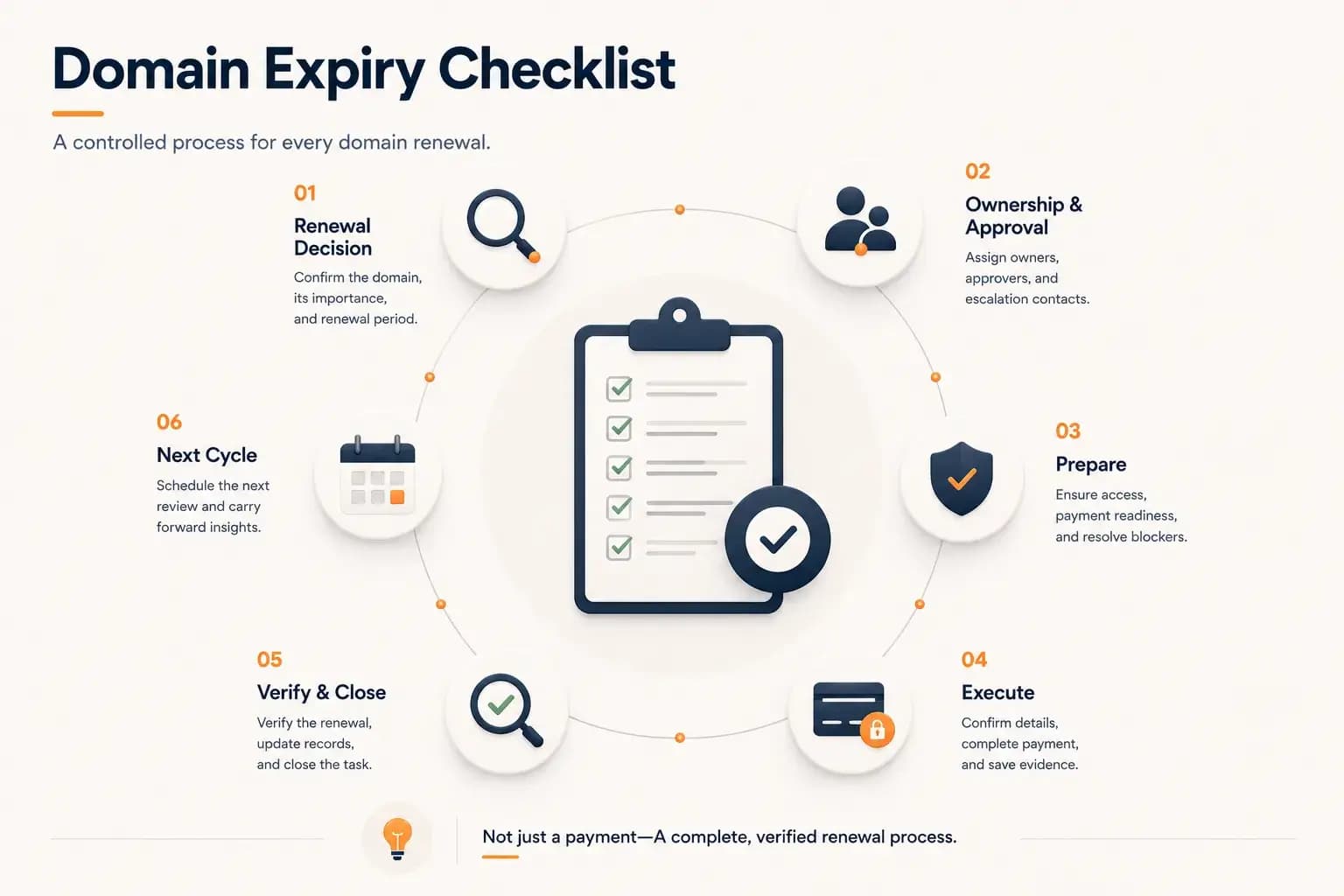
Domain Expiry Checklist: A Complete Renewal Process...
Follow a practical domain expiry checklist that standardizes every stage of the renewal process, from planning and ownership to execution, verification, documentation, and preparing the next renewal cycle. Learn how to reduce operational risk with a repeatable renewal workflow.
Learn more about Domain Expiry Checklist: A Complete Renewal Process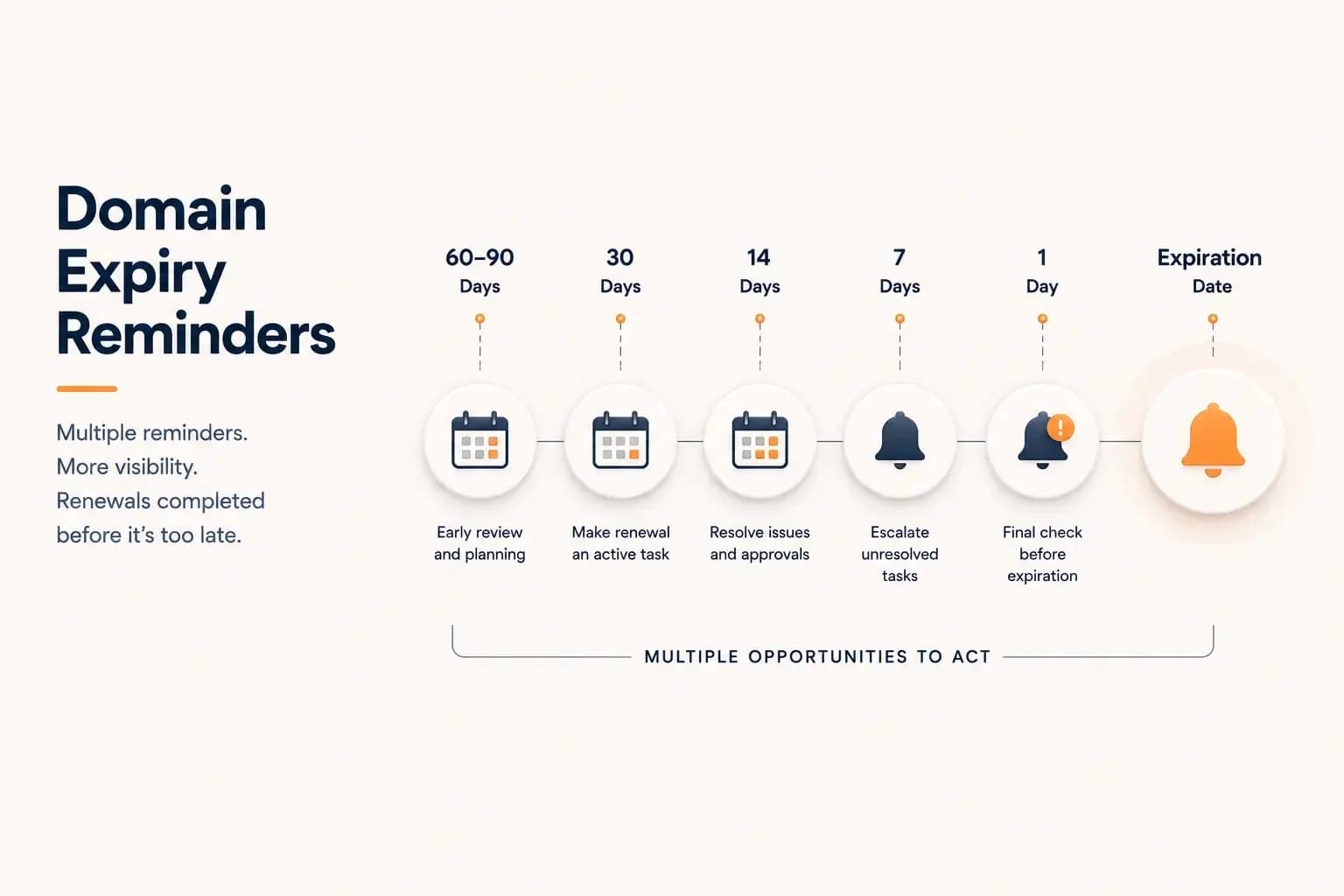
Domain Expiry Reminders: How to Prevent Missed Renewals...
Build a reliable domain expiry reminder strategy with the right timing, responsible owners, and escalation steps. This guide explains how organizations can reduce missed renewals by creating reminder workflows that provide visibility before expiration deadlines.
Learn more about Domain Expiry Reminders: How to Prevent Missed Renewals