

What Happens When a Domain Expires and Someone Else Registers It
- Watchman Tower Team
- Updated: October 2, 2026
- Category: Domain Monitoring
- Read Time: 9 min
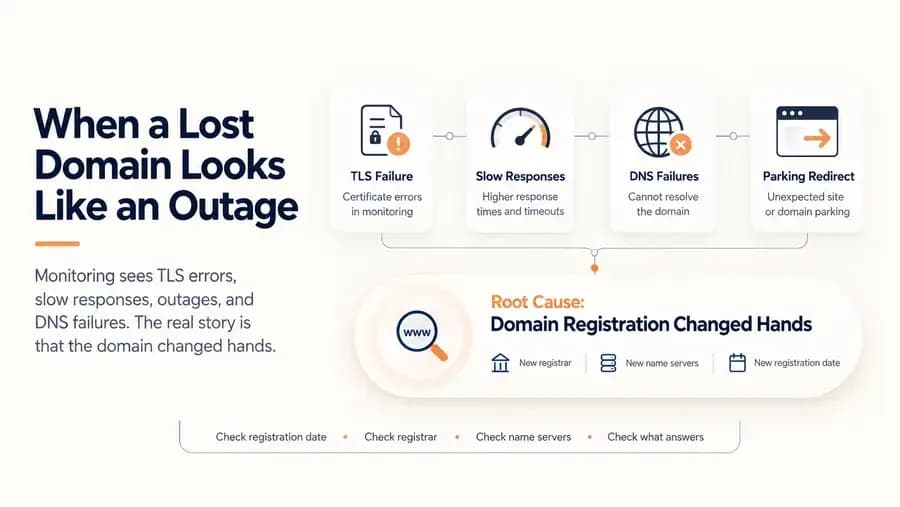
A domain that lapses and is registered by someone else does not look like a lost domain. It looks like a certificate error, slow responses, an outage and DNS failures. This case follows one such domain through five weeks of accurate but misleading alerts, and shows how to tell the difference.
When a domain registration lapses and someone else registers it, nothing announces the change. There is no error that says "this domain is no longer yours". What monitoring sees is a sequence of ordinary-looking problems: a certificate error, some slow responses, an outage, DNS failures. Each one is accurate. None of them is the story.
This is a case from our own monitoring data, with every identifying detail removed. A site we had been monitoring for five months lost its domain to a drop-catch service. Over the following five weeks it produced 17 incidents, and for most of that time the alerts described symptoms of a problem that had already happened on day one.
The Short Version
| # | What monitoring reported | What was actually going on |
|---|---|---|
| 1 | TLS failures for about five and a half hours | The domain was already registered to someone else and pointed at a different server |
| 2 | A day of unstable response times | A different server was answering |
| 3 | An outage lasting 41 hours | The new registrant's infrastructure was not serving the site |
| 4 | Five short DNS incidents in one day | Name servers were being changed by the new registrant |
| 5 | Outages of 3.9 and 5.4 days | The domain was sitting in a resale process |
| 6 | "Recovered", in between | A parking server answered with a redirect |
Every row in the middle column was a correct measurement. Read together, they point at the right-hand column. Read one at a time, as alerts arrive, they do not.
What Happens When a Domain Expires
A domain does not vanish on its expiry date. For most generic top-level domains the sequence looks like this, with timings that vary by registry and registrar:
- Expiry. The registration period ends. The registrar may keep the domain resolving for a while, or replace it with a parking page.
- Grace period. The owner can still renew at the normal price.
- Redemption period. Renewal is still possible but costs more and takes longer.
- Pending delete. The domain can no longer be recovered by its owner.
- Release. The domain becomes available for anyone to register.
The last step is where drop-catch services operate. They watch for domains that are about to be released and register them within moments, usually to resell them. A domain with existing links and traffic is worth more than a new one, so established domains rarely stay unregistered for long.
From that moment the previous owner has nothing left to renew. The domain exists, it has an owner, it has a fresh registration that is valid for a year. It is simply someone else's. The earlier stages are covered in our guide to domain expiration protection; this article is about what comes after the last one.
Five Weeks, Seen From the Outside
1. A certificate problem
The first alert came the day after the domain was registered again. It was a TLS failure. The server answering for the domain presented a certificate that did not belong to it, and the failure lasted about five and a half hours.
On its own this looks like a routine certificate mistake: a renewal that went wrong, a misconfigured virtual host. That is the natural reading, and it sends whoever is responding to look at the web server.
2. Slow, then fine, then slow
For a day, response times became erratic. Nothing was down, so nothing demanded attention. In hindsight the explanation is simple: a different machine was now answering requests for the domain, and it behaved differently from the one before.
3. A 41-hour outage
Then the site stopped answering altogether for 41 hours. This is the point at which an owner would normally be alerted, log in to the hosting account, and find the server running normally. The server was fine. Requests were no longer reaching it.
4. DNS churn
One day produced five separate short incidents. The domain resolved, then did not, then resolved to something else. Viewed as a monitoring problem this looks like flapping, and the usual response to flapping is to suspect the name servers or the monitoring itself.
The real cause was that the domain's name servers were being reconfigured by its new registrant.
5 and 6. Long outages and a false recovery
Two long outages followed, of 3.9 and 5.4 days. In between, the site appeared to recover: requests received a response again. The response was a redirect issued by a parking server. A check that only asks "did something answer?" counts that as healthy.
Four weeks in, an incident opened with all three monitoring regions reporting DNS failures, and the alert said that site availability was impacted by DNS resolution failures. That was true. It was also the least useful true thing that could have been said.
Why Every Alert Was Right and the Diagnosis Was Still Wrong
Three things combined to hide the cause.
Symptoms arrive one at a time. A certificate error, slow responses and DNS failures each have a dozen common explanations. Losing the domain is not near the top of any of those lists.
The domain expiry check said everything was fine. This is the detail that surprised us most. The check reads the domain's expiry date and warns when it is close. After the domain was registered again, its expiry date was almost a year away. The check reported it as valid for 336 more days. It was answering the question it was built to answer, and the question was the wrong one.
A parking page looks like a working site. It answers quickly, with a valid response, from a server that is up.
The alert that said "DNS resolution failures" would have sent the owner to investigate a name server. What they needed to hear was that the domain was no longer theirs.
How to Tell a Lost Domain From an Outage
If a site is failing in ways that do not add up, four checks take a few minutes and settle the question.
1. Look at the registration date
A renewal extends the expiry date. It never changes the date the domain was first registered. If the registration date is recent and you have owned the domain for years, the registration lapsed and the domain was registered again.
RDAP returns this as structured data:
curl -s https://rdap.org/domain/example.comIn the response, look at the events list for the entry whose eventAction is registration.
2. Look at the name servers
The same record lists the domain's name servers. If they belong to a company you have never used, especially a domain marketplace or parking provider, the domain is being managed by someone else.
3. Look at the registrar
If the registrar named in the record is not the one you pay, the registration is not the one you bought.
4. Look at what actually answers
Follow the redirect and read the certificate:
curl -sIL https://example.com
openssl s_client -connect example.com:443 -servername example.com </dev/null 2>/dev/null | openssl x509 -noout -subject
A redirect to a "domain for sale" page, or a certificate issued for a different hostname, means the address now leads somewhere else.
If these checks show the domain has only expired and has not yet been released, there may still be time. Our case study on recovering an expired domain walks through that situation.
What We Changed in Watchman Tower
The measurements in this case were correct from the first day. The explanation was missing. We changed three things so that the next occurrence is named for what it is.
A check for the registration itself
Watchman Tower now compares the domain's registration date with the date monitoring began. If the domain was registered after we started watching the site, the previous registration must have lapsed. There is no threshold to tune, because the rule is logical: an uninterrupted registration cannot have a start date in the middle of the period you were watching it. The check can fail to read a date, in which case it reports that it does not know. It does not guess.
When it fires, it says:
This domain was registered 157 days after we started monitoring this site, so the previous registration lapsed and the domain was registered again.
followed by the name servers and registrar the domain now uses.
DNS incidents explain themselves
When a DNS failure opens an incident on a domain whose registration has changed, the incident names that as the root cause:
Site availability is impacted because the domain registration changed hands: it was registered again after we started monitoring this site, so the previous registration lapsed. DNS failures follow from this rather than from a name server fault.
We attach this explanation only to DNS failures. A server returning errors on a domain that has changed hands may have an unrelated cause, and implying a connection that is not there would be its own kind of false alert.
Parking pages and foreign certificates are called out
A redirect to a parking page is no longer read as a healthy response. It is reported as a redirect to a domain parking or "not available" page, with a note that the domain has likely expired or is no longer configured. A certificate that belongs to a different hostname is reported with the hint that DNS may be pointing at a parking or shared server.
Either of those would have turned the first alert of this case from "certificate problem" into "check where this domain points".
What a Domain Owner Can Take From This
The uncomfortable part of this case is that monitoring described the damage accurately and could not undo it. By the first alert, the domain already belonged to someone else. Everything that could have prevented the loss happened earlier, during the months when the domain was approaching expiry and then sitting in its grace and redemption periods.
- Treat expiry warnings as incidents with an owner. A reminder that nobody is responsible for acting on is not protection. See why domain expiry reminders matter.
- Confirm that renewals went through. Auto-renewal fails quietly when a card expires. The domain expiry checklist covers what to verify.
- Know where each domain is registered. When something goes wrong, that is the first question, and the answer is often harder to find than expected.
- Watch the domain independently of the registrar. Registrar emails go to one inbox at one company. Domain expiry monitoring gives a second, separate view.
- When symptoms do not add up, check the registration first. It takes two minutes and rules out the one cause that makes every other investigation pointless.
A lost domain does not look like a lost domain. It looks like a bad month of unrelated problems. Knowing that is most of what it takes to recognize one.
Free plan available. No credit card needed.
Want a Dedicated Expiry Monitoring Tool?
Don’t rely only on registrar emails. Watchman Tower gives you automatic expiry alerts across all registrars, with reminders at 30, 14, 7, and 1 day before expiry.
Learn more about Domain Expiry Monitoring →FAQ
What happens when a domain expires?v
What is a drop-catch service?v
How can I tell whether my domain was registered by someone else?v
Why did the domain expiry check not catch it?v
Can a domain be recovered after someone else registers it?v
What does a lost domain look like in monitoring?v
Blog Posts
The Website Went Down — and the Owner Didn’t Know Where the Domain Was Registered...
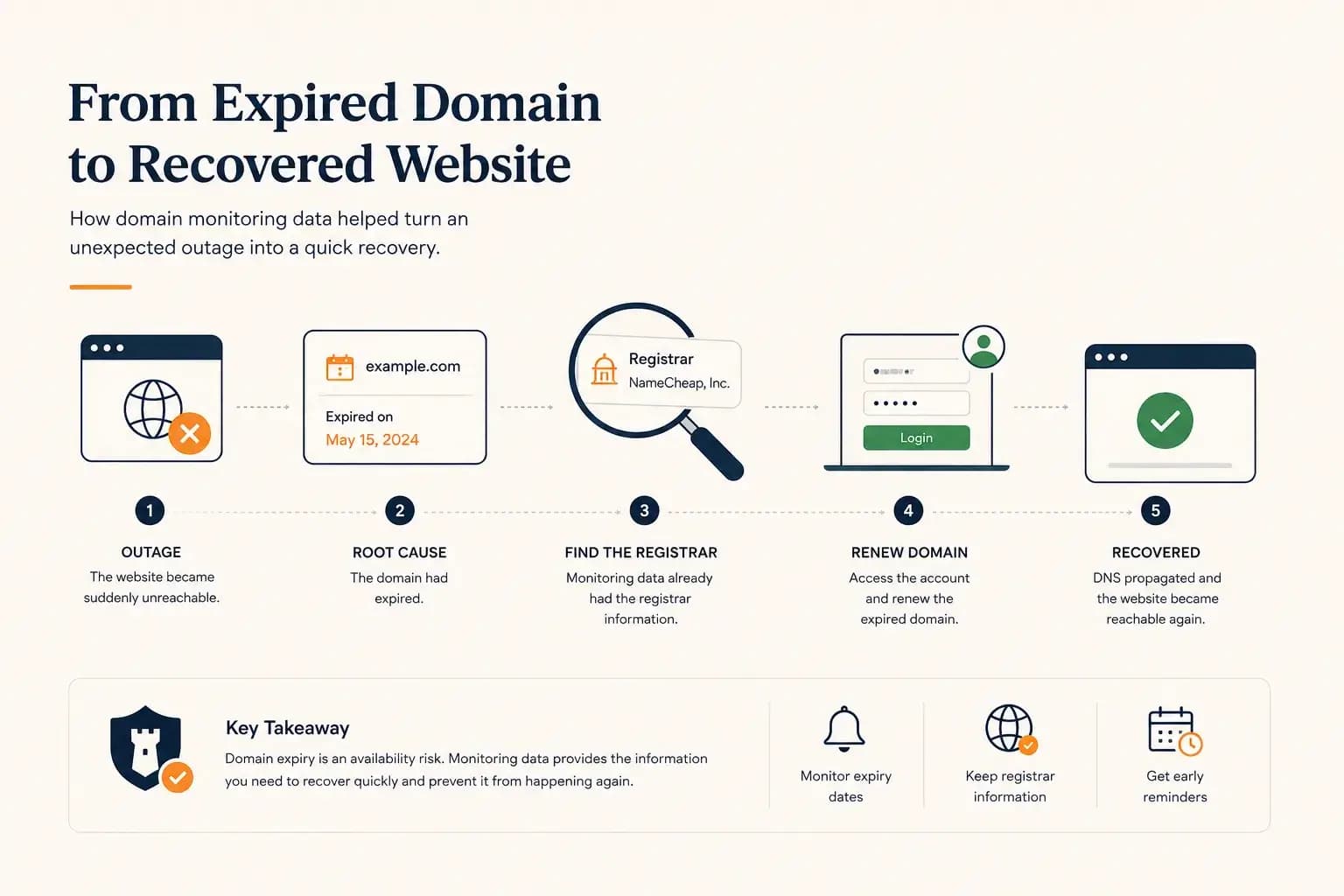
A real-world expired domain recovery case: how a website went offline, how we identified the registrar from monitoring data, and how the domain was renewed before it was lost.
Learn more about The Website Went Down — and the Owner Didn’t Know Where the Domain Was Registered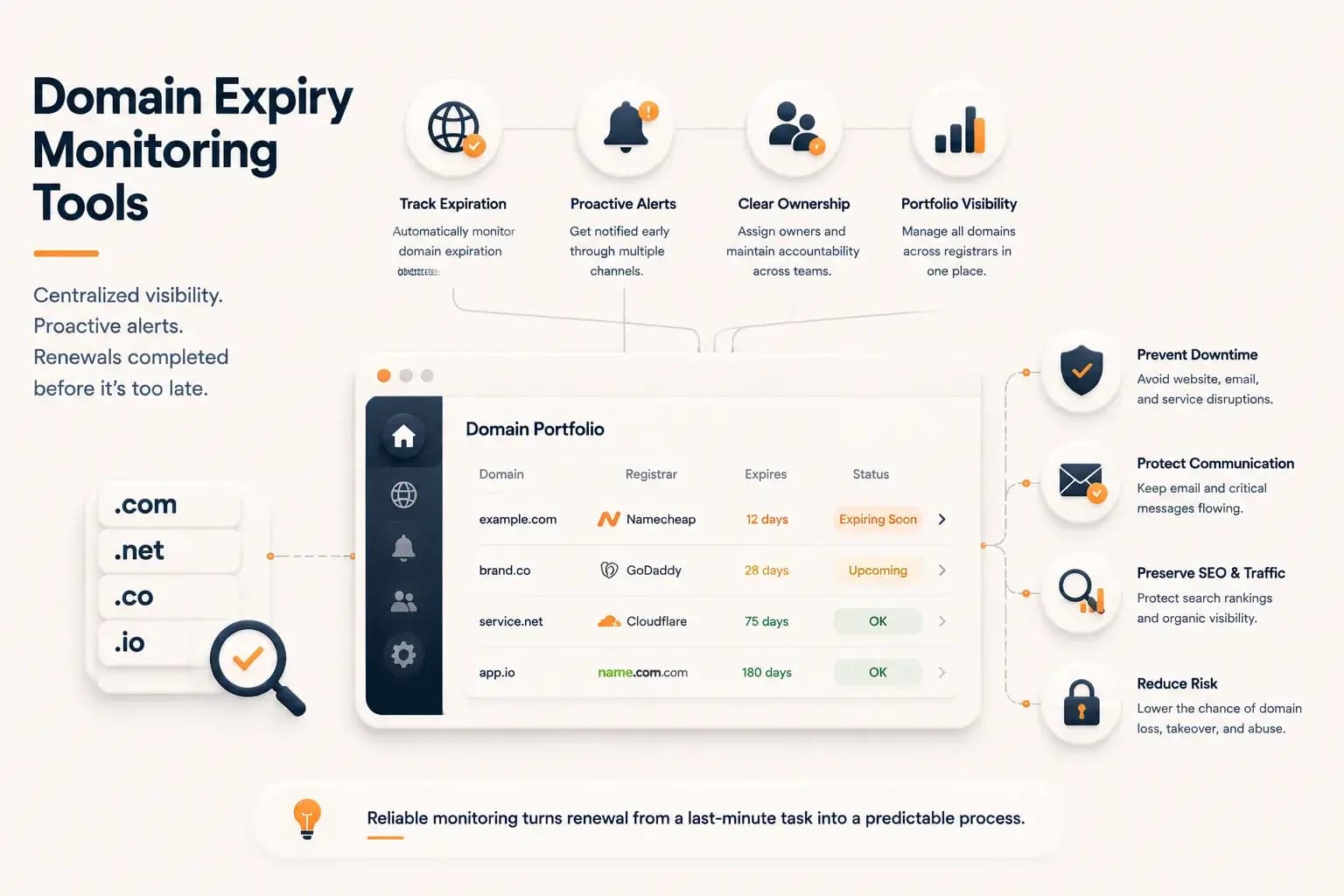
Best Domain Expiry Monitoring Tools: How to Choose the Right Solution...
Explore how domain expiry monitoring tools help organizations track renewal risks, manage multiple domains, and choose the right solution based on visibility, automation, and operational needs.
Learn more about Best Domain Expiry Monitoring Tools: How to Choose the Right Solution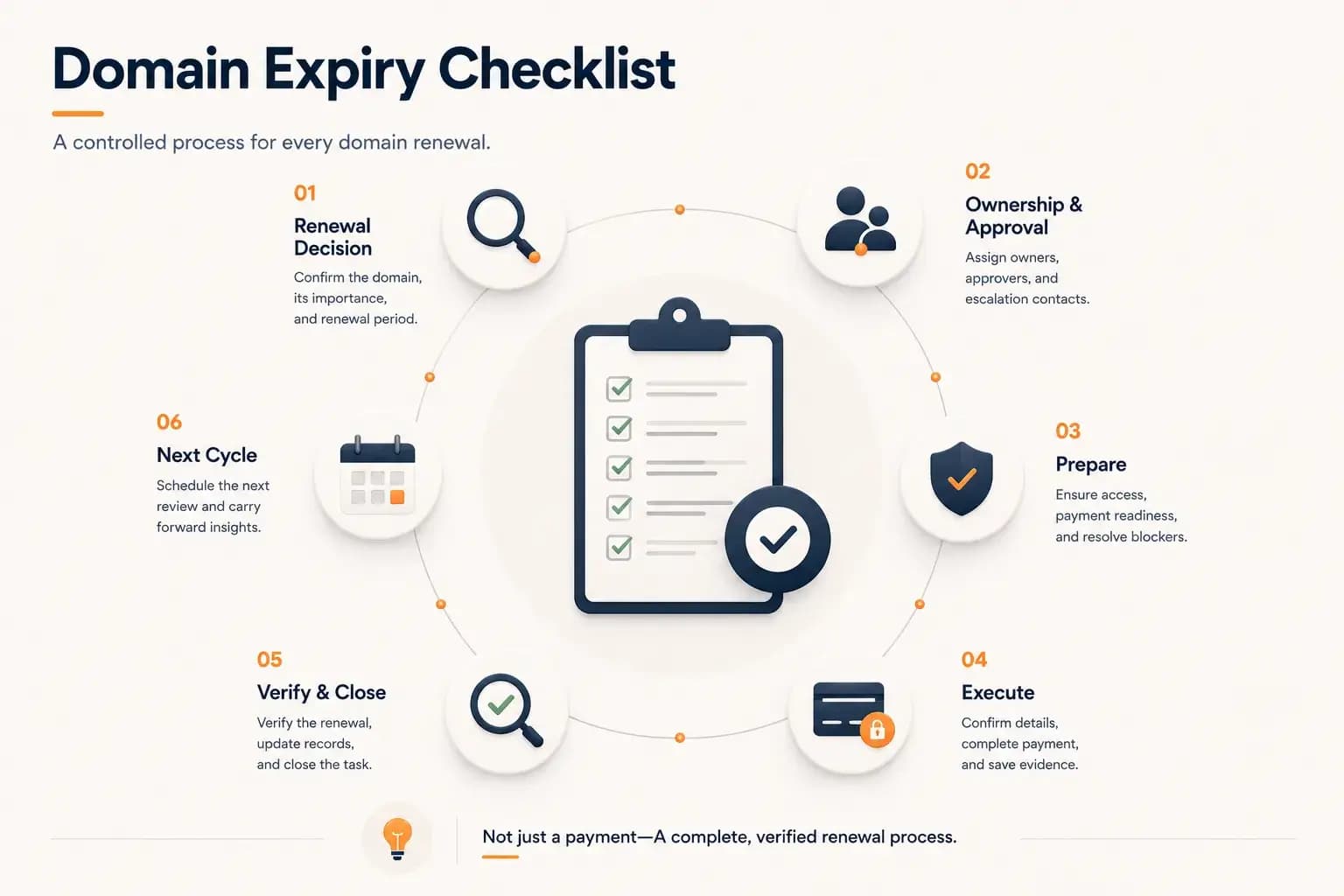
Domain Expiry Checklist: A Complete Renewal Process...
Follow a practical domain expiry checklist that standardizes every stage of the renewal process, from planning and ownership to execution, verification, documentation, and preparing the next renewal cycle. Learn how to reduce operational risk with a repeatable renewal workflow.
Learn more about Domain Expiry Checklist: A Complete Renewal Process