

API Response Delay Threshold: Why Fast Responses Matter as Much as Uptime
- Watchman Tower Team
- Updated: July 17, 2026
- Category: Response Time Monitoring
- Read Time: 3 min
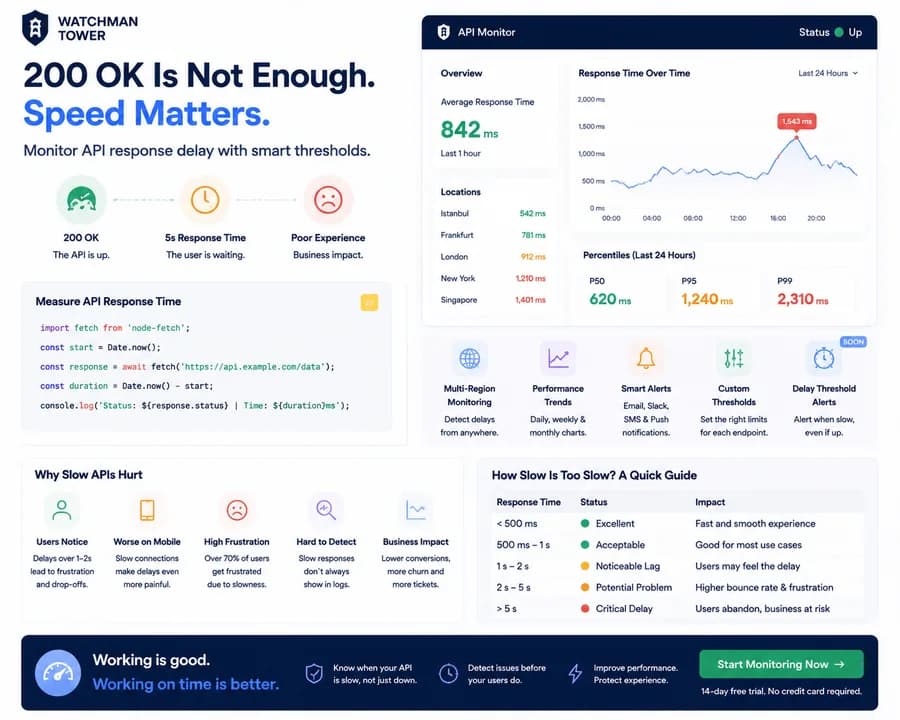
An API can return 200 OK and still feel broken to users. This guide explains why response delay belongs inside a broader health view, not just uptime reporting.
An API returning 200 OK does not always mean everything is working correctly.
A request can succeed technically while still creating a poor user experience.
A 5-second API response may not trigger an outage alert. The endpoint is available. The server responds. The status code is correct.
But users are still waiting.
That is why modern API monitoring needs more than availability checks. It needs response delay thresholds that identify when an API is becoming too slow before it becomes unavailable.
What Is an API Response Delay Threshold?
An API response delay threshold defines the maximum acceptable response time for an endpoint.
When an API exceeds that limit, the monitoring system can identify it as a performance issue — even if the API is still returning successful responses.
For example:
- API responds under 500ms → healthy
- API responds between 1–2 seconds → investigate
- API responds above 3 seconds → potential user impact
The goal is not only detecting failures.
The goal is detecting degradation before users report problems.
Why 200 OK Does Not Always Mean Healthy
Traditional monitoring often starts with a simple question:
"Is the API responding?"
But production systems need a better question:
"Is the API responding fast enough for users?"
A successful response can still hide problems:
- Slow database queries
- Increased server load
- Third-party API delays
- Network latency
- Resource bottlenecks
The API is technically available, but the experience is degraded.
Measuring API Response Delay
A simple response time check can reveal how long an API takes to respond:
import fetch from 'node-fetch';

const start = Date.now();

const response = await fetch('https://api.example.com/data');

const duration = Date.now() - start;

console.log(`Status: ${response.status} | Time: ${duration}ms`);
This tells you two important things:
- Did the request succeed?
- How long did the user wait?
Both matter.
Why Slow APIs Become Business Problems
Performance degradation rarely looks like a dramatic failure.
Instead, it appears as small friction:
- Users waiting longer for pages
- Failed checkout attempts
- Slower application workflows
- Increased abandonment
- More support complaints
A slow API can damage user experience long before it causes a complete outage.
Understanding API Response Time Thresholds
There is no universal perfect response time, but these ranges provide a useful starting point:
| Response Time | Status |
|---|---|
| Under 500ms | Excellent performance |
| 500ms – 1s | Healthy for most APIs |
| 1s – 2s | Noticeable delay |
| 2s – 5s | Performance issue |
| Above 5s | Critical user impact |
The correct threshold depends on the endpoint.
A background reporting API and a checkout API should not have the same expectations.
Why Uptime Monitoring Alone Misses Slow APIs
Uptime monitoring answers:
"Is the service available?"
Response time monitoring answers:
"Is the service performing well?"
Both signals are necessary.
A service can be:
✅ Online
✅ Returning 200 responses
❌ Too slow for users
Without response delay thresholds, these issues can continue unnoticed.
How Watchman Tower Helps Detect API Delays
Watchman Tower helps teams monitor more than simple availability.
With response time monitoring, teams can track:
- API response times in milliseconds
- Performance trends over time
- Slow endpoint behavior
- Availability alongside latency
- Notifications through Email, Slack, SMS, and Push
Instead of discovering slow APIs from frustrated users, teams can identify performance changes earlier.
Setting Better Response Delay Thresholds
Good thresholds should be:
Based on user experience
Critical user flows need stricter limits.
Based on historical data
Understand your normal response range before creating alerts.
Different per endpoint
Not every API has the same performance requirements.
Combined with confirmation logic
Avoid unnecessary alerts caused by temporary spikes.
Final Thoughts
A healthy API is not only one that responds.
It is one that responds within an acceptable time.
Monitoring 200 OK responses is a good starting point, but it does not tell the complete story.
API response delay thresholds help teams detect slowdowns before they become outages, protect user experience, and maintain reliable services.
Because in modern applications:
Working is good. Working on time is better.
Free plan available. No credit card needed.
FAQ
What is an API response delay threshold?v
Why isn't a 200 OK response always a sign of a healthy API?v
How do slow APIs become business problems?v
What are typical API response time thresholds?v
Why is uptime monitoring alone insufficient for API performance?v
What factors should be considered when setting response delay thresholds?v
Blog Posts
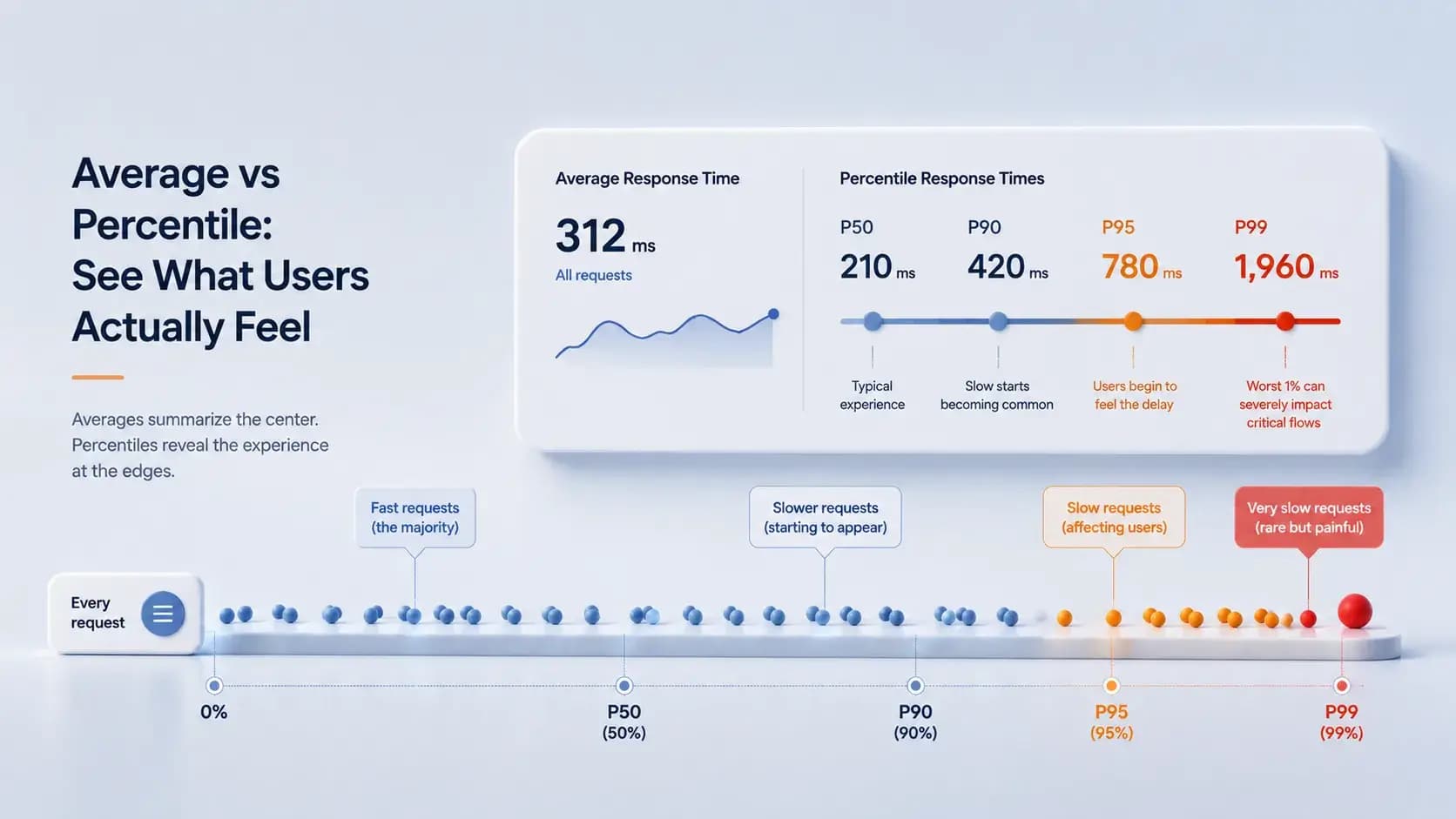
Average Response Time vs Percentile Metrics: Why Averages Hide API Performance Problems...
Average response time can hide user pain. This guide explains why percentile metrics are critical when teams want latency visibility that reflects real experience.
Learn more about Average Response Time vs Percentile Metrics: Why Averages Hide API Performance Problems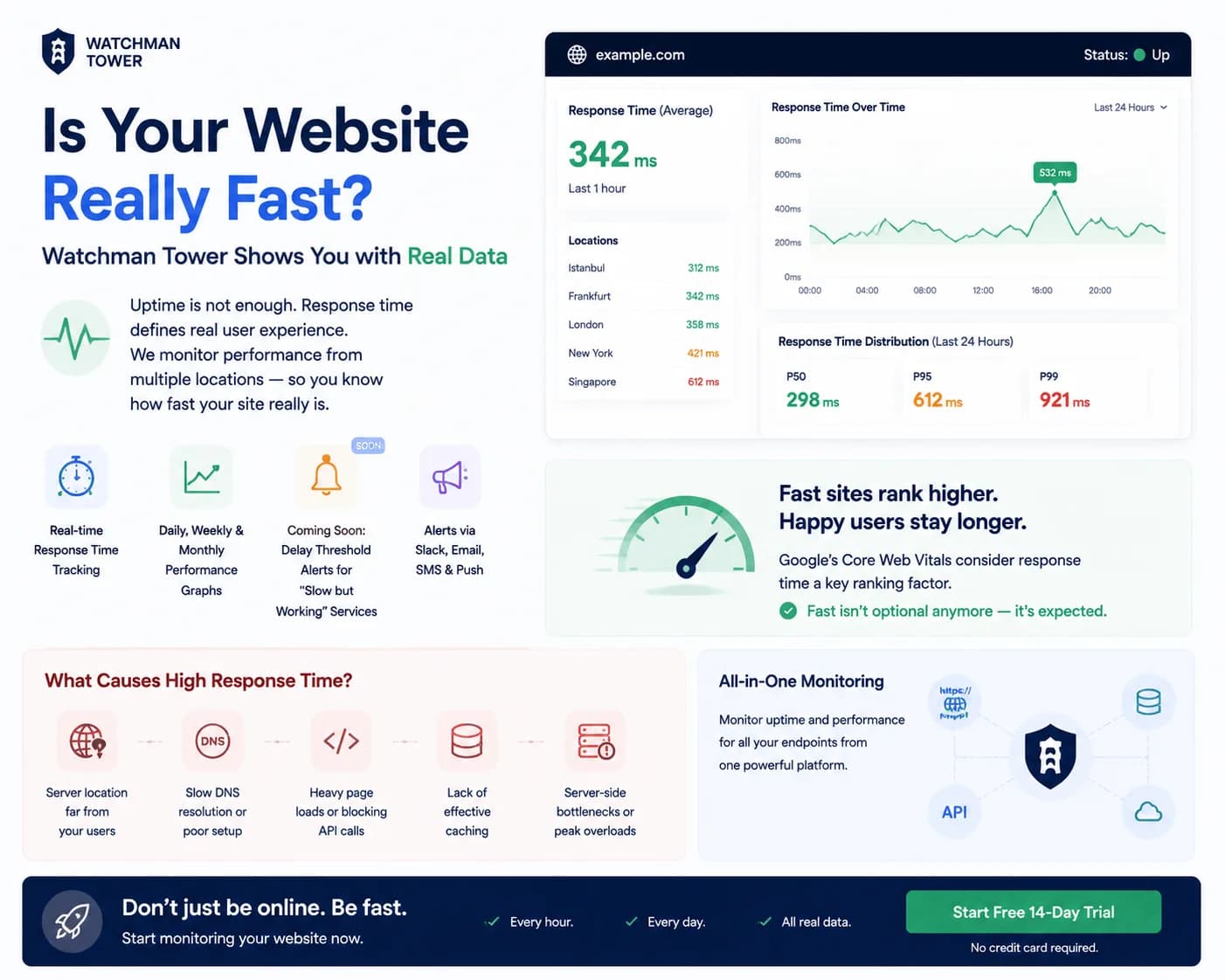
How Watchman Tower Uses Real Response Time Monitoring to Reveal True Website Performance...
Response time monitoring matters because systems can be technically up while functionally frustrating. This guide shows why latency belongs inside a broader health view.
Learn more about How Watchman Tower Uses Real Response Time Monitoring to Reveal True Website Performance