

Different Types of Monitoring Tools: From System Health to Website Uptime
- Watchman Tower Team
- Updated: July 21, 2026
- Category: Website Monitoring
- Read Time: 3 min
Monitoring tools have expanded far beyond one-dimensional checks. This guide explains the main tool categories and where broader health visibility starts to matter.
Why Monitoring Tools Matter
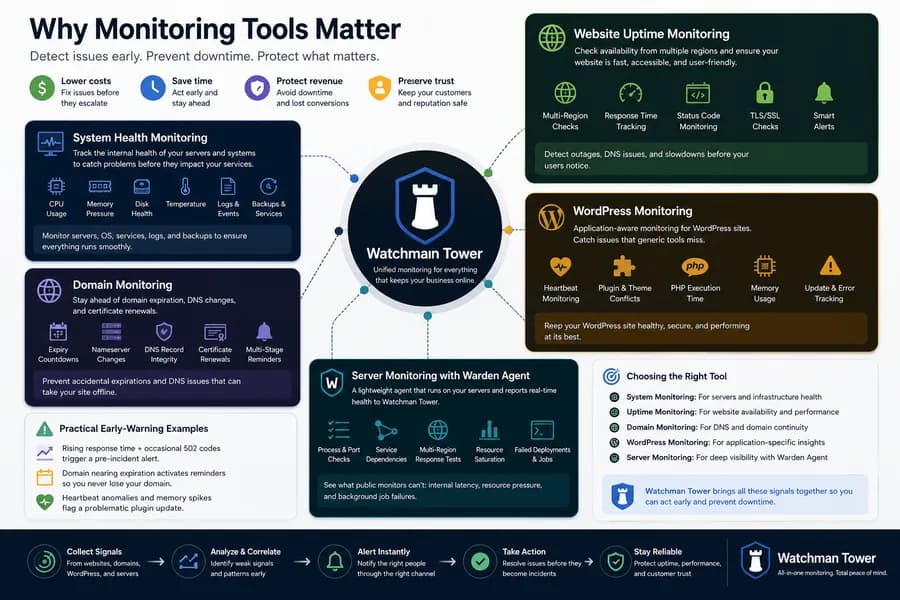
As technology runs the backbone of modern businesses, monitoring becomes a foundation for reliability. The earlier you see a problem, the cheaper it is to fix. Early alerts help you act before issues escalate into downtime, lost revenue, or reputational harm.
System Health Monitoring
System health monitoring tracks the internal state of machines and operating systems. Typical metrics include CPU usage, memory pressure, disk health and capacity, temperature, and critical log events. It also verifies that backups run as expected and that services restart cleanly after failures.
Historically, agent-based approaches were common in this area; for example, some teams used tools like watchman monitoring in the past to watch endpoints for early warning signs. Today, many organizations combine lightweight agents with centralized dashboards for broader visibility.
Website Uptime Monitoring
Website uptime monitoring focuses on availability from the user’s point of view. It regularly checks whether pages respond and records response times, status codes, TLS handshakes, and redirects. This helps catch outages, DNS misconfigurations, and slowdowns that frustrate users and harm conversions.
- Continuous availability checks from multiple regions
- Response time and status code tracking
- Alerting via email, push, or chat when thresholds are breached
Domain Monitoring
Domain monitoring tracks expiration dates, nameserver changes, DNS record integrity, and certificate renewals. Automated reminders reduce the risk of accidental expiry and the cascading failures that follow.
- Expiry countdowns with multi-stage reminders
- Detection of sudden nameserver or registrar changes
- DNS record drift alerts for A, AAAA, CNAME, MX, and TXT
WordPress Monitoring (Heartbeat and Internal Metrics)
WordPress monitoring provides application-aware insights that understand the platform’s specific failure modes. Tracking heartbeat signals and key internal metrics reveals problems that generic probes can miss.
- Heartbeat pings to confirm the site loop is healthy
- Plugin and theme conflict signals surfaced early
- Resource indicators such as PHP execution time and memory usage
Server Monitoring with Warden Agent
Warden Agent is a lightweight service that runs on your servers to report real-time health and availability to the Watchman Tower platform.
- Health checks for processes, ports, and service dependencies
- Response time tests from multiple regions to isolate local or global issues
- Early detection of resource saturation, queue backlogs, and failed deployments
Because Warden Agent runs close to your workloads, it can surface signals you cannot see from the public internet alone, such as internal network latency, file descriptor exhaustion, or failing background jobs.
Detecting Issues Early and Preventing Downtime
The ultimate goal of monitoring is prevention. By correlating signals across websites, domains, WordPress internals, and servers, Watchman Tower is designed to highlight weak signals before they become incidents. This proactive stance reduces the blast radius of failures and preserves customer trust.
Practical Early-Warning Examples
- A rising response time trend paired with occasional 502 codes triggers a pre-incident alert before a full outage occurs.
- A domain approaching expiration raises multi-stage reminders so renewals never fall through the cracks.
- Heartbeat anomalies and memory spikes on a WordPress site flag a problematic plugin update for rollback.
Choosing the Right Tool
Not all monitoring tools serve the same purpose. If your priority is device and endpoint health, system-level monitoring is essential. If your business lives on the web, website uptime and domain continuity should take the lead. For WordPress-heavy stacks, application-aware checks add crucial depth. When infrastructure scale grows, server monitoring with Warden Agent closes blind spots.
Watchman Tower focuses on uptime, domain, WordPress, and server monitoring — bringing these signals together to help you act early and prevent downtime.
Free plan available. No credit card needed.
FAQ
Why are monitoring tools important for business reliability?v
What does system health monitoring track?v
How does website uptime monitoring ensure user accessibility?v
What does domain monitoring help prevent?v
Why is WordPress monitoring different from generic monitoring?v
How does Warden Agent enhance server monitoring?v
Blog Posts
Monitor Website Uptime for Free: Setup, Limits, and Next Steps...
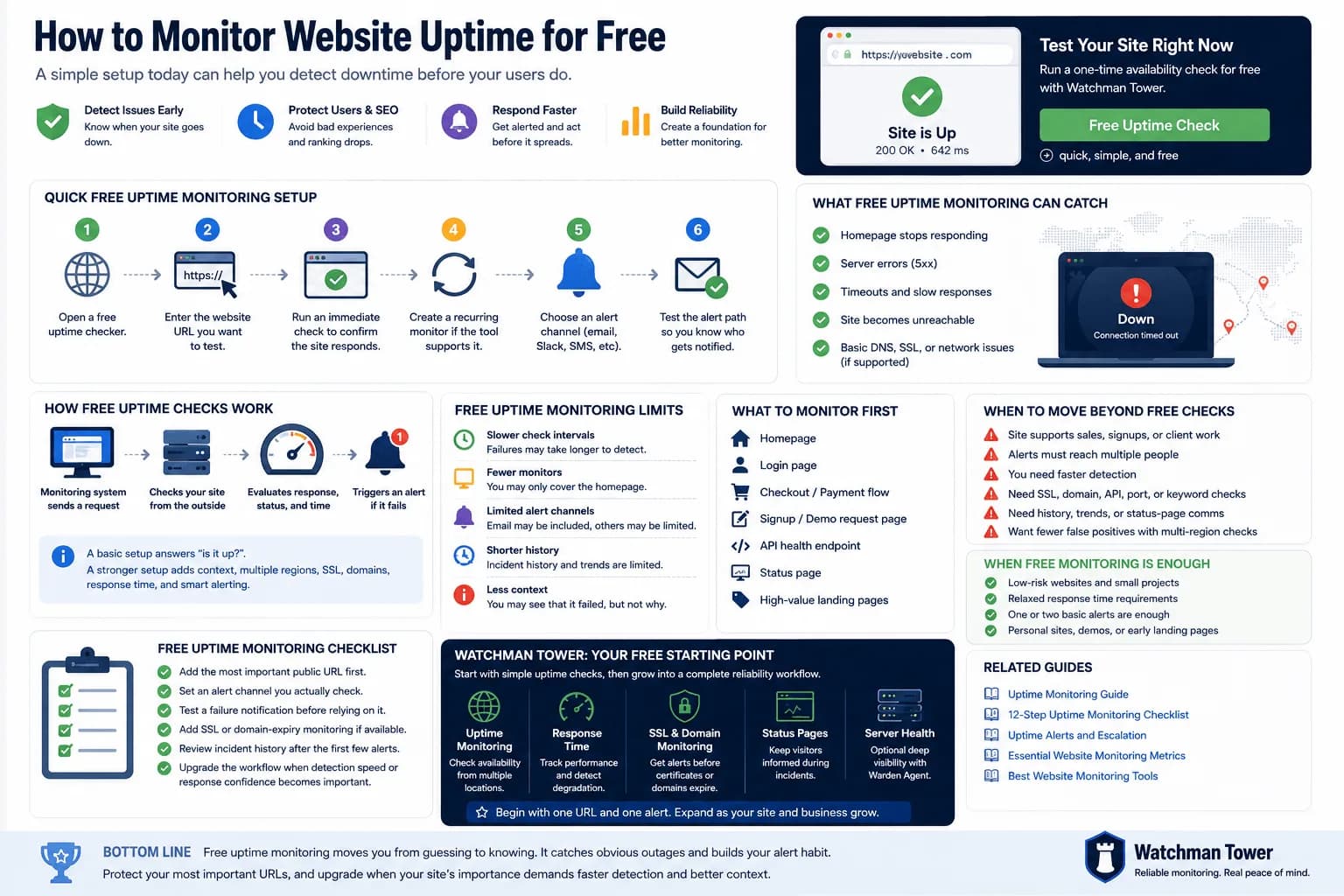
You can monitor website uptime for free by adding your URL to a basic checker, choosing an interval, and enabling alerts. This guide explains the fastest setup, what free checks can catch, and where free monitoring starts to fall short.
Learn more about Monitor Website Uptime for Free: Setup, Limits, and Next Steps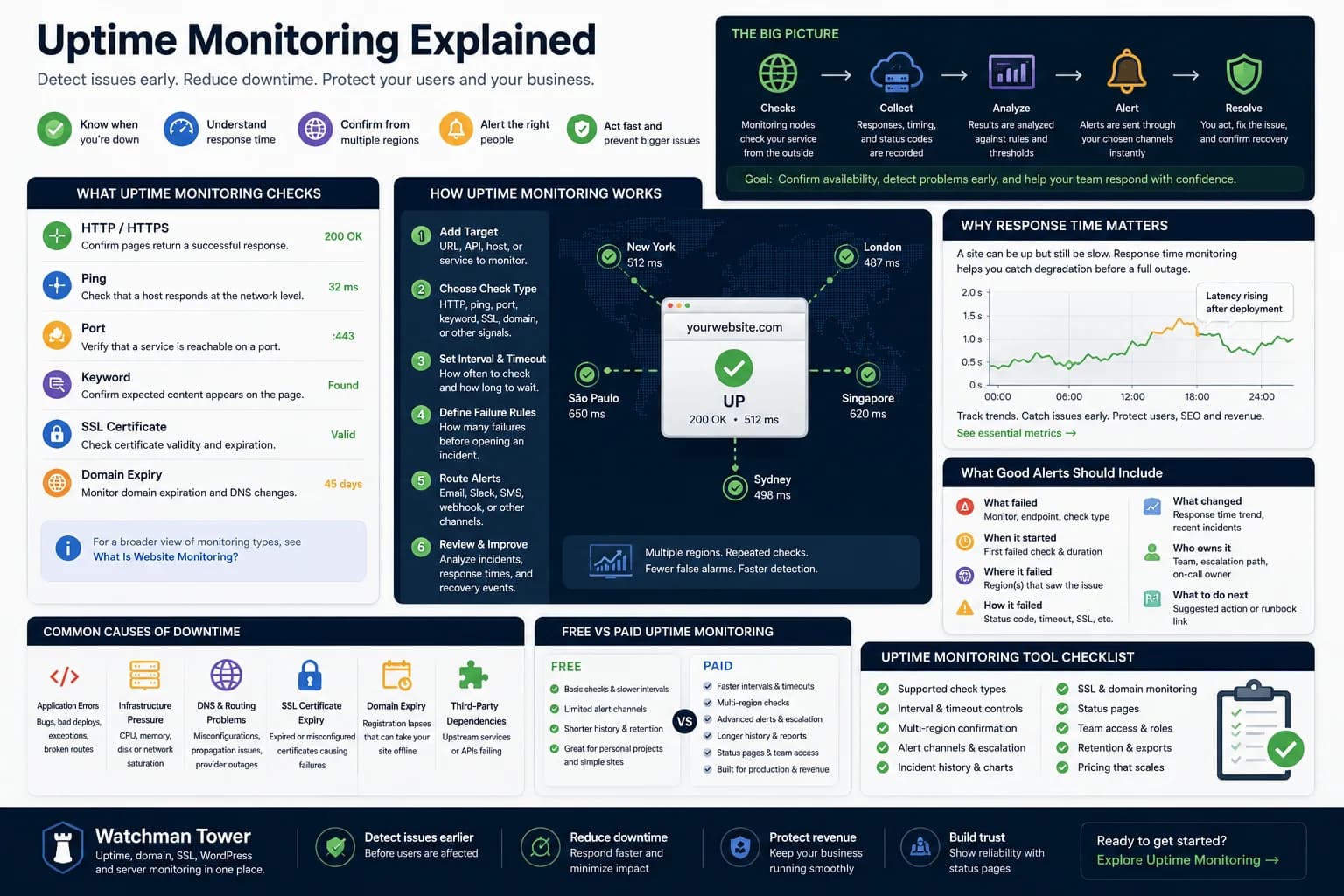
Uptime Monitoring Guide: How to Detect Downtime and Alert Faster...
Uptime monitoring helps you detect when a website, app, or service becomes unavailable. This guide explains how checks work, which signals matter, how alerts should be routed, and how to turn basic uptime checks into a practical response workflow.
Learn more about Uptime Monitoring Guide: How to Detect Downtime and Alert Faster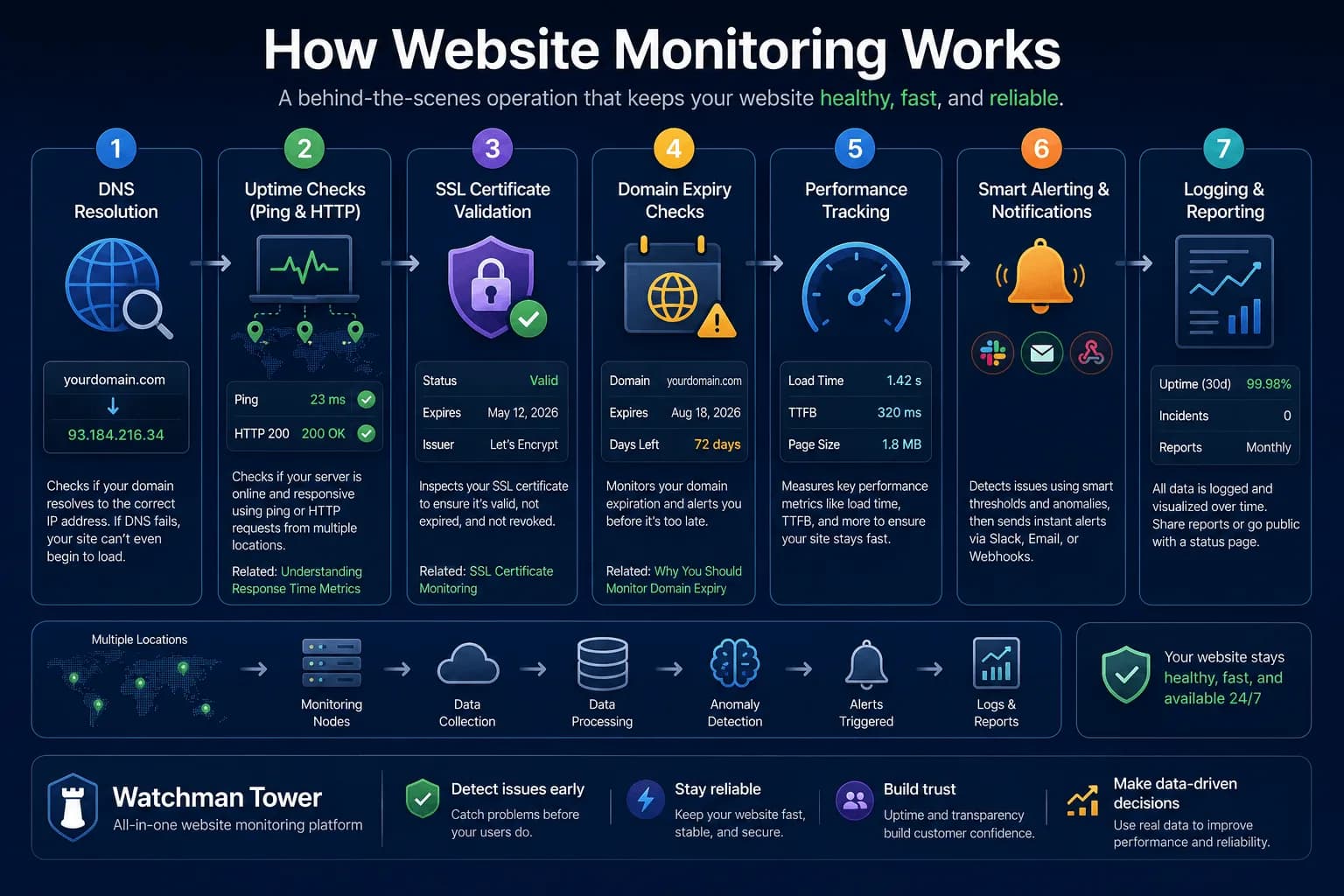
How Website Monitoring Works: Behind the Scenes of Uptime Checks...
Website monitoring starts with checks, but its real value comes from how signals turn into alerts, incident visibility, and operational response. This guide explains the flow behind the scenes.
Learn more about How Website Monitoring Works: Behind the Scenes of Uptime Checks