

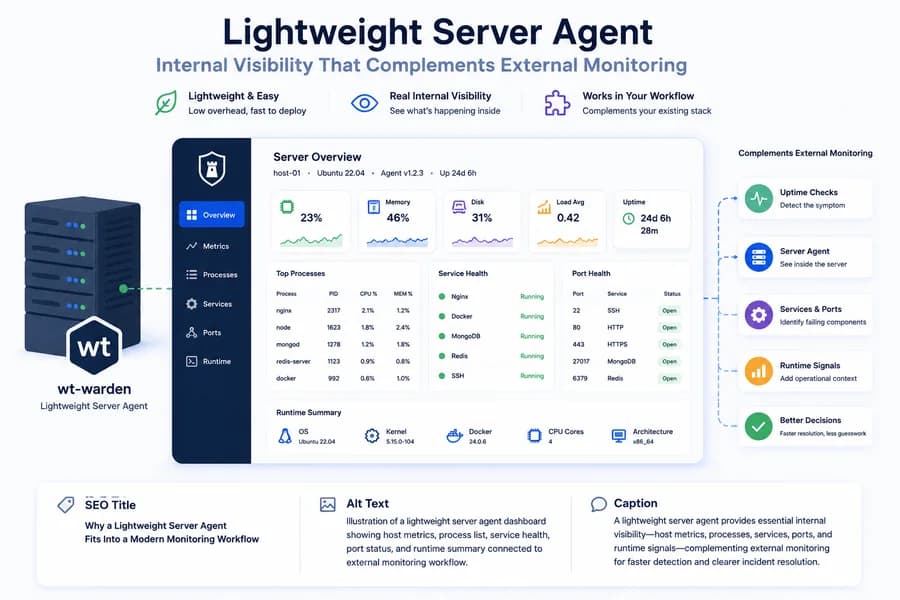
How a Lightweight Server Agent Fits Into a Modern Monitoring Workflow
- Watchman Tower Team
- Updated: July 21, 2026
- Category: Server Monitoring
- Read Time: 3 min
Not every team needs a heavyweight observability platform on day one. A lightweight server agent can still add the internal signals that make monitoring much more useful.
Why Teams Reach for Server Agents
External monitoring is essential, but it does not always explain why something went wrong. A site can go down, slow down, or behave inconsistently while the root cause remains hidden inside the server environment.
That is where a server agent becomes useful. It gives teams direct visibility into the host and the runtime components serving real traffic. If you want the bigger conceptual frame, start with What Is Server Monitoring?.
Why “Lightweight” Matters
Many teams do not want to adopt a full observability stack just to get practical infrastructure visibility. Heavy systems can be powerful, but they also come with rollout complexity, data volume, cost, and operational overhead.
A lightweight server agent solves a different problem. It aims to provide the most useful internal signals without forcing teams into a large observability program before they are ready.
What a Lightweight Agent Should Do Well
A lightweight server agent does not need to collect everything. It needs to collect the signals that help teams understand what is happening when incidents, slowdowns, or unusual behavior occur.
That usually means:
- host metrics such as CPU, memory, disk, load, uptime, and swap
- process visibility
- service health
- port health
- selected runtime checks for the infrastructure components that matter
If it can do those things reliably, it becomes immediately useful in day-to-day operations.
How It Fits Into a Broader Monitoring Workflow
A server agent should not replace external monitoring. It should complement it.
External monitoring tells teams what users are likely experiencing. A server agent tells teams what the environment looks like from the inside. Together, those layers make detection and investigation much more effective.
This is where the workflow becomes stronger:
- uptime checks detect the symptom
- server metrics explain resource pressure
- process visibility points to the workload
- service health shows which component failed
- runtime signals add operational context
Why This Is Better Than Host Charts Alone
A lightweight server agent becomes much more valuable when it moves beyond basic host charts. CPU, memory, and disk are still necessary, but teams also need visibility into the components actually serving production traffic.
That means a better agent should help answer questions like:
- Is Nginx healthy?
- Is Docker running correctly?
- Is MongoDB available?
- Is Redis reachable?
- Which local ports are listening?
Those are the signals that reduce guesswork during real incidents.
Where Lightweight Beats Heavyweight
Lightweight does not mean weak. In many teams, lightweight means realistic. A small agent is often easier to install, easier to operate, and easier to adopt across real servers than a full platform that demands more infrastructure and deeper operational commitment.
That makes lightweight agents especially attractive for teams that want better operational visibility quickly, but do not want to overbuild their monitoring stack too early.
How Watchman Tower Approaches It
wt-warden is designed as a lightweight server agent that adds practical internal visibility to Watchman Tower. It collects host metrics, sampled processes, service health, port health, and selected runtime signals, then sends them into the same workflow teams already use for uptime, SSL, domain monitoring, and operational visibility.
The goal is not to compete with every observability platform category at once. The goal is to make server monitoring operationally useful, fast to adopt, and easy to connect with the broader health picture. You can see the product view on the Server Monitoring feature page and the setup flow in the installation guide.
Related Reading
To understand the signals a lightweight agent should collect, continue with the metrics that actually matter and why service health matters.
Final Thought
A lightweight server agent fits modern monitoring best when it focuses on useful internal signals instead of trying to be everything. If teams can pair external checks with focused server-side visibility, they gain much more clarity without taking on unnecessary complexity.
Free plan available. No credit card needed.
FAQ
What makes a server agent lightweight?v
Should a lightweight server agent replace uptime monitoring?v
What should a lightweight agent collect first?v
Why do teams need server agents if they already have external monitoring?v
How do server agents and external monitoring complement each other?v
What are the benefits of a lightweight server agent compared to a heavyweight observability platform?v
How does Watchman Tower implement lightweight server monitoring?v
Blog Posts
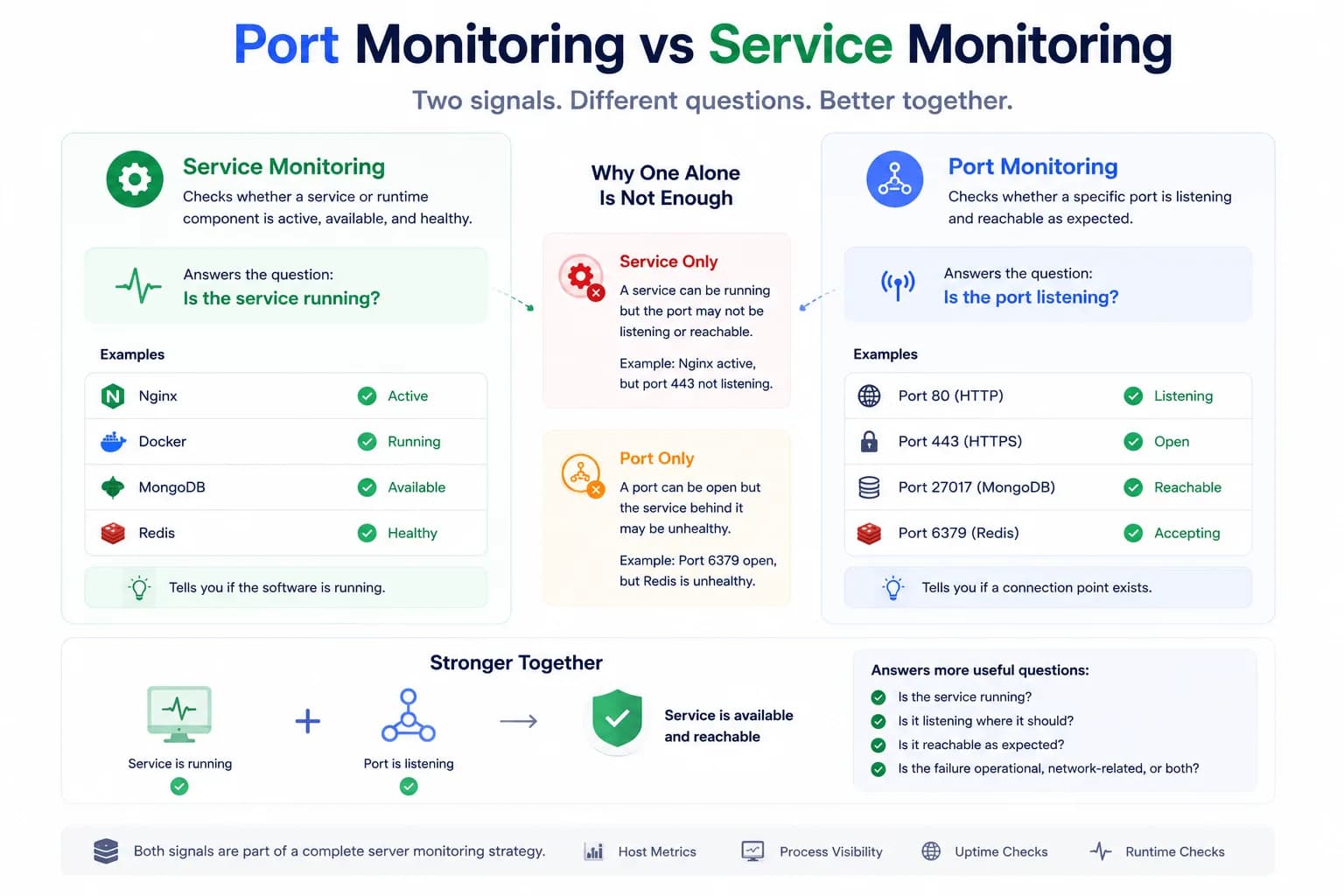
Port Monitoring vs Service Monitoring: What’s the Difference?...
A service can be running while the expected port is not listening correctly. A port can be open while the service behind it is degraded. Good monitoring needs to understand both layers.
Learn more about Port Monitoring vs Service Monitoring: What’s the Difference?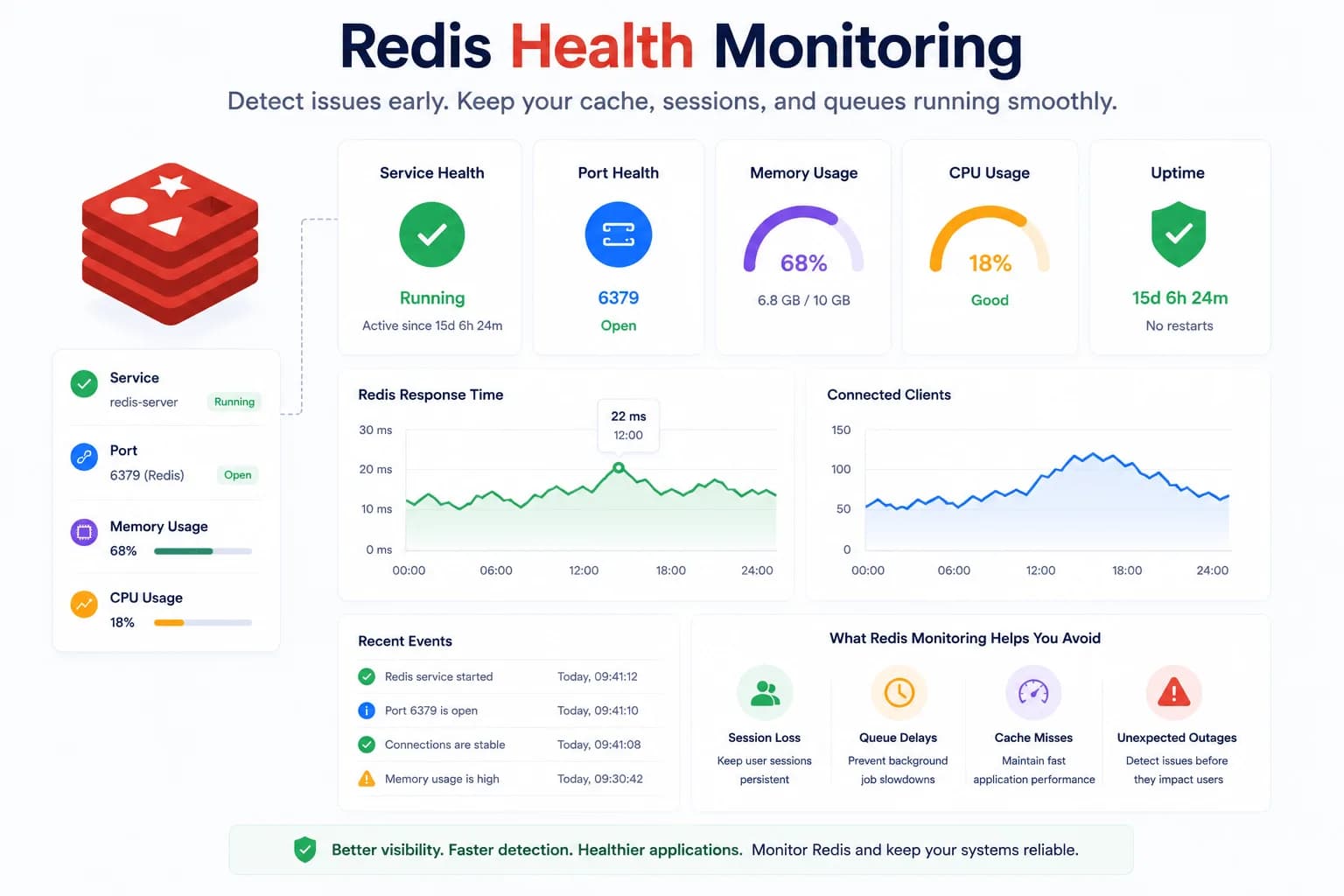
Redis Health Monitoring: What to Watch First...
Redis problems often show up as application symptoms before they look like server incidents. Good monitoring starts with the signals that tell you whether Redis is available, reachable, and supported by a healthy host.
Learn more about Redis Health Monitoring: What to Watch First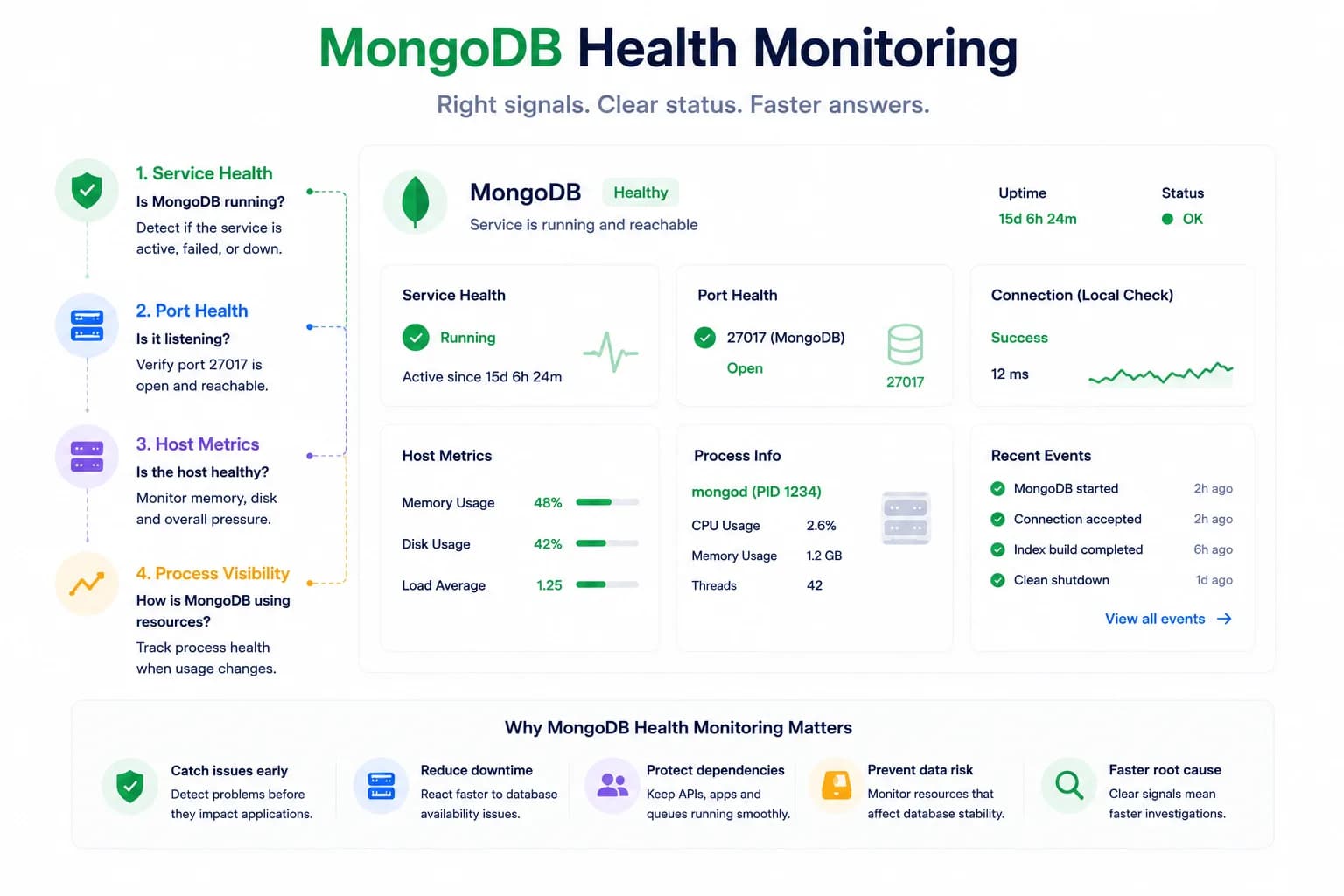
MongoDB Health Monitoring: What to Watch First...
MongoDB issues do not always look like host pressure. Good monitoring starts with the signals that tell you whether the database is available, reachable, and behaving inside the wider system.
Learn more about MongoDB Health Monitoring: What to Watch First