

Server Monitoring Metrics That Actually Matter
- Watchman Tower Team
- Updated: October 1, 2026
- Category: Server Monitoring
- Read Time: 4 min
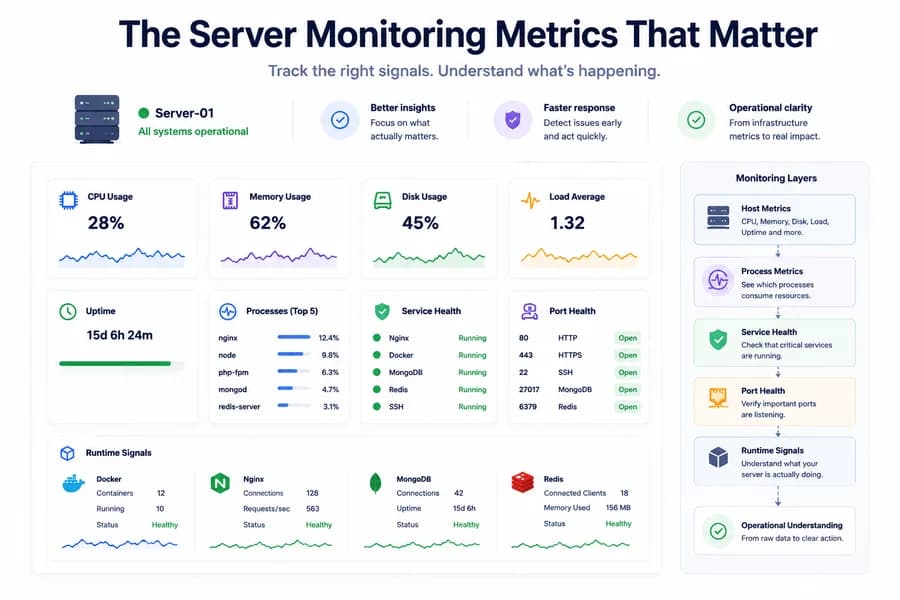
Good server monitoring is not about collecting more charts. It is about knowing which metrics actually explain risk, pressure, and real operational problems.
Why Metric Choice Matters
Many monitoring setups collect far more data than teams can realistically interpret. The result is familiar: dashboards full of numbers, but very little confidence when something actually goes wrong.
Useful server monitoring starts with better metric selection. The goal is not to watch everything equally. The goal is to track the signals that help you understand pressure, failure, and operational risk quickly. For the broader model behind this, see What Is Server Monitoring?.
CPU Usage
CPU usage remains one of the most visible infrastructure metrics because it tells you when the server is working harder than expected. High CPU can point to traffic spikes, runaway processes, background jobs, or inefficient application behavior.
But CPU by itself is not a diagnosis. It is a symptom. The moment CPU rises, the next question should be which process or workload is responsible.
Memory Usage
Memory usage helps teams understand whether a server is approaching resource pressure over time. Unlike CPU spikes, memory pressure often builds gradually. That makes it especially important for spotting slower reliability problems such as memory leaks, oversized caches, or unhealthy service behavior.
If memory stays high and never returns to a healthy baseline, the issue is often structural rather than temporary.
Disk Usage
Disk usage matters because many incidents start with storage pressure rather than total server failure. Logs grow quietly. Temporary files accumulate. Backups expand. Before long, the host is technically alive but unable to behave normally.
Disk visibility is essential because storage problems often create weird symptoms before total failure. Deployments fail, writes stall, and services begin behaving unpredictably.
Load Average
Load average helps teams understand scheduling pressure on the host, especially when CPU alone looks ambiguous. A server may show moderate CPU usage but still struggle under load because too much work is waiting to run.
This is why load average is useful as a pressure signal, not just a number on its own. It adds context when the host feels slow but CPU charts alone do not explain it cleanly.
Uptime and Restart Signals
Uptime answers a simple but important question: has the host or service restarted recently? A sudden reset in uptime can explain changes in behavior, recovered services, or recurring instability that would otherwise be easy to miss.
This metric is especially useful when paired with alerts, incident timelines, or deployment activity.
Process Metrics
Process-level visibility is one of the most actionable layers in server monitoring. CPU and memory become much more useful when they are tied to a PID and a process name.
That turns a generic resource alarm into a practical path for investigation:
- Which workload is consuming CPU?
- Which process is growing in memory?
- Which service changed behavior after a deploy?
Service Health
Service health matters because many production incidents happen above the host layer. Nginx can fail while the server stays up. Redis can stop responding while infrastructure metrics still look stable. Docker can be unhealthy without an obvious CPU emergency.
That makes service status one of the most important additions to a modern server monitoring stack. It closes the gap between host charts and operational meaning.
Port Health
Port monitoring is lightweight, but often surprisingly useful. If a critical local port is not listening, teams get an immediate clue that expected access is broken. This matters for web servers, databases, caches, and internal dependencies.
Port state should not replace service health, but it complements it. Together, they tell you whether a dependency is both running and reachable in the expected way.
Runtime Signals
Runtime signals add the final layer of useful context. These include things like Docker summaries, Nginx health, MongoDB availability, or Redis availability. They are often much closer to the real user-facing issue than host charts alone.
This is the layer that helps teams move from raw infrastructure metrics to operational understanding.
The Metrics That Matter Most
If you need a practical starting set, focus on these first:
- CPU usage
- memory usage
- disk usage
- load average
- uptime
- process visibility
- service health
- port health
- selected runtime signals
Together, these metrics give a much more useful picture than basic resource charts alone.
Related Reading
If you want to go deeper, read how service health, port checks and a lightweight agent fit together, or browse the full Server Monitoring hub. You can also look at the product side in Watchman Tower Server Monitoring.
Final Thought
The best server monitoring metrics are the ones that help teams explain what is happening, not just observe that something changed. Better metrics lead to faster diagnosis, cleaner alerts, and less operational guesswork.
If your current setup still stops at CPU, memory, and disk, start by adding process visibility, service health, and runtime-aware signals. That is usually where server monitoring becomes truly operationally useful.
Free plan available. No credit card needed.
FAQ
Which server monitoring metrics matter first?v
Are CPU and memory enough for server monitoring?v
Why do process metrics matter?v
Why is disk usage a critical server monitoring metric?v
How does load average differ from CPU usage in server monitoring?v
What are runtime signals in server monitoring and why are they important?v
Blog Posts
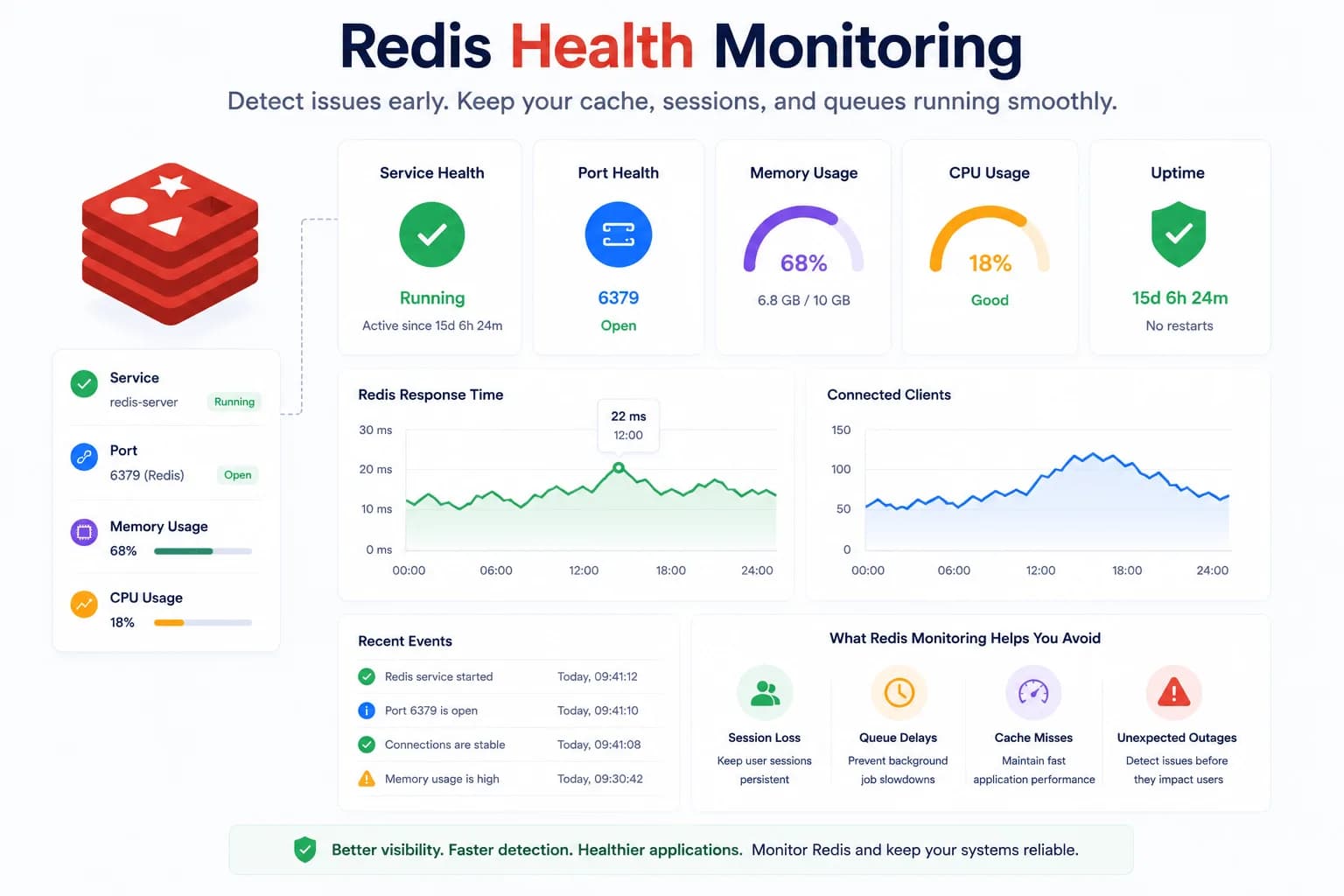
Redis Health Monitoring: What to Watch First...
Redis problems often show up as application symptoms before they look like server incidents. Good monitoring starts with the signals that tell you whether Redis is available, reachable, and supported by a healthy host.
Learn more about Redis Health Monitoring: What to Watch First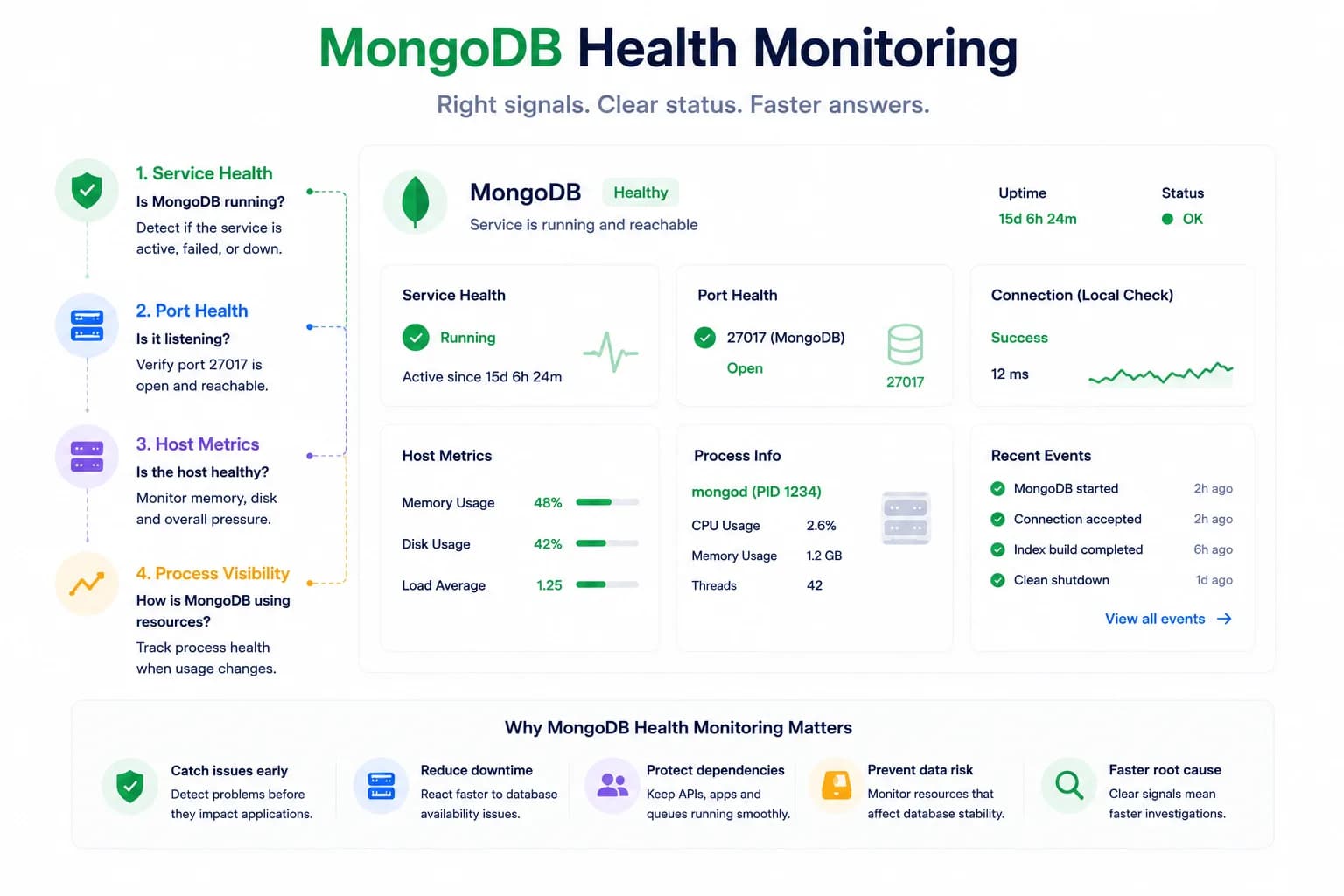
MongoDB Health Monitoring: What to Watch First...
MongoDB issues do not always look like host pressure. Good monitoring starts with the signals that tell you whether the database is available, reachable, and behaving inside the wider system.
Learn more about MongoDB Health Monitoring: What to Watch First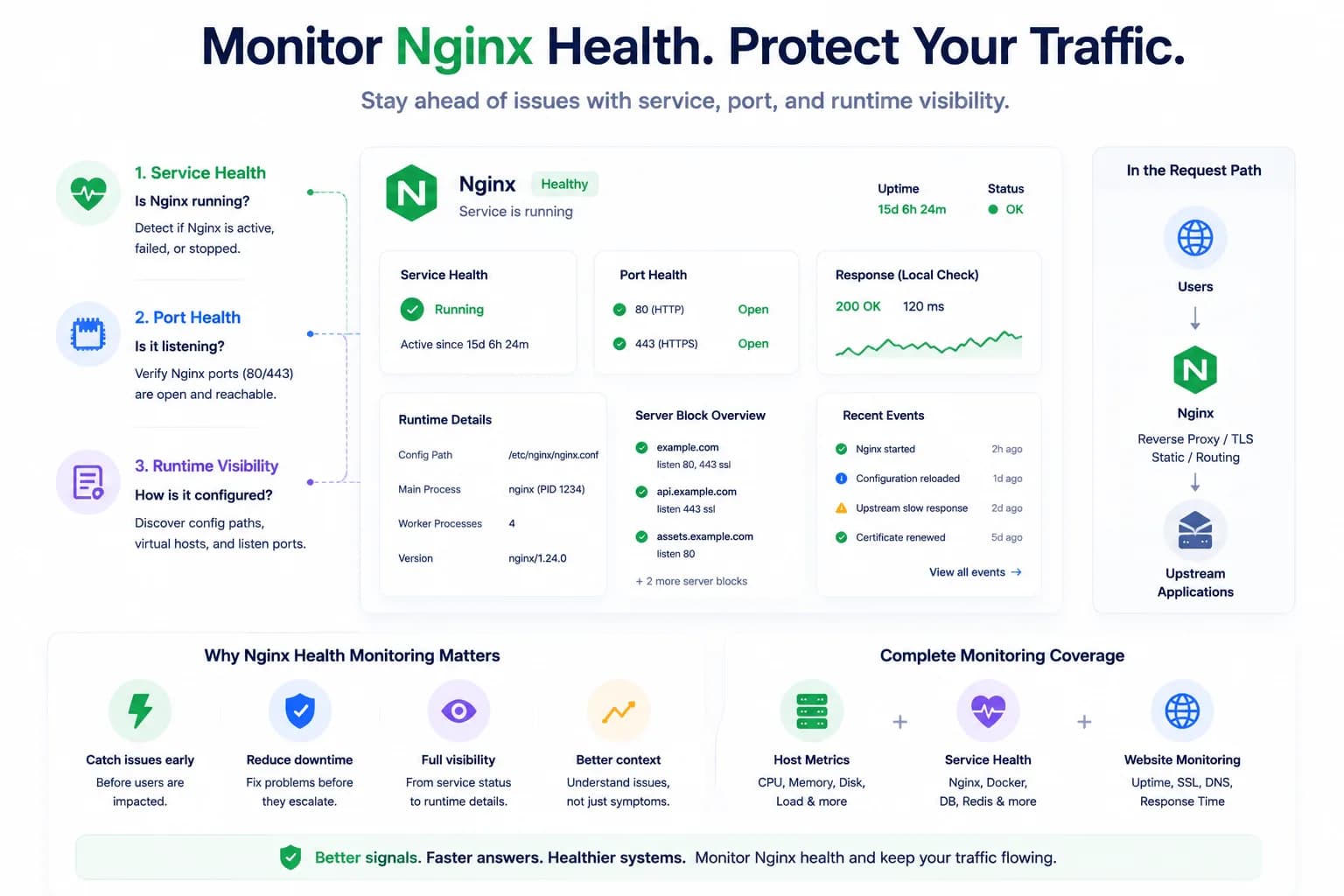
How to Monitor Nginx Health and Detect Serving Issues Early...
Nginx problems do not always begin with a full outage. Good monitoring helps teams detect service failures, port issues, and serving risk before traffic breaks completely.
Learn more about How to Monitor Nginx Health and Detect Serving Issues Early