

What Is Server Monitoring? Metrics, Services, Ports, and Runtime Visibility
- Watchman Tower Team
- Updated: October 1, 2026
- Category: Server Monitoring
- Read Time: 5 min
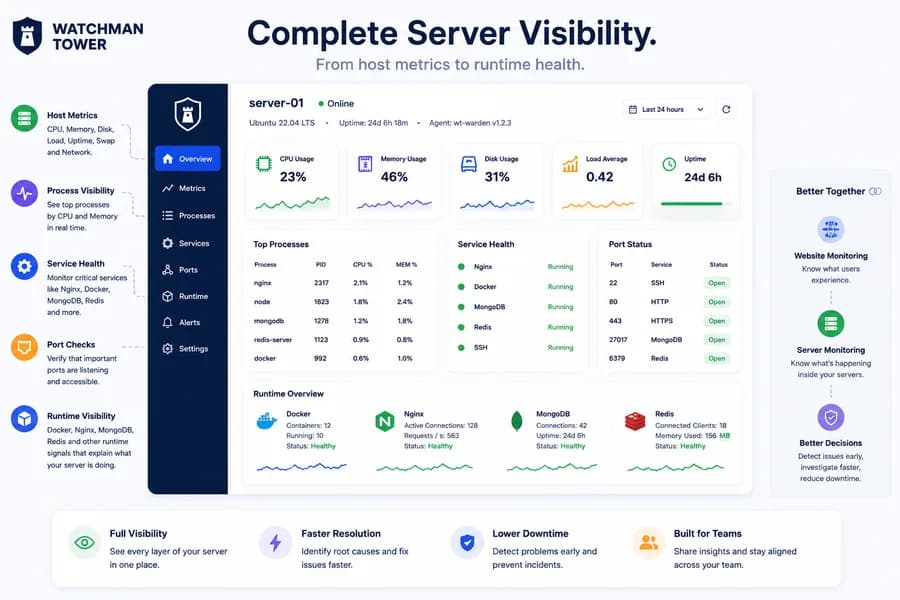
Server monitoring is no longer just about CPU, memory, and disk charts. Modern teams need visibility into processes, services, ports, and the runtime behavior actually serving production traffic.
What Server Monitoring Means Today
Server monitoring is the practice of tracking the health and behavior of a server so teams can detect performance issues, service failures, resource pressure, and operational risk before they turn into customer-facing incidents. Historically, that often meant watching CPU, memory, and disk usage. Today, that definition is too narrow.
Modern teams need to understand not just whether a host is under pressure, but whether the software running on that host is healthy, whether key ports are listening, and whether infrastructure components like Nginx, Docker, MongoDB, or Redis are behaving as expected. If you want the product view behind this model, see Watchman Tower Server Monitoring.
The First Layer: Host Metrics
Host metrics still matter. CPU usage, memory usage, disk usage, load, uptime, swap, and network transfer remain core infrastructure signals because they tell you whether the machine itself is healthy or under pressure.
These metrics help answer questions like:
- Is the server overloaded?
- Is memory pressure building over time?
- Is disk capacity becoming a risk?
- Did the host recently restart?
But host metrics alone rarely tell the full story. A server can look healthy while a critical service has stopped, traffic is not being served correctly, or a local dependency is failing silently.
The Second Layer: Process Visibility
Process-level visibility helps connect infrastructure pressure to actual workloads. If CPU spikes, the next question is usually not whether CPU is high. It is which process is consuming it.
That is why useful server monitoring should include at least a sampled process view with PID, CPU usage, and memory usage. This turns abstract infrastructure pressure into something actionable.
The Third Layer: Service Health
Many production incidents are service failures rather than host failures. Nginx can stop while the host stays up. Docker can fail while CPU remains calm. MongoDB or Redis can be unhealthy without triggering an obvious infrastructure alarm.
Service health adds the missing operational layer between host metrics and application behavior. Instead of only asking whether the server is healthy, teams can ask whether the services that matter are actually running.
The Fourth Layer: Port Checks
Service status and port state are related, but they are not the same thing. A service may be marked active while the expected port is not listening correctly. A port may be open while the service behind it is degraded or misconfigured.
Port monitoring adds a lightweight but powerful signal. It helps teams verify whether expected local entry points are available for traffic or internal dependencies.
Service Health and Port Checks: What Each One Misses
Service checks and port checks look interchangeable and are often treated as one signal. They answer different questions, and each can report a healthy state while the other is failing.
| Signal | What it tells you | What it can miss |
|---|---|---|
| Host metrics | Whether the machine is under CPU, memory or disk pressure | A stopped service on an otherwise calm host |
| Service health | Whether a component such as Nginx, Docker, MongoDB or Redis is running | A service marked active whose port is not bound or listening |
| Port checks | Whether the expected port accepts connections | A listening port with a degraded or misconfigured service behind it |
A web server makes the difference concrete. After a configuration change, Nginx can be active while port 443 is no longer listening. In the opposite case port 443 is open, but the service behind it is overloaded or routing traffic to the wrong place. The same drift happens with Redis and MongoDB.
Read together, the signals separate an operational failure from a network one. They also make alerts easier to act on: a CPU alert says there is pressure, while a service alert says what stopped.
The Fifth Layer: Runtime Visibility
Runtime visibility is where server monitoring becomes much more useful. This includes signals like Docker runtime summaries, Nginx health, MongoDB availability, Redis availability, and other local infrastructure checks that explain what the host is doing in practice.
These runtime signals help reduce the gap between infrastructure metrics and real operational meaning.
Why Basic Charts Are Not Enough
Traditional server monitoring often stops at dashboards full of infrastructure numbers. Those are useful, but they do not always explain incidents. Teams still need to ask what process changed, what service failed, what port stopped listening, or what runtime dependency broke.
The more useful model is layered visibility:
- host metrics show infrastructure pressure
- process metrics show which workloads are responsible
- service health shows whether critical services are running
- port checks show whether expected access points are available
- runtime signals show what the server is doing operationally
Server Monitoring and Website Monitoring Are Better Together
Server monitoring should not live in isolation. External uptime monitoring tells you what users are likely experiencing from outside the host. Server monitoring tells you what is happening inside the environment serving that traffic.
Together, these signals give teams a much more useful operational picture. If a site goes down but the server looks healthy, the issue may be outside the host. If the host is healthy but Nginx is not, the issue is more likely service-level. If the site slows down while CPU and process usage spike, the problem may be resource pressure.
When a Lightweight Agent Is Enough
Getting these signals does not require a full observability platform. Heavy stacks are powerful, but they bring rollout work, data volume and running costs that many teams are not ready for.
A lightweight agent collects only what helps during an incident: host metrics, a sample of processes, the state of the services and ports that matter, and a few runtime checks. External monitoring still detects the symptom. The agent explains it from inside the host.
How Watchman Tower Approaches It
Watchman Tower uses wt-warden as a lightweight server agent for host metrics and selected runtime signals. The goal is not to become a heavyweight observability stack. It is to give teams practical server visibility that fits into a broader monitoring workflow alongside uptime, SSL, domains, and application checks.
This approach helps teams move beyond isolated charts and toward clearer operational understanding. For setup details, see the server agent overview and installation guide.
Related Reading
Next, explore the metrics that actually matter and practical examples for Nginx, MongoDB, and Redis.
Final Thought
If your idea of server monitoring still begins and ends with CPU, memory, and disk, you are probably missing the signals that explain real incidents. Better server monitoring means combining host metrics with process visibility, service health, port checks, and runtime context so teams can act faster with less guesswork.
Free plan available. No credit card needed.
FAQ
What are the first layers of modern server monitoring?v
Why is service health part of server monitoring?v
Does server monitoring replace website monitoring?v
How do port checks differ from service health monitoring?v
What kind of runtime signals are included in server monitoring?v
Why is relying solely on host metrics insufficient for effective server monitoring?v
Blog Posts
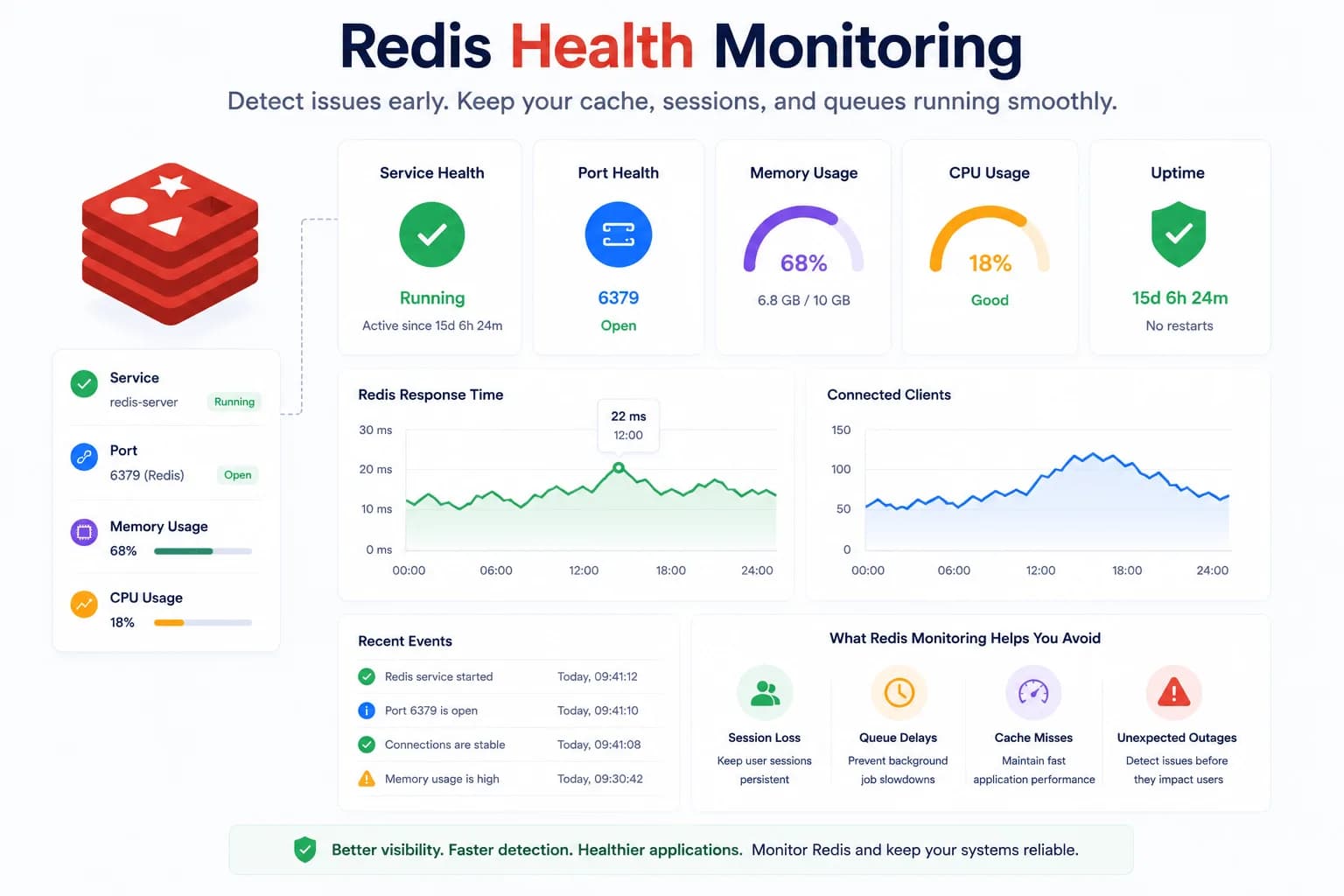
Redis Health Monitoring: What to Watch First...
Redis problems often show up as application symptoms before they look like server incidents. Good monitoring starts with the signals that tell you whether Redis is available, reachable, and supported by a healthy host.
Learn more about Redis Health Monitoring: What to Watch First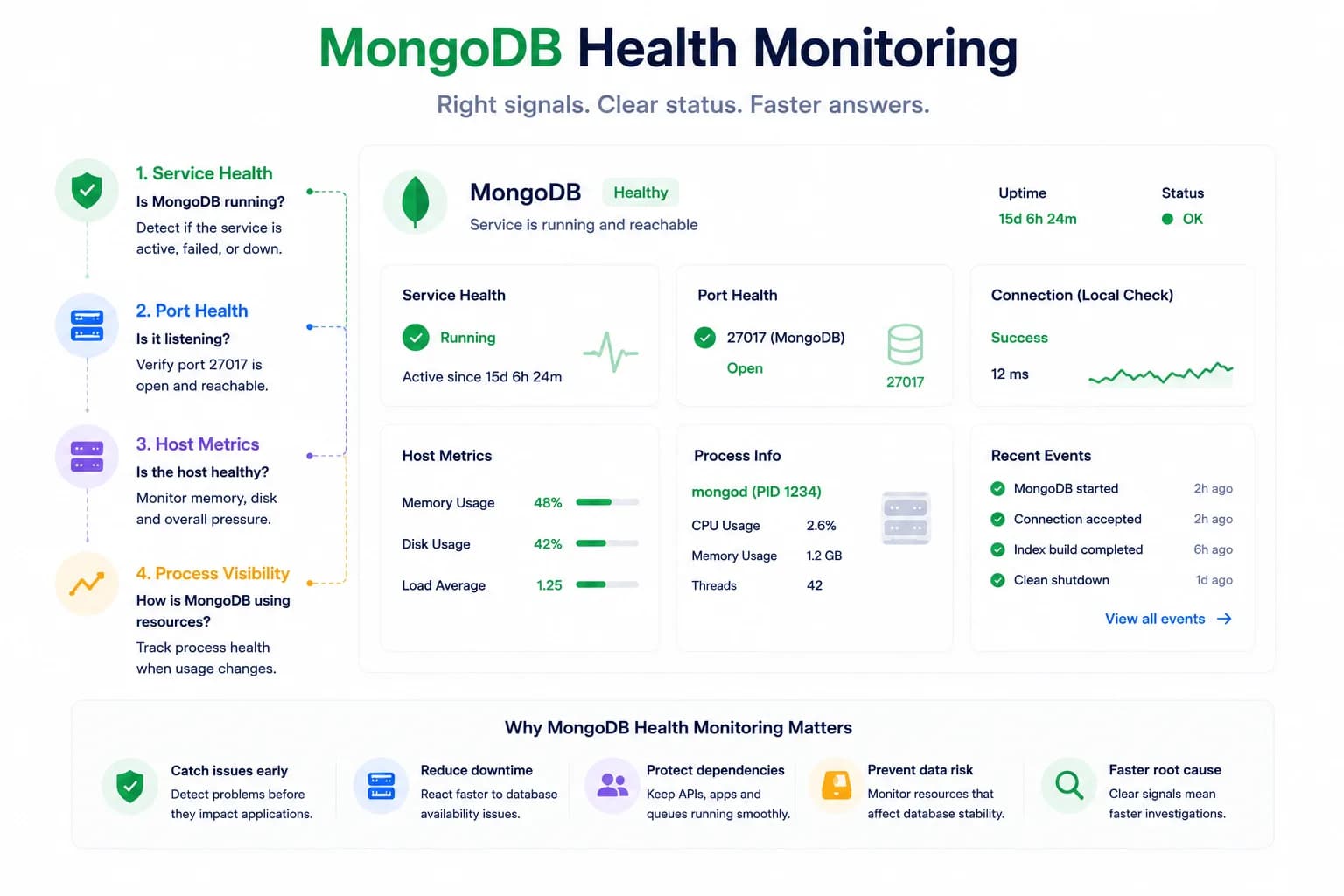
MongoDB Health Monitoring: What to Watch First...
MongoDB issues do not always look like host pressure. Good monitoring starts with the signals that tell you whether the database is available, reachable, and behaving inside the wider system.
Learn more about MongoDB Health Monitoring: What to Watch First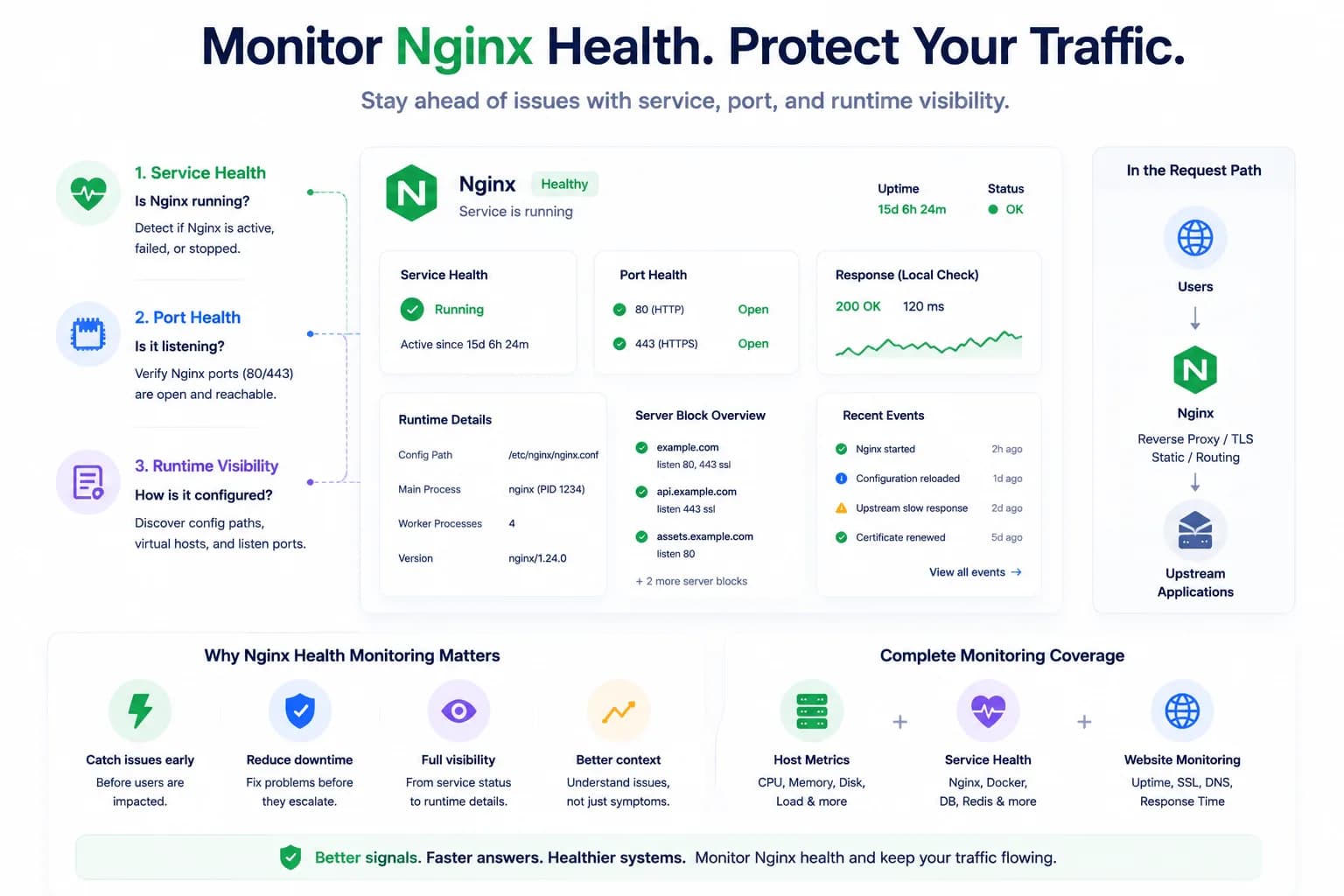
How to Monitor Nginx Health and Detect Serving Issues Early...
Nginx problems do not always begin with a full outage. Good monitoring helps teams detect service failures, port issues, and serving risk before traffic breaks completely.
Learn more about How to Monitor Nginx Health and Detect Serving Issues Early