

Why Service Health Matters More Than Host Metrics Alone
- Watchman Tower Team
- Updated: July 21, 2026
- Category: Server Monitoring
- Read Time: 3 min
CPU, memory, and disk charts are important, but many real incidents are service failures hiding behind healthy-looking hosts.
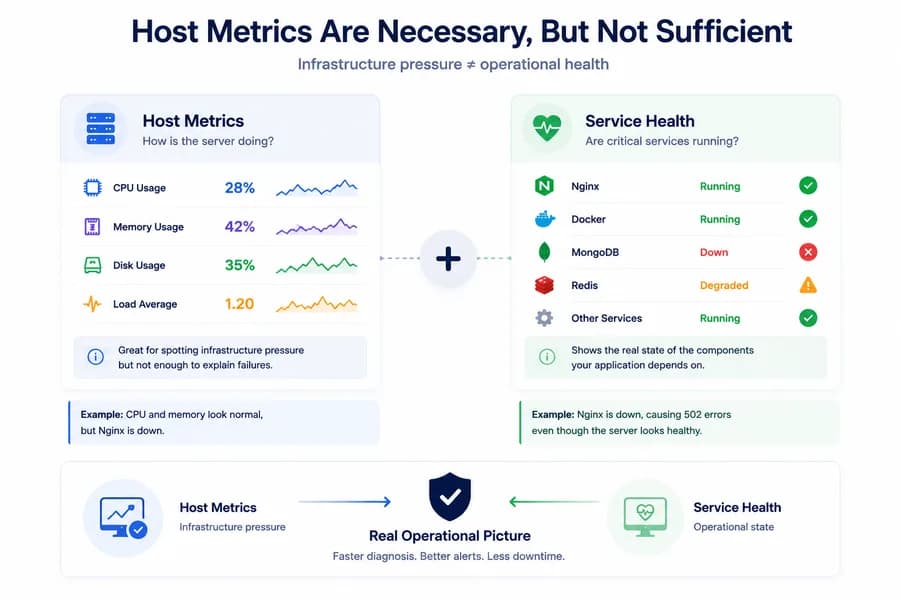
Host Metrics Are Necessary, But Not Sufficient
Traditional server monitoring usually starts with CPU, memory, and disk. Those are still essential metrics, but they do not always explain what actually broke. A host can look healthy while the software running on it is not.
This is why service health matters. It adds the operational layer that sits between raw infrastructure metrics and real production behavior. For the broader model, start with What Is Server Monitoring?.
What Host Metrics Actually Tell You
Host metrics are good at showing infrastructure pressure. CPU helps you see processing load. Memory helps you see resource pressure building over time. Disk helps you see storage risk. Load helps you see scheduling pressure.
These signals are useful because they show whether the machine itself is under stress. But they do not always tell you whether a critical service is actually available or behaving correctly.
What Service Health Adds
Service health answers a different question: are the components that matter actually running?
That includes things like:
- Nginx availability
- Docker daemon health
- MongoDB service status
- Redis availability
- other local dependencies your stack relies on
These are the signals that often explain incidents faster than host charts do.
A Healthy Host Can Still Hide a Broken Service
One of the most common monitoring blind spots is assuming that a healthy server means a healthy application environment. In reality, many failures happen above the host level.
Examples are everywhere:
- Nginx stops or becomes misconfigured while CPU remains normal
- Docker is inactive even though the machine is otherwise healthy
- MongoDB is unavailable while the host still looks stable
- Redis fails and causes application instability without obvious infrastructure pressure
In each case, CPU and memory may look acceptable, but the system is still operationally unhealthy.
Why Service Health Improves Alert Quality
When teams rely only on host metrics, alerting often becomes either too vague or too late. A CPU alert tells you there is pressure, but not what failed. A memory alert tells you risk is rising, but not whether a key service is down.
Service health improves alert quality because it turns abstract infrastructure signals into more interpretable operational signals. Instead of alerting only on pressure, teams can also alert on actual service state.
Service Health and Port Health Work Better Together
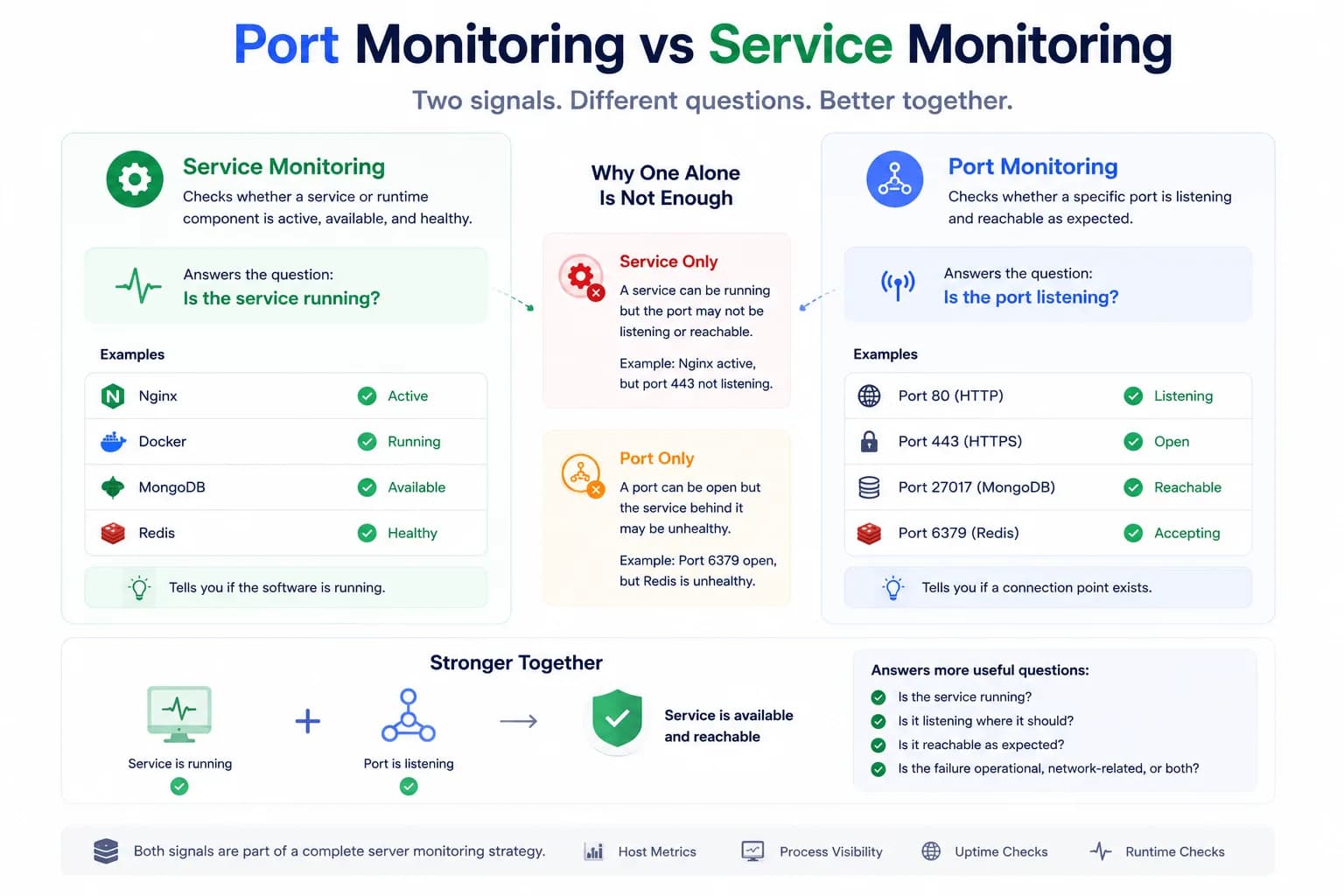
Service health becomes even more useful when paired with port checks. A service may be marked active while the expected local port is not listening correctly. A port may be open while the service behind it is degraded.
Together, these signals create a much stronger operational picture:
- host metrics show pressure
- service health shows whether the component is running
- port health shows whether it is reachable in the expected way
If you want that distinction more directly, read Port Monitoring vs Service Monitoring.
Why This Matters for Nginx, Docker, MongoDB, and Redis
These components are common because they sit close to real production behavior. Nginx serves traffic. Docker runs workloads. MongoDB stores state. Redis often supports caching, queues, or sessions.
If any of them fail, users can feel the impact even when the server itself does not look overloaded. That is exactly why service-aware monitoring is so much more useful than host-only monitoring.
How Watchman Tower Uses This Layer
Watchman Tower combines host metrics with service health, port health, and selected runtime signals so teams can investigate faster with less guesswork. This helps reduce the gap between seeing that something changed and understanding what actually needs attention.
Instead of staring at healthy-looking infrastructure charts while production is unstable, teams get a clearer operational view of what is running and what is not. You can see the product view on the Server Monitoring feature page.
Related Reading
For concrete examples, continue with Nginx health monitoring, MongoDB health monitoring, and Redis health monitoring.
Final Thought
Host metrics tell you whether the machine is under pressure. Service health tells you whether the system is actually functioning. Good server monitoring needs both, but when incidents happen, service health is often the layer that explains the problem first.
Free plan available. No credit card needed.
FAQ
Why does service health often explain incidents faster than CPU charts?v
What kinds of services should teams monitor first?v
Should service health be paired with port checks?v
Can a server have healthy host metrics but still have a broken service?v
How does service health monitoring improve alert quality?v
What is the main difference between host metrics and service health?v
Blog Posts
Port Monitoring vs Service Monitoring: What’s the Difference?...
A service can be running while the expected port is not listening correctly. A port can be open while the service behind it is degraded. Good monitoring needs to understand both layers.
Learn more about Port Monitoring vs Service Monitoring: What’s the Difference?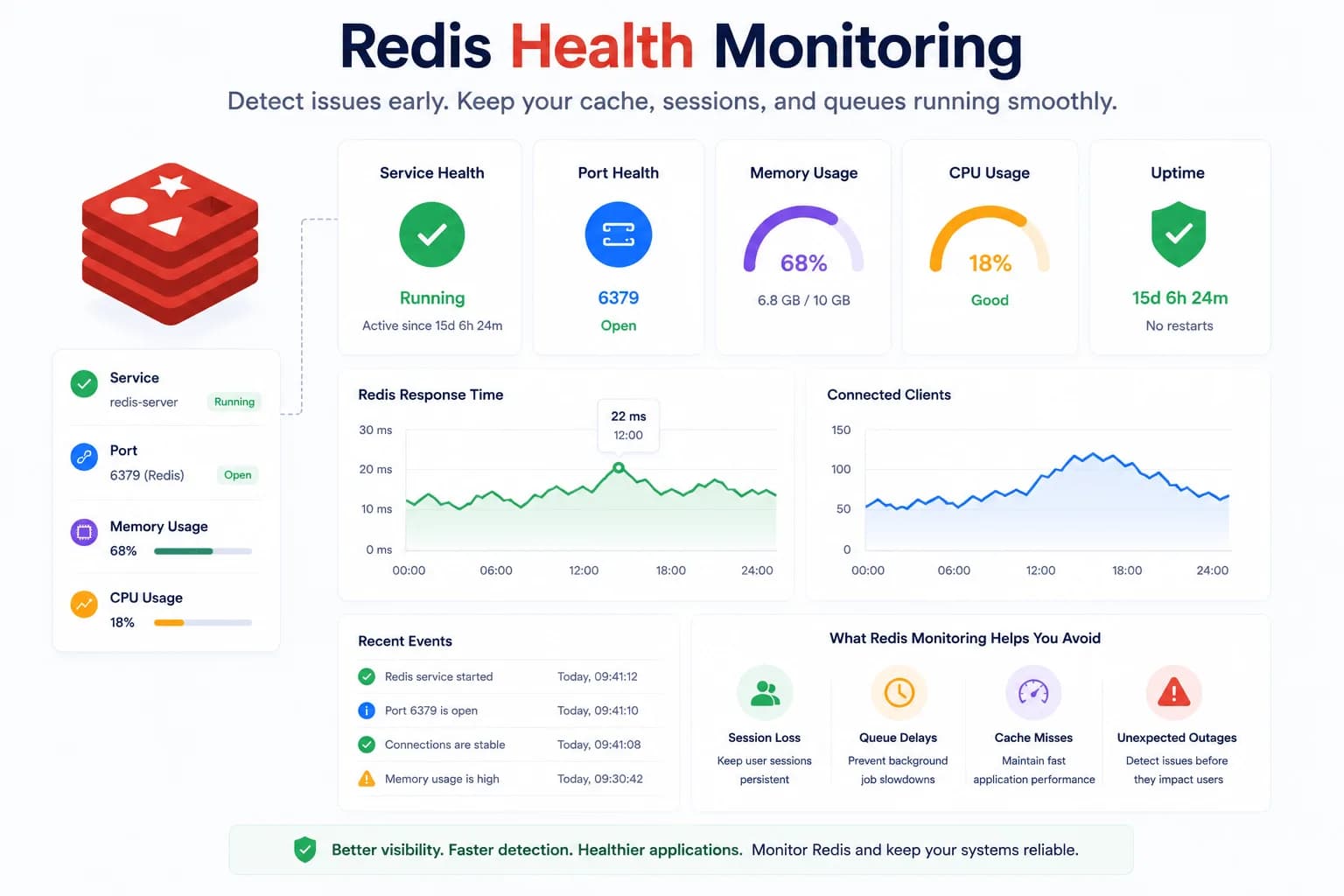
Redis Health Monitoring: What to Watch First...
Redis problems often show up as application symptoms before they look like server incidents. Good monitoring starts with the signals that tell you whether Redis is available, reachable, and supported by a healthy host.
Learn more about Redis Health Monitoring: What to Watch First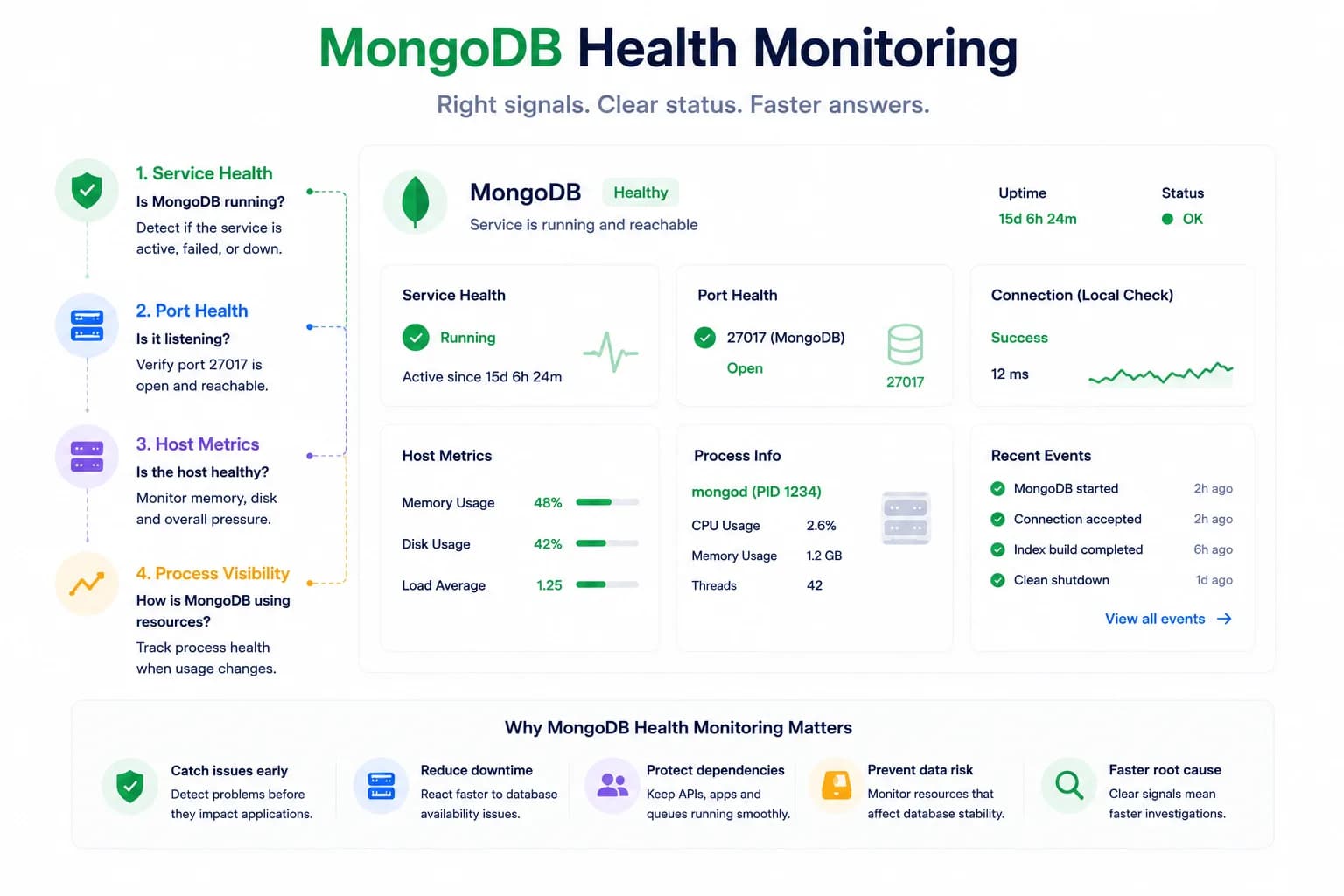
MongoDB Health Monitoring: What to Watch First...
MongoDB issues do not always look like host pressure. Good monitoring starts with the signals that tell you whether the database is available, reachable, and behaving inside the wider system.
Learn more about MongoDB Health Monitoring: What to Watch First