


Domain Expiry Checks: How to Verify a Domain’s Renewal Status
- Watchman Tower Team
- Updated: October 2, 2026
- Category: Domain Monitoring
- Read Time: 5 min
Learn how to perform reliable domain expiry checks by verifying expiration dates, renewal status, registrar information, payment settings, and account ownership. This guide explains where to check domain data, what should be verified, and how regular verification complements continuous domain monitoring.
A domain expiry check is the process of verifying a domain's current expiration status using reliable registration data. Unlike domain expiration protection, an expiry check provides a point-in-time confirmation that helps determine whether a domain is approaching expiration, has already been renewed, or requires immediate attention.
Performing regular domain expiry checks reduces the risk of relying on outdated records, incorrect reminder dates, or assumptions that a renewal has already been completed. Even when automatic renewal is enabled, periodic verification helps ensure that the expected renewal actually occurred.
This guide explains how to perform domain expiry checks, where to verify expiration information, what data should be reviewed, and the common mistakes that can lead to inaccurate renewal records.
What Is a Domain Expiry Check?
A domain expiry check is a verification process that confirms the current registration status of a domain. Rather than monitoring changes over time, it answers a simple question:
What is the current renewal status of this domain?
A proper expiry check normally confirms:
- The current expiration date
- Whether the domain has already been renewed
- Whether auto-renew is enabled
- Which registrar manages the domain
- Whether the domain remains active and accessible
Expiry checks are commonly performed before planned renewals, after completing a renewal, during portfolio audits, or whenever ownership information changes.
Where to Check a Domain's Expiration Date
Domain expiration information can be verified from several sources. Each source provides different levels of detail and should be interpreted accordingly.
Registrar Account
The registrar account is usually the most authoritative place to verify renewal status. It provides the current expiration date together with billing information, auto-renew settings, payment status, and account ownership.
After renewing a domain, the registrar dashboard should normally be the first place used to confirm that the renewal has been processed successfully.
RDAP or WHOIS Lookup
Public registration data can also be used to verify expiration dates. Depending on the top-level domain and registry policies, RDAP or WHOIS records may expose the current expiration date together with registrar information and registration status.
Because registration data may not update immediately after a renewal, public records should be treated as a secondary verification source rather than the only source of truth.
Independent Monitoring Platform
Organizations managing multiple domains often verify expiration dates through a centralized monitoring platform. Independent monitoring helps compare registrar information across multiple providers while reducing dependence on individual registrar accounts.
What Information Should Be Verified?
A domain expiry check involves more than confirming a single date. Several related values should be reviewed together to ensure the domain can continue operating without interruption.
Expiration Date
Confirm that the displayed expiration date matches the expected renewal period. Unexpected dates may indicate that a renewal has not been processed correctly or that outdated records are being used.
Auto-Renew Status
Verify whether automatic renewal is enabled. Although auto-renew reduces administrative work, it should never be treated as confirmation that the renewal has already succeeded.
Payment Method
Ensure that the payment method associated with automatic renewal remains valid. Expired cards or billing failures are among the most common reasons for unsuccessful renewals.
Registrar Account Access
Confirm that the organization still has access to the registrar account and that recovery information remains current. A renewal cannot be managed effectively if account ownership has become unclear.
Administrative Contact Information
Review the email addresses and contact information associated with the registrar account. Expiration notices sent to inactive or outdated addresses may never reach the responsible team.
Why Expiration Dates May Not Always Match
Different systems sometimes display different expiration dates for the same domain. This does not necessarily indicate an error.
Several factors can create temporary differences:
- Recently completed renewals
- Registry synchronization delays
- Registrar processing times
- Cached public registration data
- Domain transfers between registrars
Whenever inconsistent dates appear, the registrar account should generally be treated as the primary source until public registration data has fully synchronized.
How Often Should Domain Expiry Checks Be Performed?
There is no universal schedule that applies to every organization. The appropriate frequency depends on the importance of the domain and the operational complexity of the portfolio.
As a general guideline:
- Perform a verification after every completed renewal.
- Review critical domains periodically throughout the year.
- Audit the complete domain portfolio on a regular basis.
- Perform additional checks after registrar transfers or ownership changes.
Organizations relying solely on annual renewal reminders often discover problems too late to resolve billing, ownership, or account access issues comfortably.
Manual Checks vs Continuous Monitoring
Although these terms are often used interchangeably, they describe different operational activities.
| Domain Expiry Check | Domain Expiry Monitoring |
|---|---|
| Point-in-time verification | Continuous observation |
| Usually performed manually | Runs automatically on a schedule |
| Confirms current status | Detects approaching renewal deadlines |
| Useful for audits and verification | Useful for ongoing operational protection |
The two approaches complement each other rather than replace one another. Domain expiry monitoring methods identify when attention is required, while expiry checks confirm the domain's actual status.
Common Domain Expiry Check Mistakes
Checking Only the Expiration Date
Looking only at the renewal date ignores other important factors such as payment status, account ownership, and auto-renew configuration.
Assuming Auto-Renew Guarantees Renewal
Automatic renewal is a useful safeguard, but failed payments or account issues can still prevent successful renewal and create domain expiration warning signs.
Relying on Outdated Records
Spreadsheets, documentation, and calendar reminders should be validated against current registration data rather than treated as permanent sources of truth.
Ignoring Account Ownership
Organizations sometimes verify the domain itself while overlooking registrar account ownership. If access depends on a former employee or contractor, renewal can become difficult even when expiration dates are known.
Conclusion
Domain expiry checks provide a reliable way to verify the current renewal status of a domain. They help confirm expiration dates, validate renewal activity, and identify operational issues before they develop into service disruptions.
While continuous monitoring provides ongoing visibility, periodic verification remains an essential operational practice. Combining scheduled monitoring with regular expiry checks creates a more reliable domain renewal process and reduces the likelihood of unexpected domain expiration.
Free plan available. No credit card needed.
Want a Dedicated Expiry Monitoring Tool?
Don’t rely only on registrar emails. Watchman Tower gives you automatic expiry alerts across all registrars, with reminders at 30, 14, 7, 3, and 1 day before expiry.
Learn more about Domain Expiry Monitoring →FAQ
What happens when my domain expires?v
Why do domain expirations occur even in well-managed teams?v
What are the hidden costs of an expired domain?v
Why do manual domain renewal reminders fail?v
What are some best practices to prevent domain expiry?v
How does centralized domain monitoring help prevent domain expiration?v
Why do domains still expire despite reminders?v
Why aren't manual reminders reliable?v
What steps prevent domain expiry?v
Blog Posts
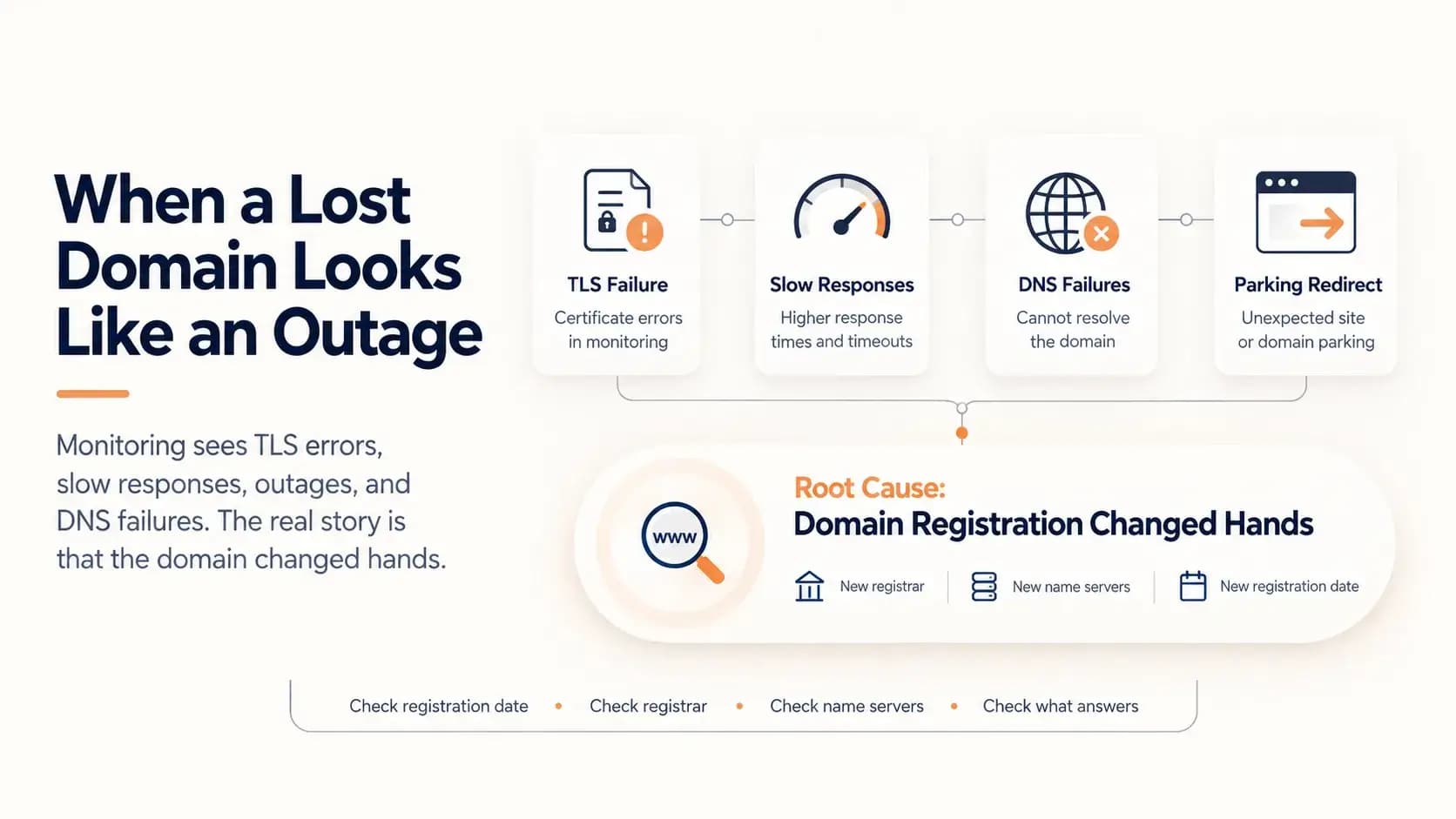
What Happens When a Domain Expires and Someone Else Registers It...
A domain that lapses and is registered by someone else does not look like a lost domain. It looks like a certificate error, slow responses, an outage and DNS failures. This case follows one such domain through five weeks of accurate but misleading alerts, and shows how to tell the difference.
Learn more about What Happens When a Domain Expires and Someone Else Registers It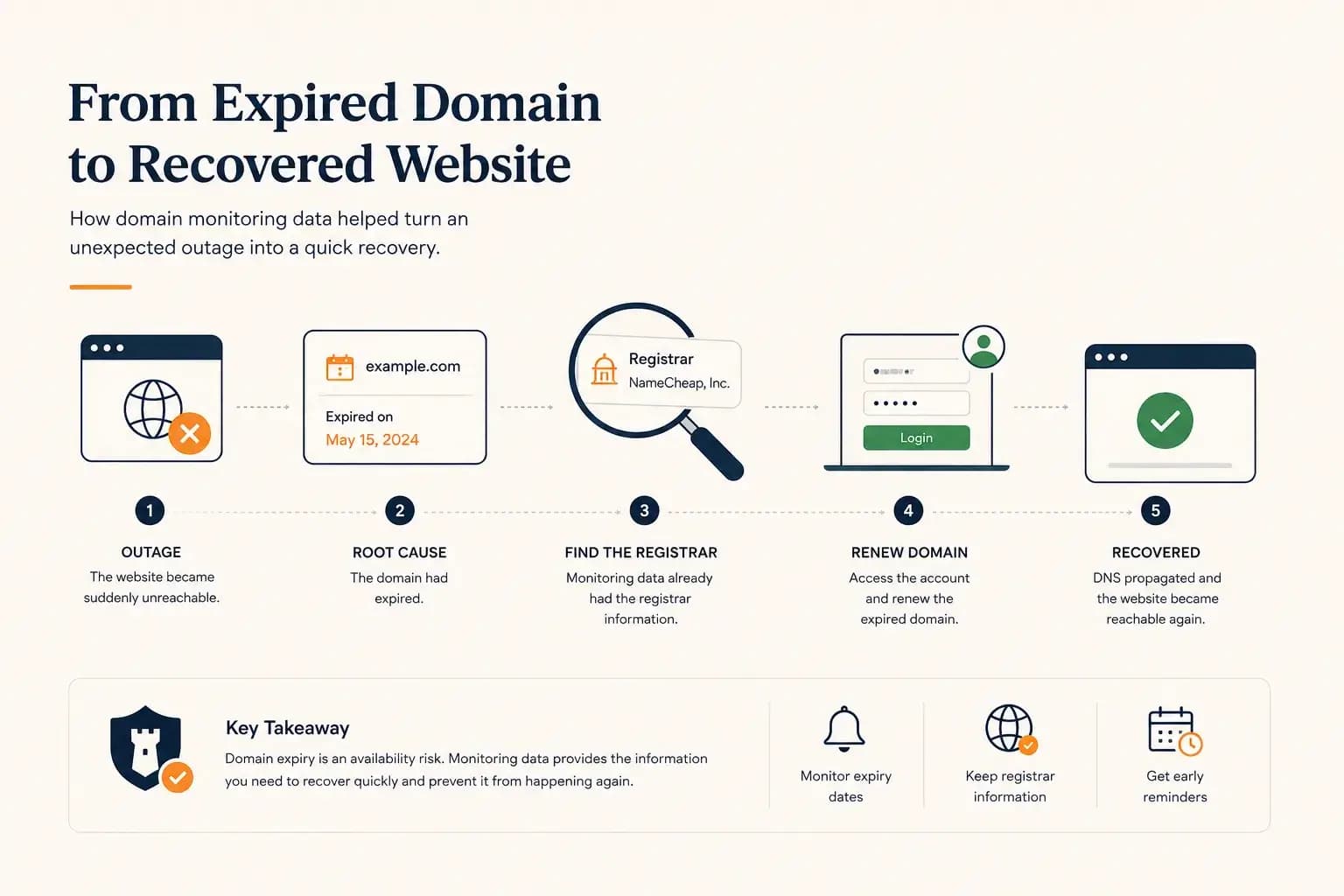
The Website Went Down — and the Owner Didn’t Know Where the Domain Was Registered...
A real-world expired domain recovery case: how a website went offline, how we identified the registrar from monitoring data, and how the domain was renewed before it was lost.
Learn more about The Website Went Down — and the Owner Didn’t Know Where the Domain Was Registered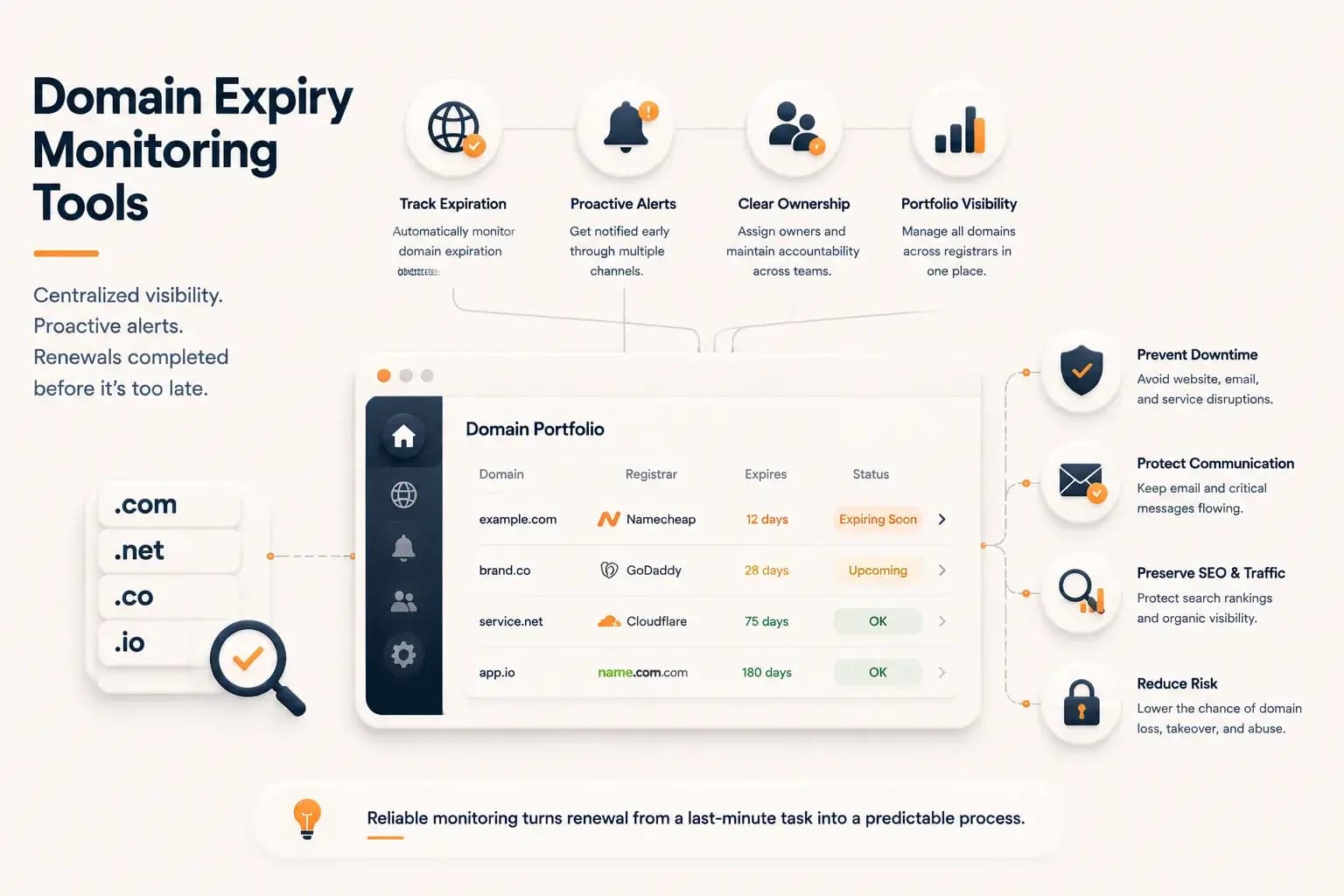
Best Domain Expiry Monitoring Tools: How to Choose the Right Solution...
Explore how domain expiry monitoring tools help organizations track renewal risks, manage multiple domains, and choose the right solution based on visibility, automation, and operational needs.
Learn more about Best Domain Expiry Monitoring Tools: How to Choose the Right Solution