

How to Get Notified Instantly When Something Breaks
- Watchman Tower Team
- Updated: July 21, 2026
- Category: Product Insights
- Read Time: 3 min
Real-time notifications matter most when they arrive with enough context to act. This guide explains how teams build faster response around smarter alerting workflows.
Why Being First to Know Matters
The biggest cost of downtime is not always the outage itself. It is the time between when something breaks and when someone realizes there is a problem.
A website can be unavailable for minutes before a customer reports it, a client notices it, or your team discovers it manually. During that gap, users may see errors, abandon workflows, or lose confidence in your service.
This is why instant incident detection matters. Whether you manage client websites as a freelancer, operate a SaaS product, or maintain production services, knowing about problems early gives you the opportunity to respond before small issues become larger incidents.
Why Traditional Monitoring Can Be Too Slow
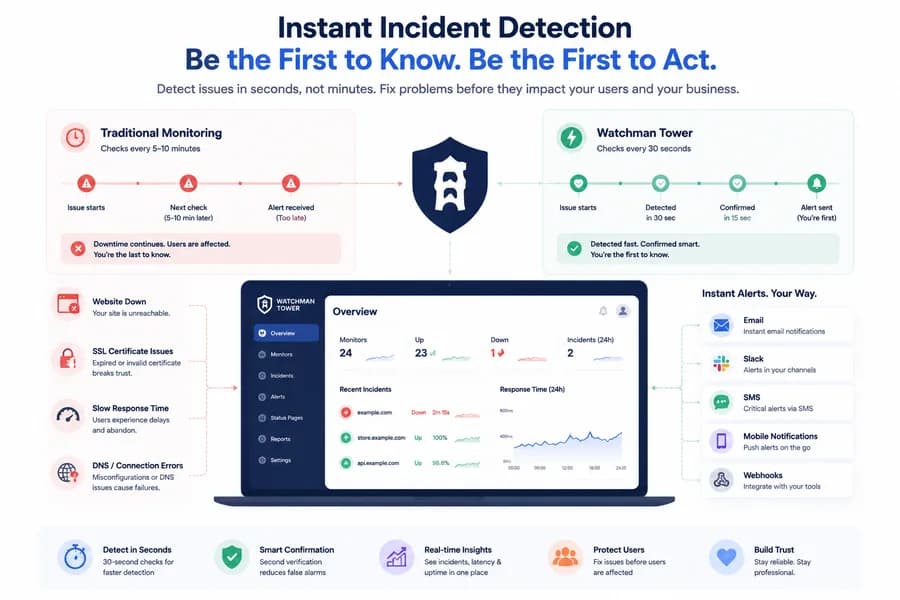
Many basic uptime monitoring systems rely on fixed checking intervals. A monitor that checks every 5 or 10 minutes may leave a significant gap between the moment an outage begins and the moment it is detected.
For critical websites and applications, those minutes matter. Faster checks provide faster awareness — but speed alone is not enough. Reliable monitoring must also avoid unnecessary alerts.
False positives caused by temporary network issues, short-lived errors, or unstable connections create alert fatigue. Over time, teams start ignoring notifications, which makes real incidents easier to miss. See our post Uptime Monitoring Guide to understand how effective uptime monitoring works.
What Instant Incident Detection Should Actually Do
A good incident detection system should balance speed with accuracy.
It should:
- Detect availability problems quickly
- Confirm failures before creating unnecessary noise
- Provide enough context to understand what changed
- Notify the right people through the right channel
The goal is not simply receiving more alerts. The goal is receiving trustworthy alerts when action is actually required.
How Watchman Tower Detects Incidents
Watchman Tower is designed around fast detection and reliable alerting. Monitoring checks continuously evaluate your website availability and performance signals, helping teams identify problems before users are affected for long periods.
On premium plans, checks can run as frequently as every 30 seconds. When a potential issue is detected, Watchman Tower uses confirmation logic to reduce false positives before notifying you.
This approach creates a better balance: faster awareness without overwhelming your team with unnecessary alerts.
When an incident is confirmed, you can receive notifications through Email, Slack, SMS, Mobile Notifications, or custom webhooks. Explore the workflow in How to Use Watchman Tower for Website Monitoring.
From Detection to Faster Response
Detecting an incident is only the first step. The real value comes from having enough information to respond quickly.
Watchman Tower helps teams understand:
- When an incident started
- Which monitor or website was affected
- How long the issue lasted
- Whether the service recovered
These insights help reduce investigation time and make incident response more predictable. See examples in Essential Website Monitoring Metrics.
Communicate Clearly During Incidents
Reliability is not only about detecting problems. It is also about communicating clearly when they happen.
With a public status page, teams can provide customers and stakeholders with transparent updates instead of answering the same outage questions repeatedly.
Learn more about this approach in What Is a Public Status Page?.
Never Get Blindsided Again
Downtime will happen. Infrastructure changes, deployments, external dependencies, and unexpected failures are part of running modern digital services.
The difference between a painful incident and a manageable one is often how quickly you know about it and how confidently you can respond.
With Watchman Tower’s instant incident detection and smart alerting workflow, teams can discover problems earlier, reduce response time, and keep users informed when it matters most.
Free plan available. No credit card needed.
FAQ
Why is it crucial to be the first to know when a website breaks?v
What problems do traditional uptime monitoring tools have?v
How does Watchman Tower detect website issues so quickly and accurately?v
How can I be notified when Watchman Tower detects an issue?v
What additional features does Watchman Tower provide?v
Blog Posts
How to Use Metrics to Optimize Your Site’s Health...
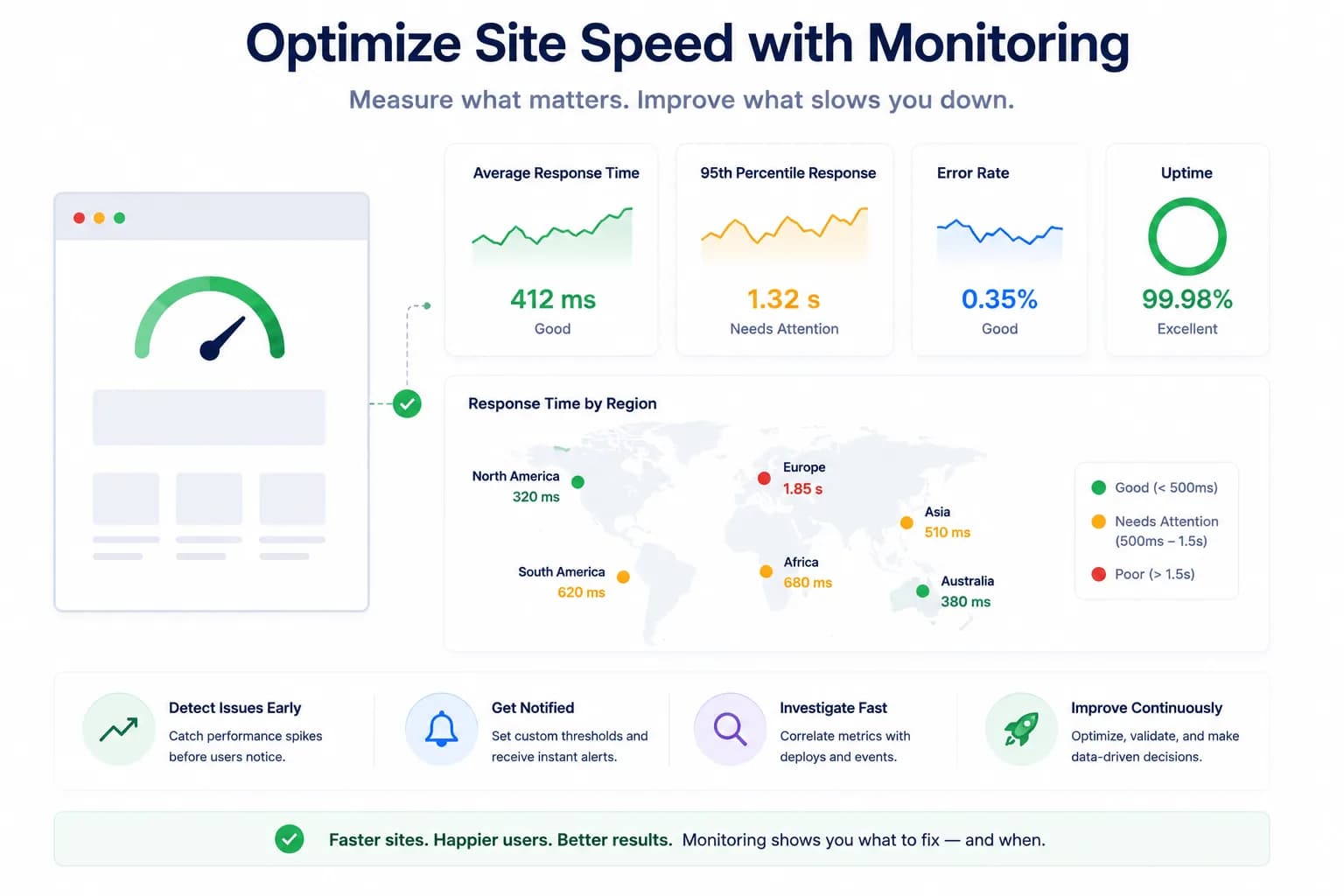
Metrics help teams optimize site health when they are tied to action, not just dashboards. This guide explains how to use monitoring metrics for better performance decisions.
Learn more about How to Use Metrics to Optimize Your Site’s Health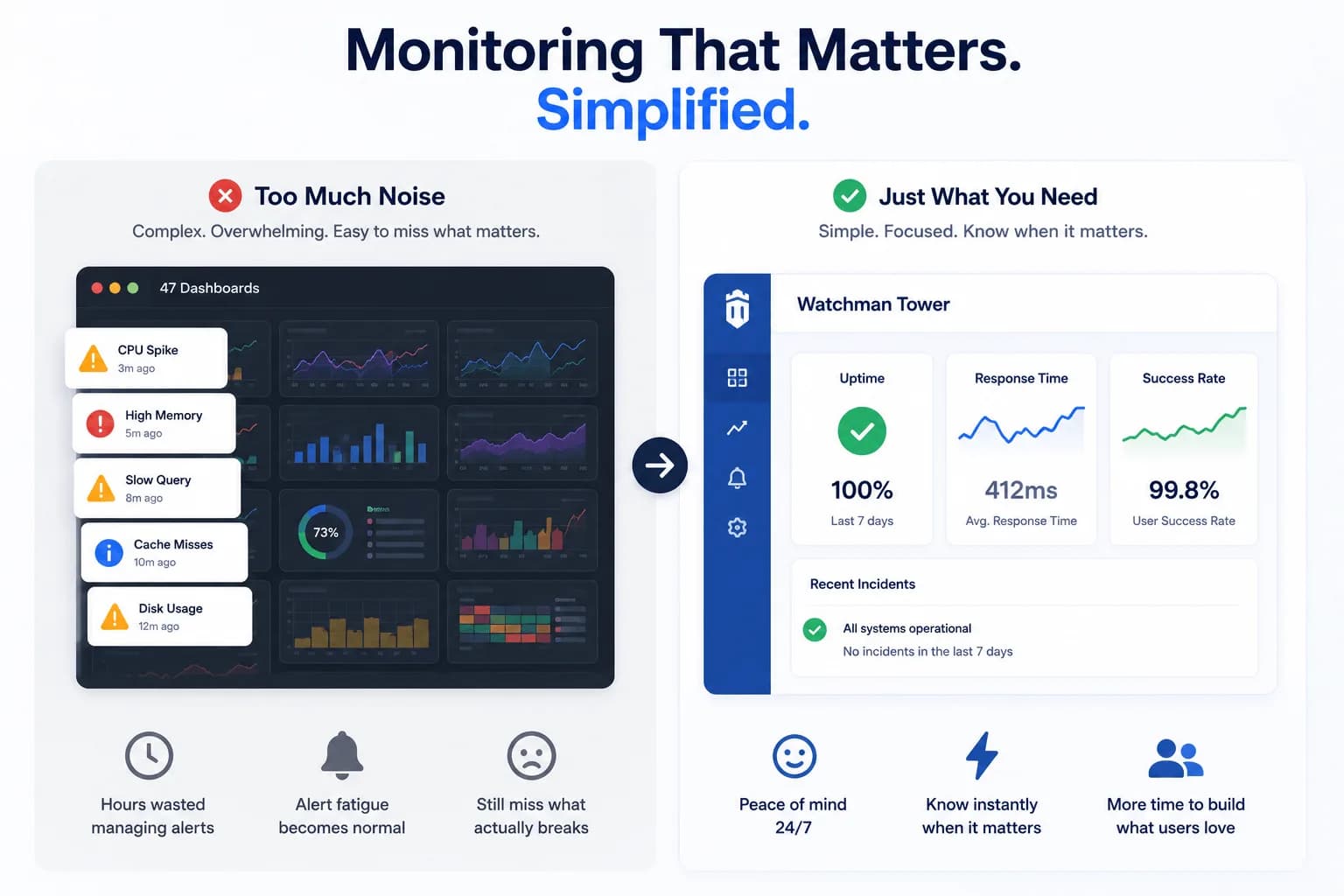
From Datadog Fatigue to Focused Monitoring: A Journey to Simplicity...
This comparison looks at website monitoring tools through a broader operational lens, not just raw uptime checks.
Learn more about From Datadog Fatigue to Focused Monitoring: A Journey to Simplicity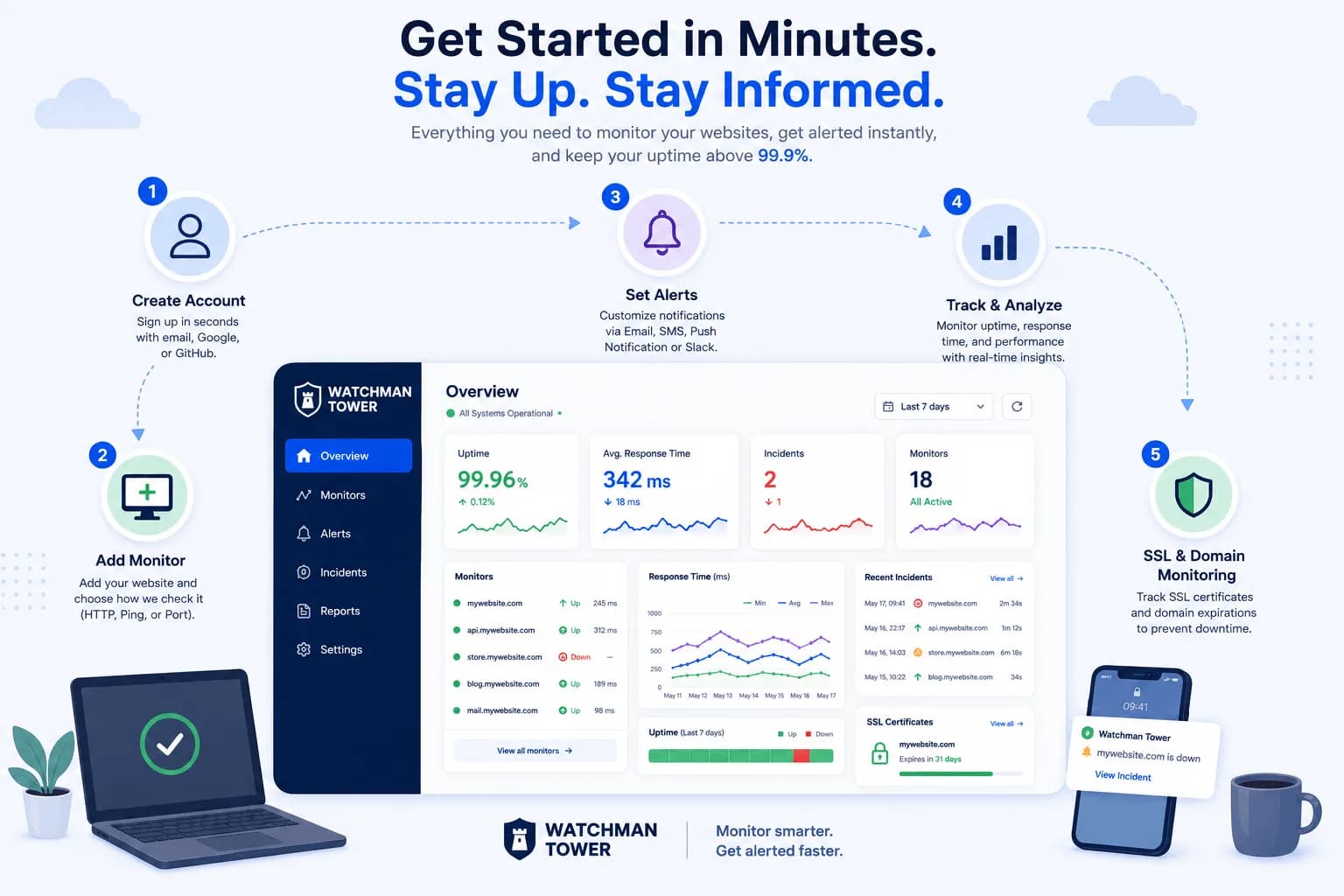
How to Use Watchman Tower: A Step-by-Step Guide to Website Monitoring...
This guide shows how to use Watchman Tower for website monitoring while keeping uptime, alerts, and response behavior inside a broader digital health workflow.
Learn more about How to Use Watchman Tower: A Step-by-Step Guide to Website Monitoring