

Server Monitoring vs Website Monitoring: Why You Need Both
- Watchman Tower Team
- Updated: October 1, 2026
- Category: Server Monitoring
- Read Time: 4 min
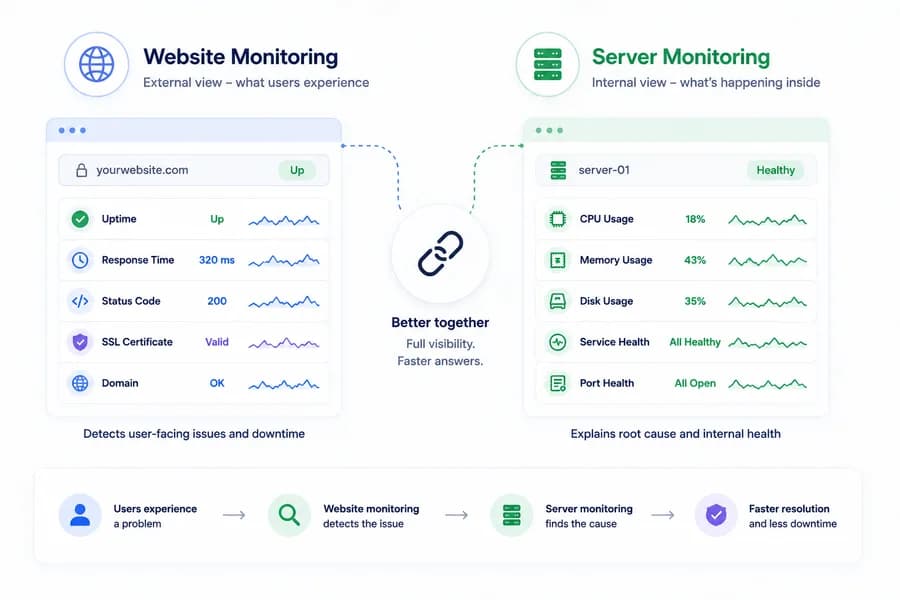
Website monitoring tells you what users are likely experiencing. Server monitoring tells you what is happening inside the environment serving that traffic. The strongest monitoring strategy needs both.
Two Different Questions
Server monitoring and website monitoring are related, but they do not answer the same question.
Website monitoring asks: what does the service look like from the outside?
Server monitoring asks: what is happening inside the environment serving that traffic?
Teams often need both because incidents rarely stay inside a single layer. For the broader internal model, see What Is Server Monitoring?.
What Website Monitoring Gives You
Website monitoring is external by design. It helps you understand whether a site, application, or endpoint is reachable and how it responds from the outside. This makes it especially useful for customer-facing health visibility.
Good website monitoring helps teams detect:
- downtime
- slow responses
- unexpected status codes
- SSL issues
- domain-related failures
This is the layer that tells you whether users are likely feeling a problem.
What Server Monitoring Gives You
Server monitoring provides internal operational visibility. It helps teams understand the host, the processes on that host, the services running there, the ports expected to be available, and selected runtime signals tied to infrastructure components.
This is the layer that tells you why a system might be unhealthy even before the external symptom is fully obvious.
Why Website Monitoring Alone Is Not Enough
A website can look down from the outside, but website monitoring alone does not always explain the cause. Was the issue DNS? SSL? Nginx? a database dependency? resource pressure? a stopped process? a failed service?
External monitoring gives you detection. It does not always give you diagnosis.
Why Server Monitoring Alone Is Not Enough
A server can look healthy while users still experience a problem. CPU may be normal. Memory may be stable. Disk may look fine. But if DNS is broken, SSL is invalid, a reverse proxy is misrouting traffic, or the public path is degraded, host metrics alone will not capture the full impact.
Internal monitoring gives you operational context. It does not always tell you what the outside world is seeing.
How the Two Layers Work Together
When used together, website monitoring and server monitoring create a much stronger picture of system health.
For example:
- If a website goes down and the server is healthy, the issue may be outside the host or above the host layer.
- If the website slows down and CPU plus process pressure rise at the same time, the issue is likely resource-related.
- If the website is failing and Nginx or another service is unhealthy, the issue is likely service-level rather than host-level.
- If uptime checks fail while SSL or domain signals are also degraded, the issue may not be infrastructure pressure at all.
This is where combined visibility becomes much more useful than isolated dashboards.
The Real Difference
The easiest way to think about the difference is this:
- website monitoring is external health visibility
- server monitoring is internal operational visibility
Neither one replaces the other. They solve different parts of the same problem.
Why Modern Teams Need Both
Modern systems are layered. Availability, performance, and reliability all depend on more than one kind of signal. External checks help you detect user-facing issues. Internal signals help you interpret pressure, failure, and runtime behavior.
Teams that only use one layer usually end up with blind spots. They either see the symptom without the cause, or they see the host without the user impact.
How Watchman Tower Fits In
Watchman Tower is strongest when these layers are connected. Uptime monitoring, SSL visibility, domain monitoring, and status communication help teams understand external health. wt-warden adds internal server visibility through host metrics, process samples, service health, port checks, and selected runtime signals.
Together, these signals help teams move from fragmented monitoring to a broader operational picture. If you want the product overview, visit Watchman Tower Server Monitoring.
Related Reading
To see how this internal layer is collected, read How a Lightweight Server Agent Fits Into a Modern Monitoring Workflow. For more on the internal signals themselves, continue with why service health matters, the metrics that matter most, or browse the full Server Monitoring hub.
Final Thought
If you are choosing between website monitoring and server monitoring, the real answer is usually not either-or. Website monitoring tells you whether something is wrong from the outside. Server monitoring helps explain what is happening on the inside. Reliable operations need both.
Free plan available. No credit card needed.
FAQ
What is the main difference between server monitoring and website monitoring?v
Can website monitoring replace server monitoring?v
Why do teams usually need both?v
Why is server monitoring alone insufficient for full system visibility?v
Can you give examples of how website and server monitoring work together to diagnose issues?v
Blog Posts
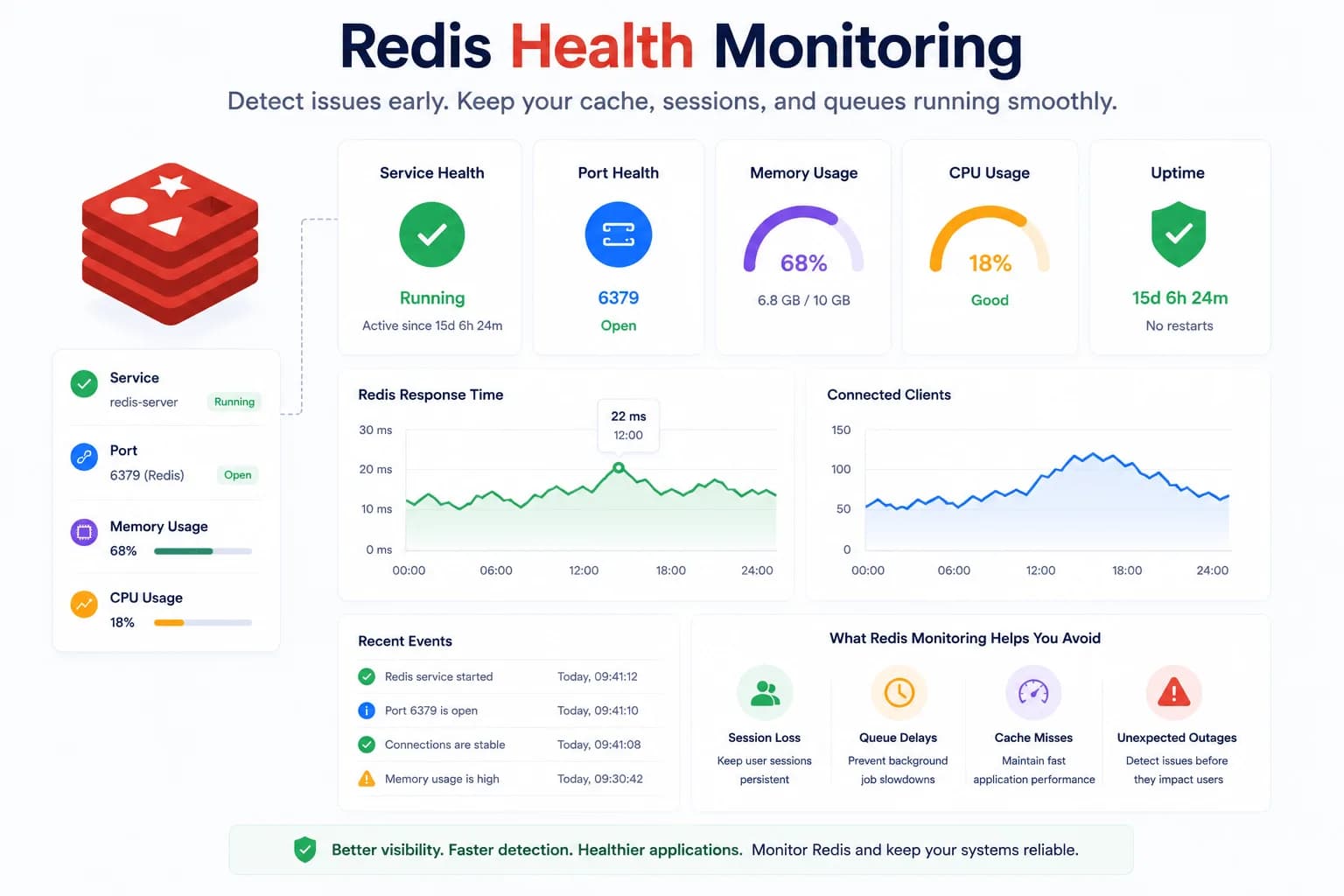
Redis Health Monitoring: What to Watch First...
Redis problems often show up as application symptoms before they look like server incidents. Good monitoring starts with the signals that tell you whether Redis is available, reachable, and supported by a healthy host.
Learn more about Redis Health Monitoring: What to Watch First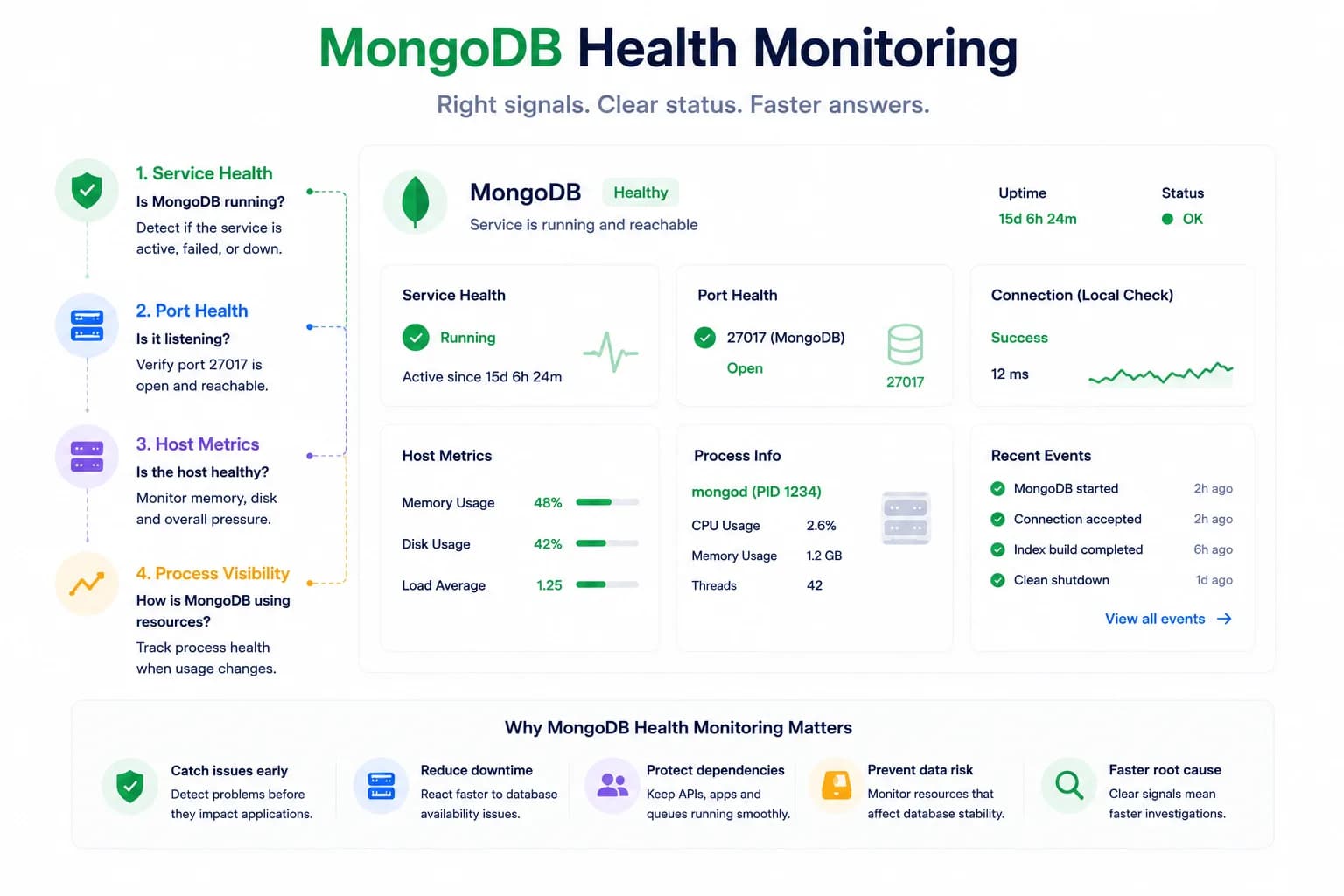
MongoDB Health Monitoring: What to Watch First...
MongoDB issues do not always look like host pressure. Good monitoring starts with the signals that tell you whether the database is available, reachable, and behaving inside the wider system.
Learn more about MongoDB Health Monitoring: What to Watch First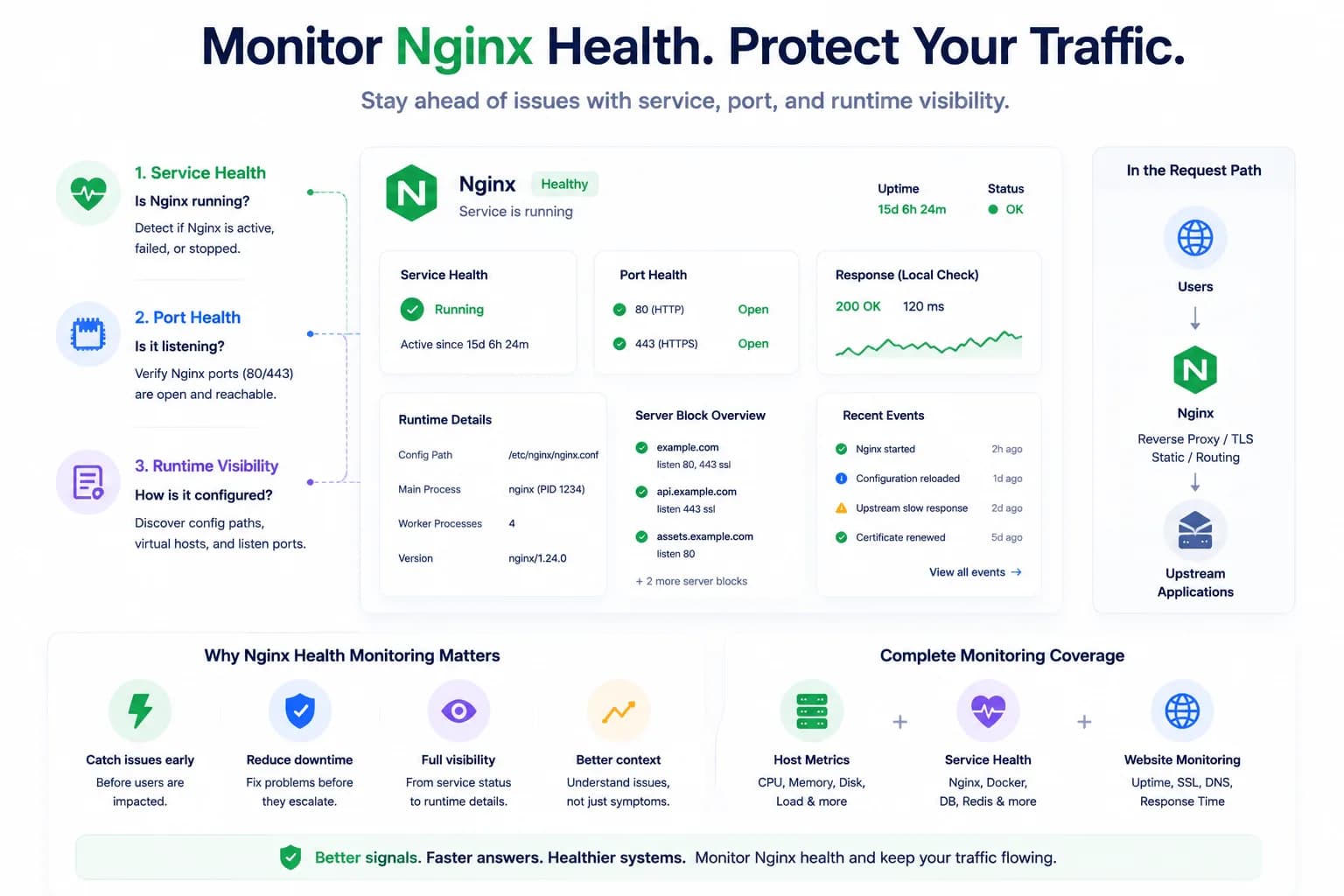
How to Monitor Nginx Health and Detect Serving Issues Early...
Nginx problems do not always begin with a full outage. Good monitoring helps teams detect service failures, port issues, and serving risk before traffic breaks completely.
Learn more about How to Monitor Nginx Health and Detect Serving Issues Early