

SSL Monitoring for WordPress: Prevent Expiry and Security Issues
- Watchman Tower Team
- Updated: October 2, 2026
- Category: SSL Monitoring
- Read Time: 3 min
WordPress SSL monitoring matters because certificate issues often look external until users are already affected. This guide explains how teams stay ahead with better visibility.
If you are building a complete WordPress monitoring setup, start with WordPress Monitoring.
WordPress site owners often think about SSL only when a certificate is about to expire. But SSL problems are not just renewal problems. They are trust problems, conversion problems, and sometimes full availability problems. What happens when SSL monitoring fails shows how that plays out, including at large companies. Watchman Tower's SSL certificate monitoring covers the checks described below.
A site can stay technically online while visitors see certificate warnings, insecure connection errors, or blocked browser access. That is why SSL monitoring belongs in the same reliability conversation as uptime monitoring.
Why SSL issues matter for WordPress sites
When SSL fails, the impact is immediate.
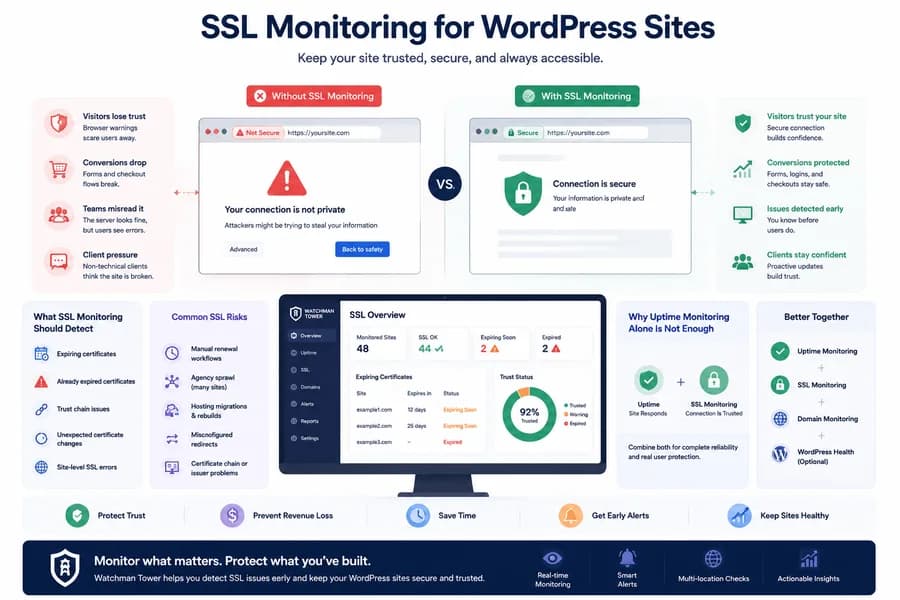
- Visitors lose trust: browsers show warnings or block access entirely.
- Forms and checkout flows suffer: secure user actions feel unsafe or break.
- Teams misread the issue: the server may look fine while the user experience is effectively broken.
- Agencies face client pressure: certificate issues look like “the site is broken” to non-technical stakeholders.
For most teams, that means SSL should be treated as a monitored risk, not a calendar reminder.
What SSL monitoring should detect
Good SSL monitoring is not just a countdown to expiry.
It should help you spot:
- expiring certificates
- already expired certificates
- trust chain issues
- unexpected certificate changes
- site-level failures that surface as SSL errors
This matters because some SSL problems come from renewal misses, while others come from deployment mistakes, misconfiguration, or infrastructure changes.
Why uptime monitoring alone is not enough
A WordPress site can respond to a request and still fail the user experience because of SSL.
That is why uptime monitoring alone does not give full protection. Uptime checks tell you whether the site responds. SSL monitoring tells you whether that response is still trusted and safe for real users.
The strongest setup combines both. If you have not covered the uptime side yet, read WordPress Downtime Monitoring: How to Detect and Track Outages.
Common SSL risks for WordPress teams
- Manual renewal workflows: easy to forget across multiple sites.
- Agency sprawl: too many client domains and certificates to track manually.
- Hosting migrations: certificate handling changes during moves or rebuilds.
- Misconfigured redirects: mixed secure and insecure routing can create broken flows.
- Unexpected trust issues: certificate chain or issuer problems can appear after changes.
SSL failures are often discovered late because they are not visible until the moment a user or client hits the site.
Plugin signals vs external SSL visibility
SSL is a good example of why WordPress reliability should not rely on plugin-only monitoring.
A plugin can provide useful internal context, but SSL failures affect the site from the outside. That makes external monitoring the baseline for certificate visibility, while WordPress-specific health signals act as supporting context.
For the broader comparison, read WordPress monitoring plugin.
SSL monitoring for agencies
SSL monitoring becomes more valuable as the number of managed WordPress sites grows.
Agencies especially benefit from:
- one dashboard for many sites
- early certificate expiry reminders
- faster client communication when something breaks
- less reliance on registrar and host-specific reminder systems
If that matches your workflow, use this page together with WordPress Monitoring for Agencies.
What a complete WordPress monitoring setup should include
For most serious WordPress sites, SSL monitoring should sit alongside:
- external uptime checks
- response time monitoring
- domain expiry monitoring
- optional WordPress health signals for deeper site context
That is the product model Watchman Tower is building on WordPress: external baseline checks plus optional WordPress-specific visibility where it adds value.
Next steps
If SSL is part of a larger reliability workflow, continue with these guides:
Free plan available. No credit card needed.
FAQ
Why does SSL monitoring matter for WordPress sites?v
Is SSL monitoring the same as uptime monitoring?v
Can a WordPress plugin detect SSL expiry by itself?v
What are common SSL risks for WordPress teams?v
How does SSL monitoring benefit agencies managing multiple WordPress sites?v
What should a complete WordPress monitoring setup include alongside SSL monitoring?v
What types of SSL problems should a monitoring tool detect?v
Blog Posts
What Happens When SSL Monitoring Fails? Real-World Outage Examples...
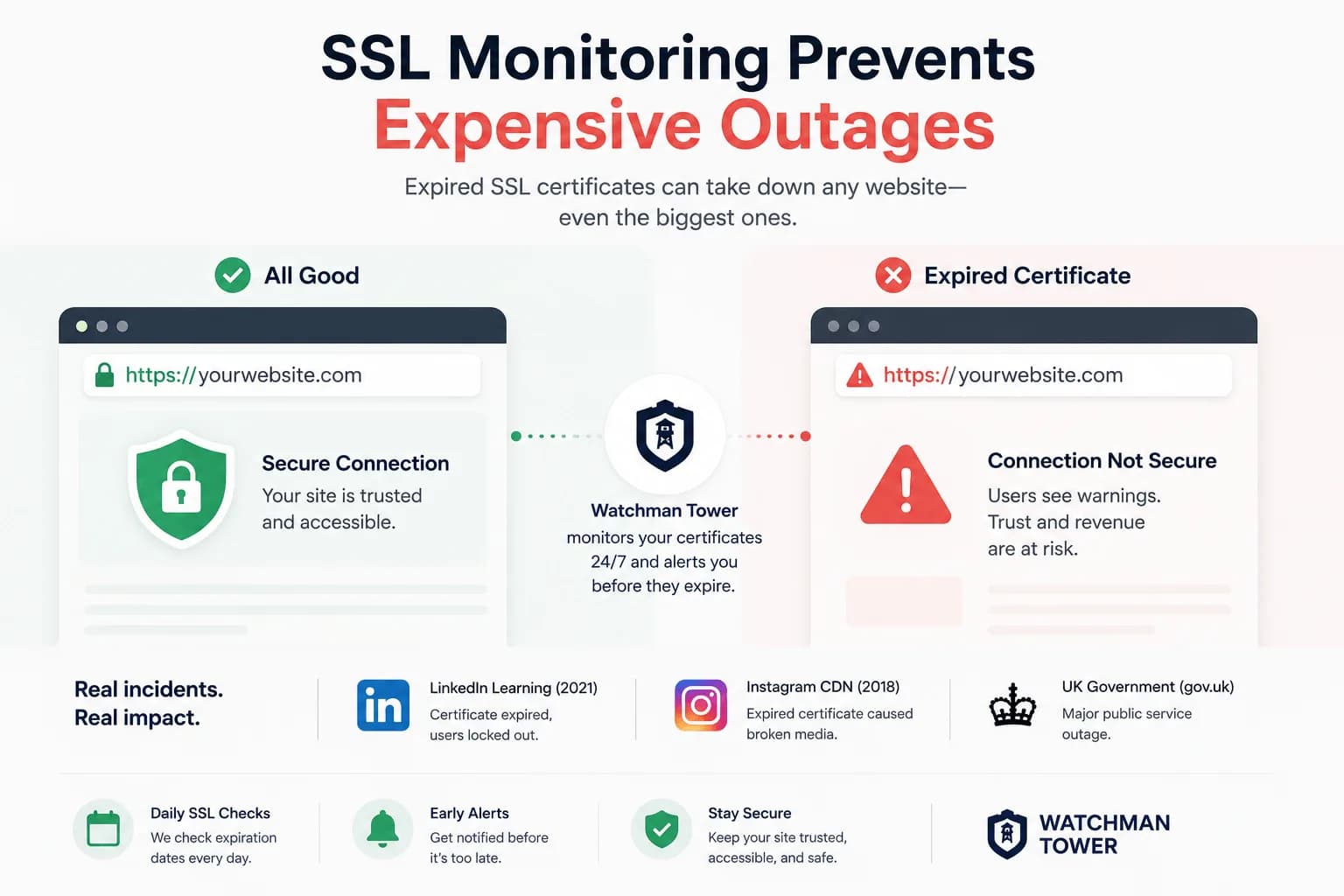
An expired SSL certificate takes a site offline as effectively as a server failure, and it happens on a date known months in advance. This guide covers real incidents, why reminders fail, and what SSL monitoring should check.
Learn more about What Happens When SSL Monitoring Fails? Real-World Outage Examples