

WordPress monitoring guides for uptime, performance, and alerts
WordPress sites need more than a plugin status light. This hub covers WordPress uptime monitoring, site down alerts, external monitoring, performance checks, SSL monitoring, and practical ways to prevent downtime.
Use these guides to build a reliable WordPress monitoring workflow without adding unnecessary complexity.
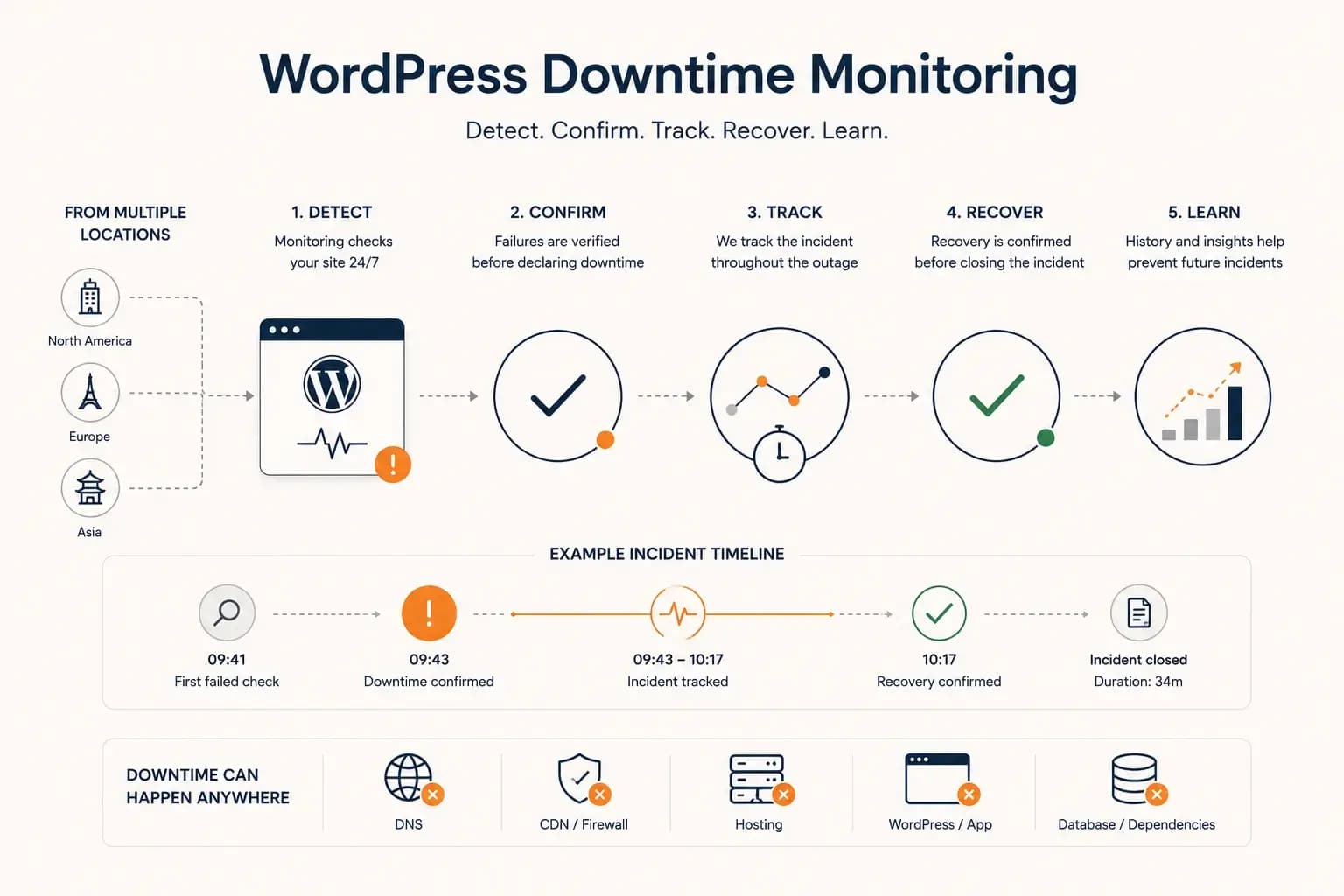
WordPress Downtime Monitoring: How to Detect and Track Outages
WordPress downtime monitoring goes beyond detecting a failed request. Learn how to confirm real outages, track incidents, verify recovery, and use downtime history to improve reliability.
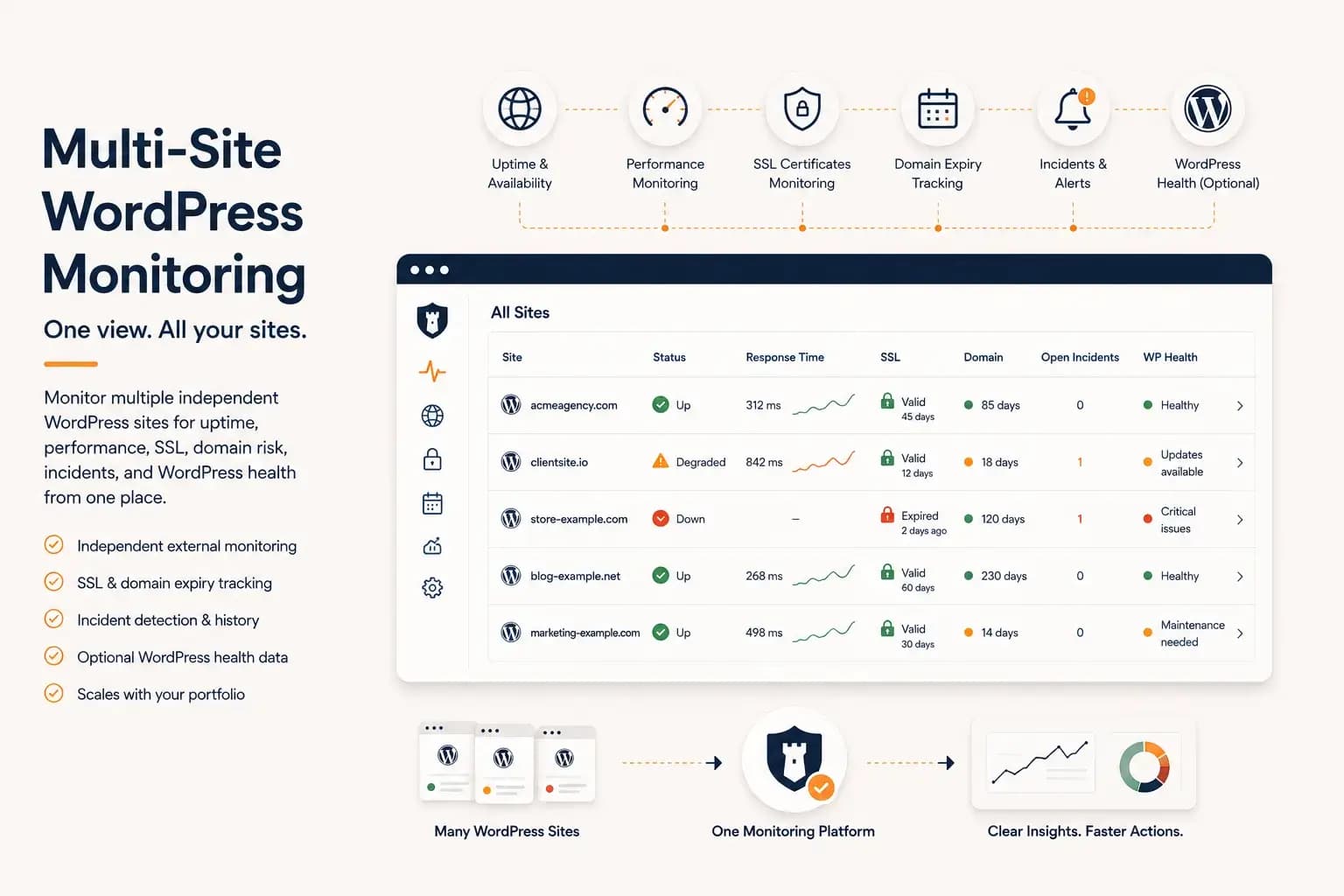
WordPress Multi-Site Monitoring: Manage Multiple Sites Efficiently
Managing multiple WordPress websites requires more than uptime checks. Learn how to centralize monitoring, reduce operational overhead, and gain visibility into performance, SSL, domains, and WordPress health from a single dashboard.
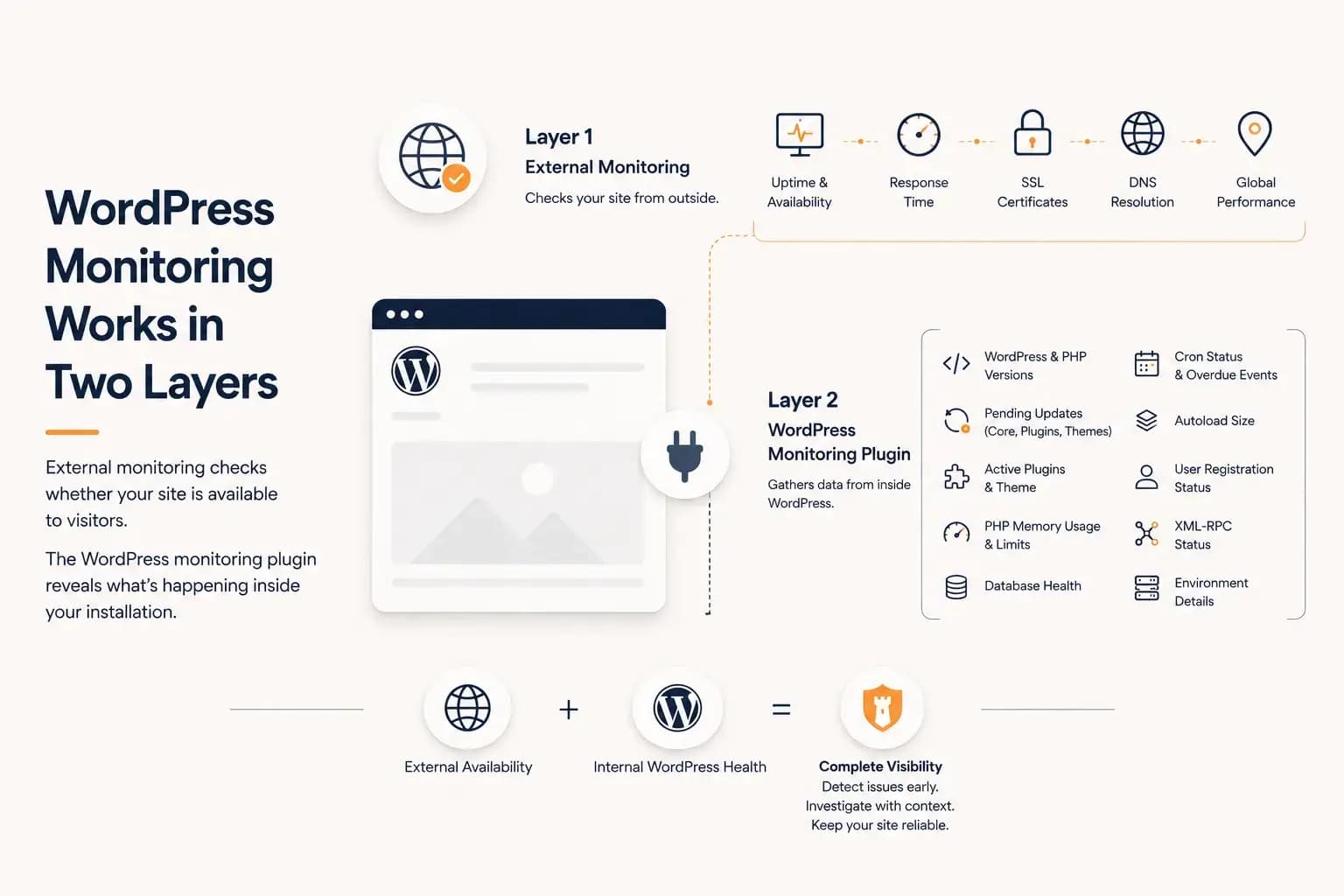
WordPress Monitoring Plugin: What It Tracks and What It Misses
A WordPress monitoring plugin reveals application-level health such as updates, PHP memory, database status, cron activity, and plugin inventory. This guide explains what it can monitor, what it cannot see, and why it works best alongside external monitoring.
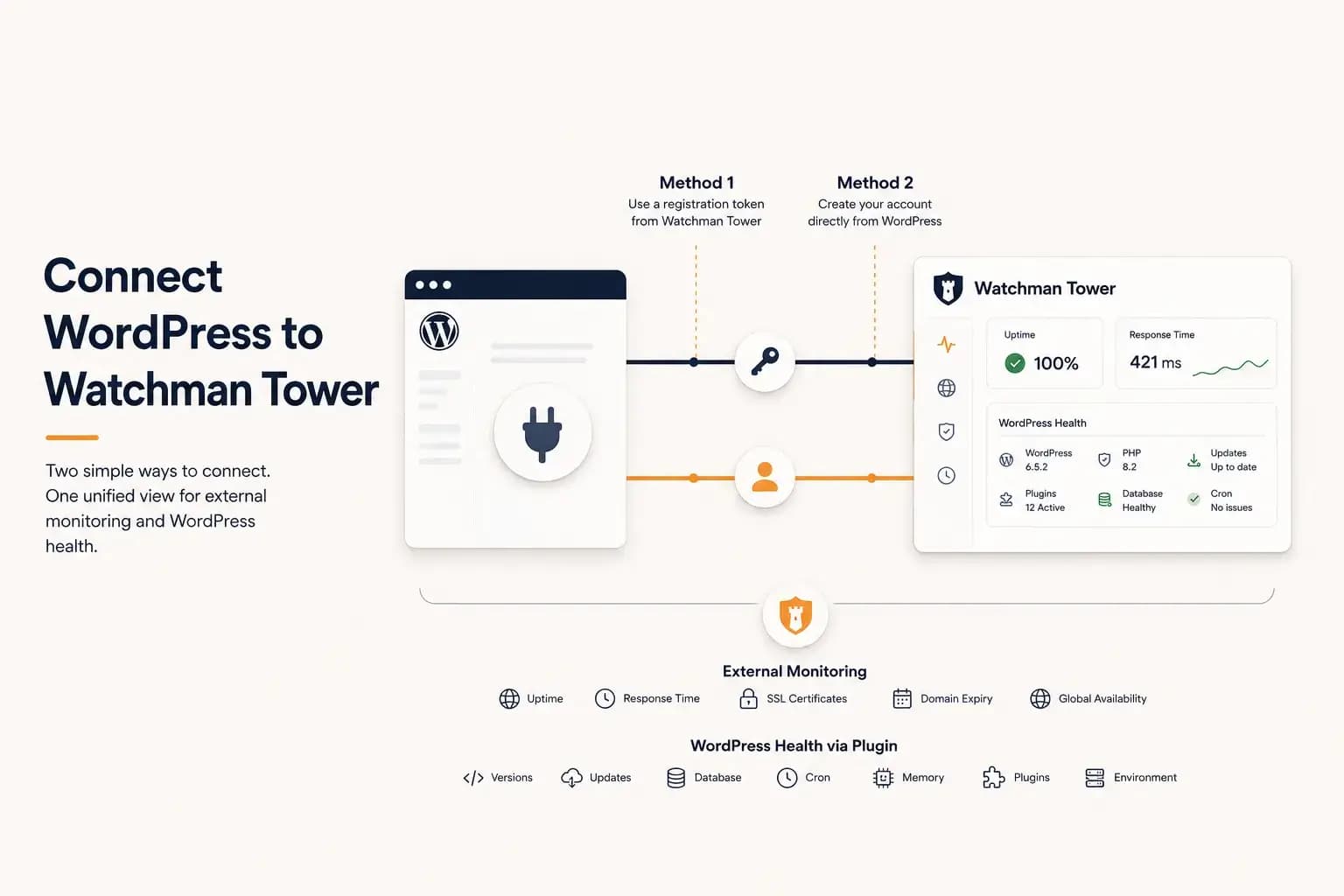
How to Connect WordPress to Watchman Tower
Learn how to connect a WordPress site to Watchman Tower using either an existing account or by creating a new account directly from the official WordPress plugin.
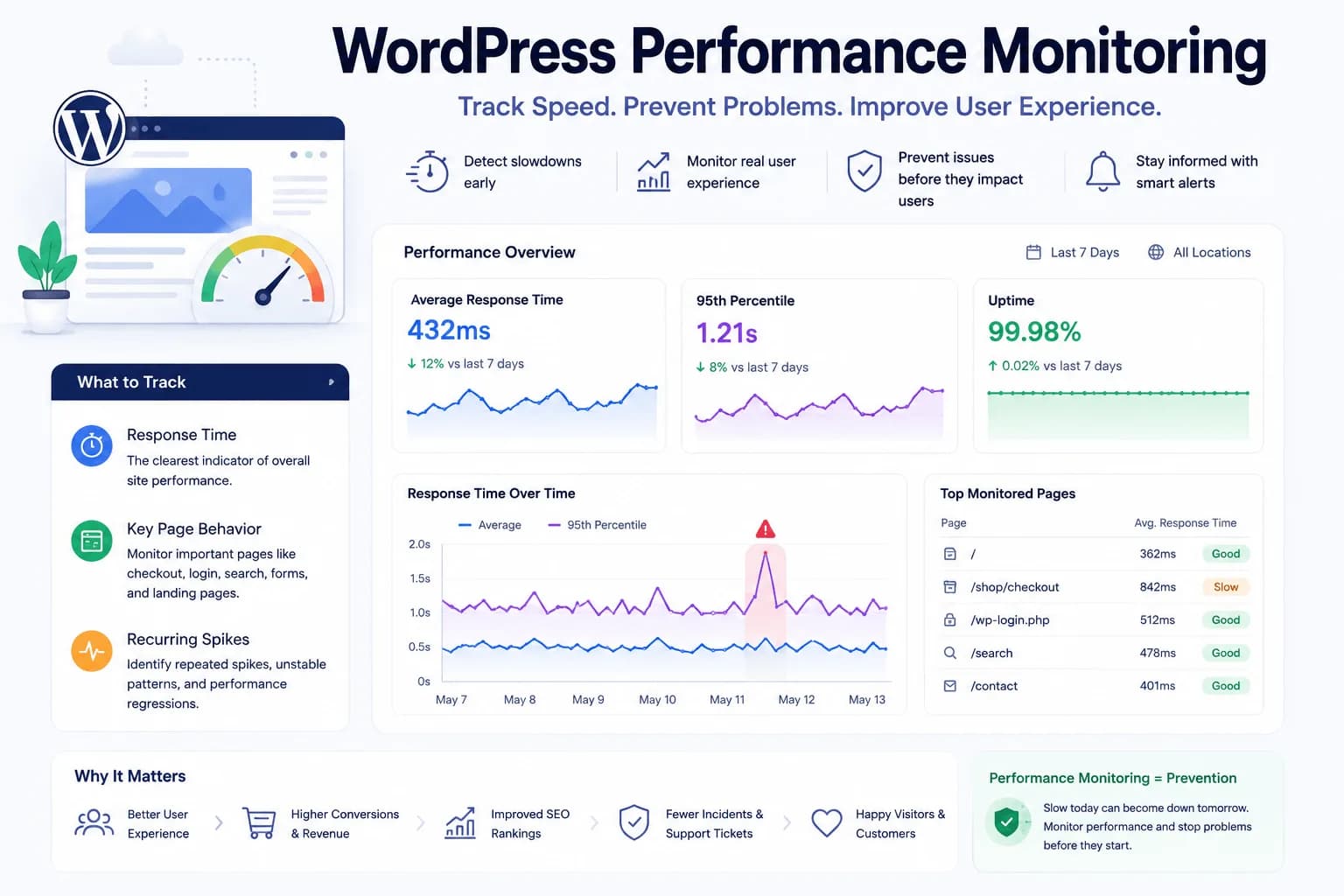
WordPress Performance Monitoring: What You Should Actually Track
WordPress performance monitoring combines two views: how fast the site answers from outside, and what WordPress reports from inside. This guide explains what each one measures, how slowness is detected, and what neither can prove.
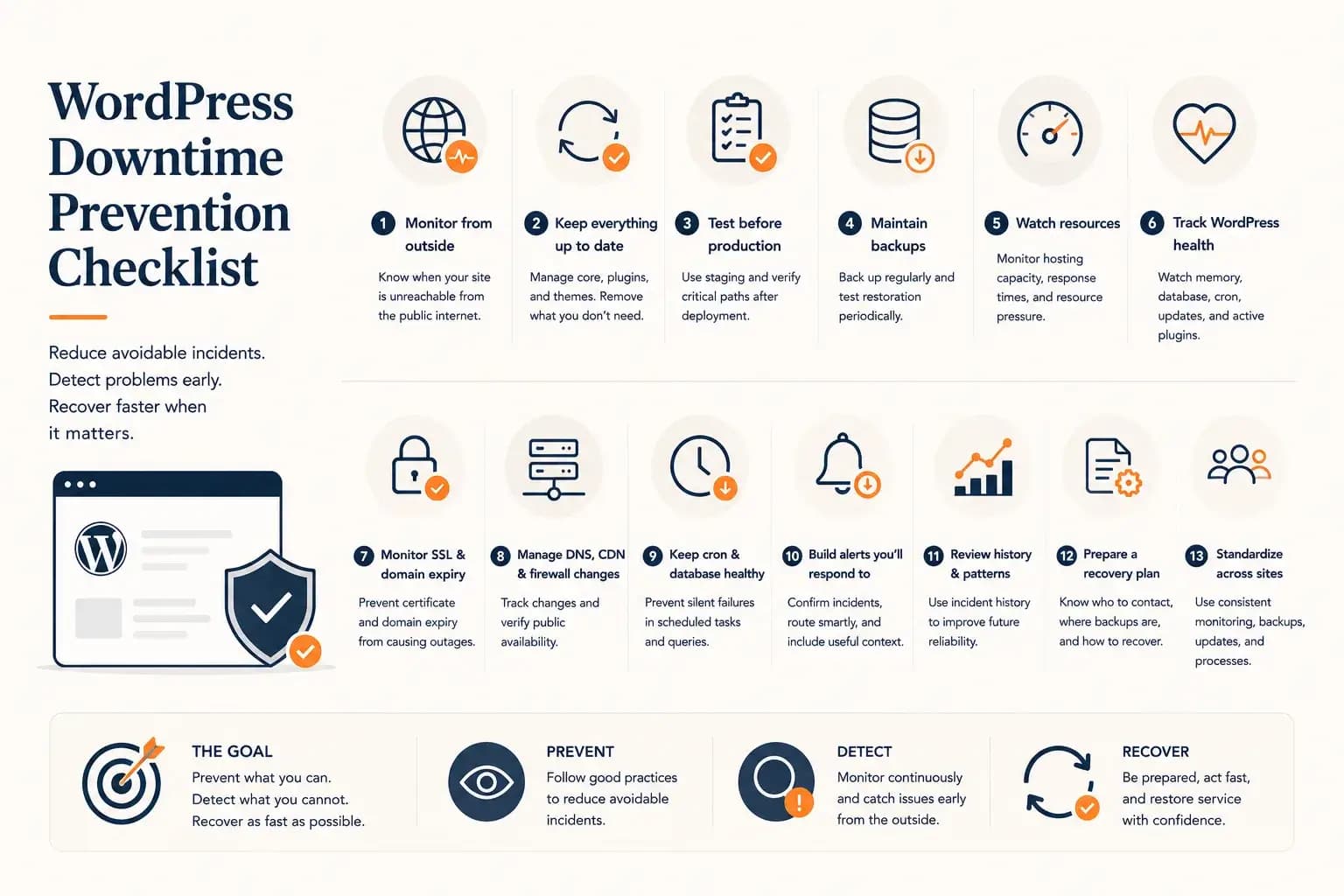
How to Prevent WordPress Downtime: A Practical Checklist
Prevent WordPress downtime by reducing avoidable failures, detecting warning signs early, and preparing for faster recovery with this practical operational checklist.
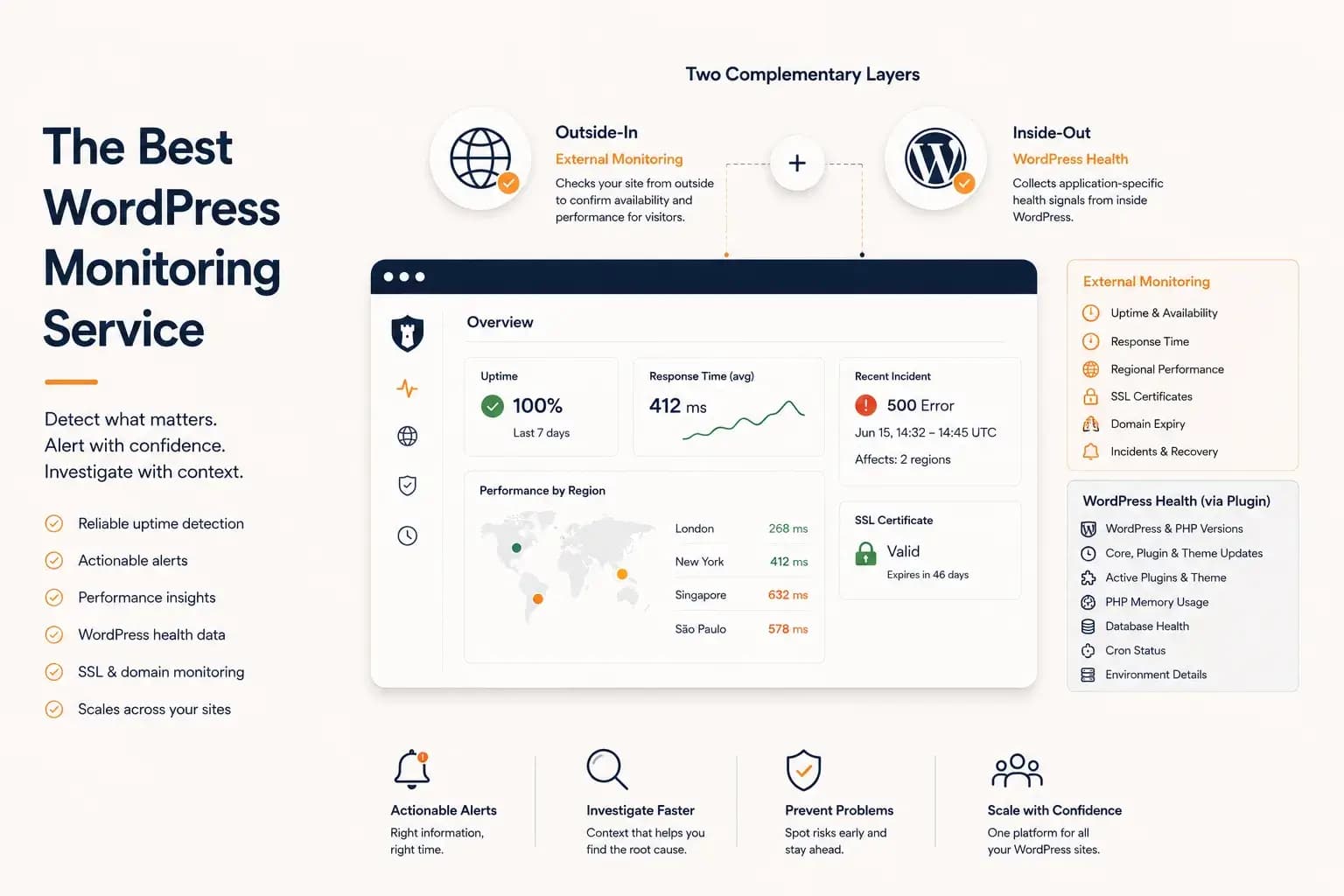
Best WordPress Monitoring Service: What to Look For
Choosing the best WordPress monitoring service requires more than comparing feature lists. This guide explains how to evaluate uptime coverage, alert quality, performance visibility, WordPress health data, scalability, and operational reliability.
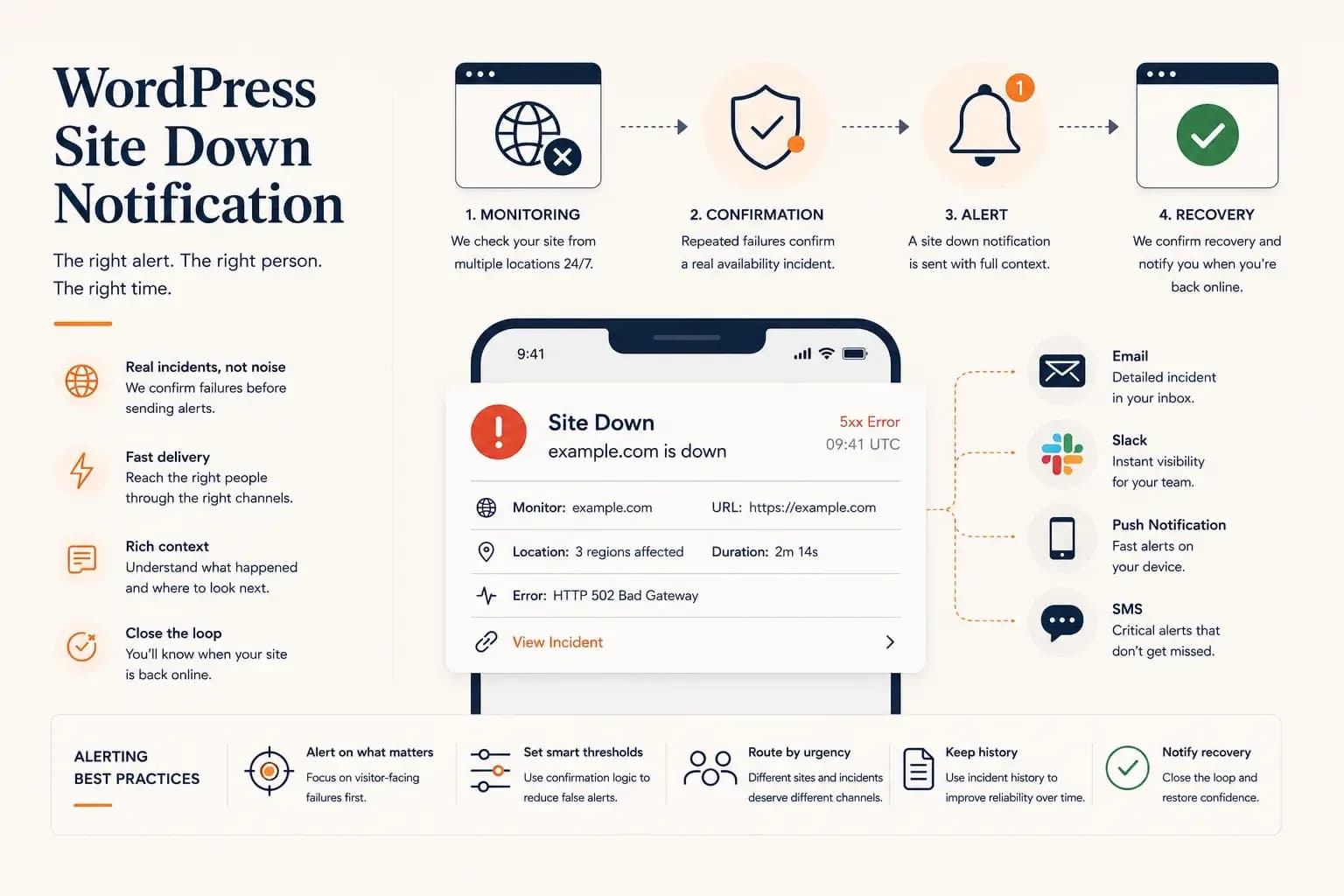
WordPress Site Down Notification: How to Get Instant Alerts
WordPress site down notifications help teams react quickly when a real outage is confirmed. Learn how to choose channels, reduce noise, include useful context, and verify recovery.
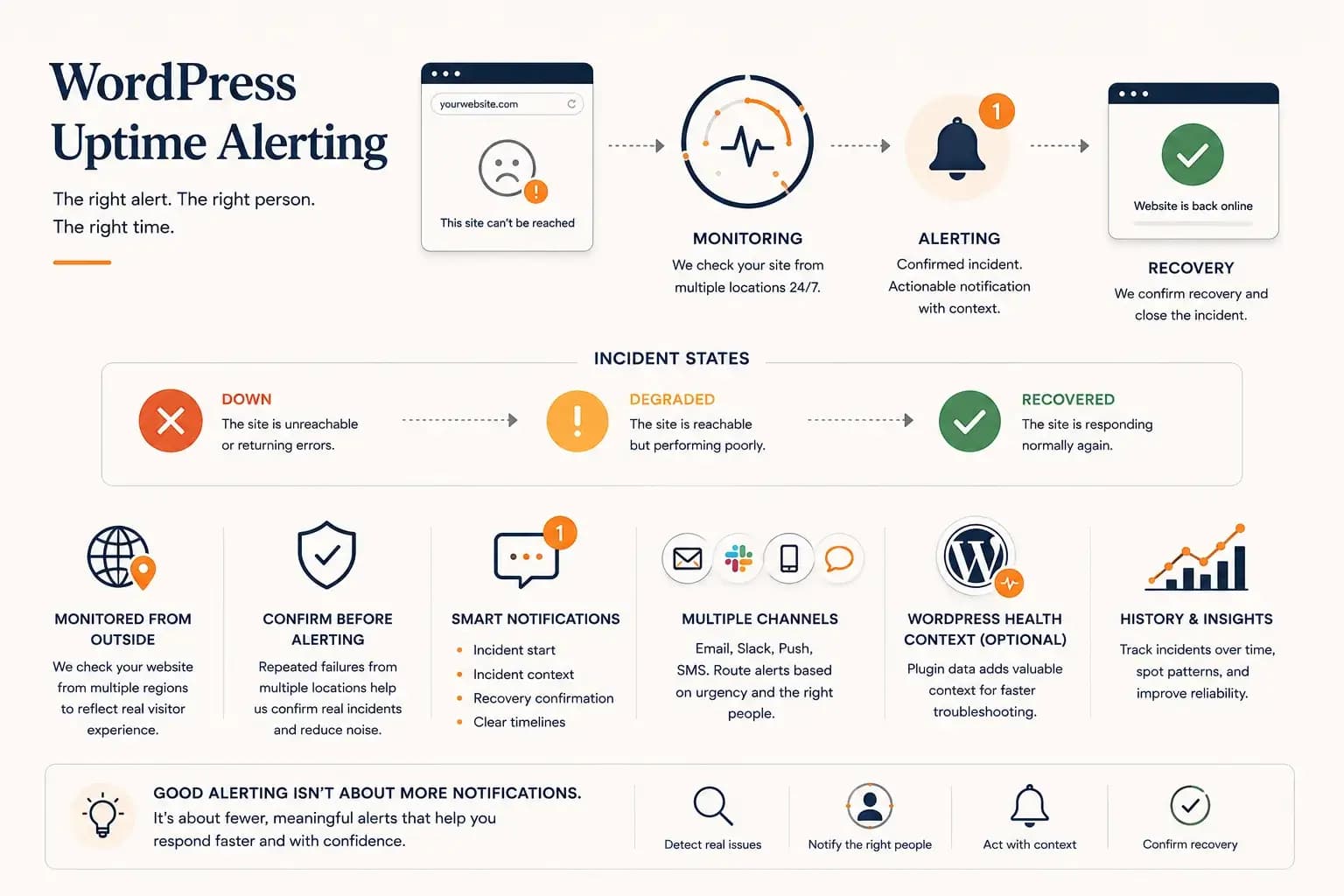
WordPress Uptime Monitoring and Alerting: Best Practices
Good WordPress uptime alerting is not about more notifications. It is about confirming meaningful incidents, routing them correctly, and giving teams enough context to respond and verify recovery.