

WordPress Monitoring Plugin vs External Monitoring
- Watchman Tower Team
- Updated: August 2, 2026
- Category: WordPress Monitoring
- Read Time: 10 min
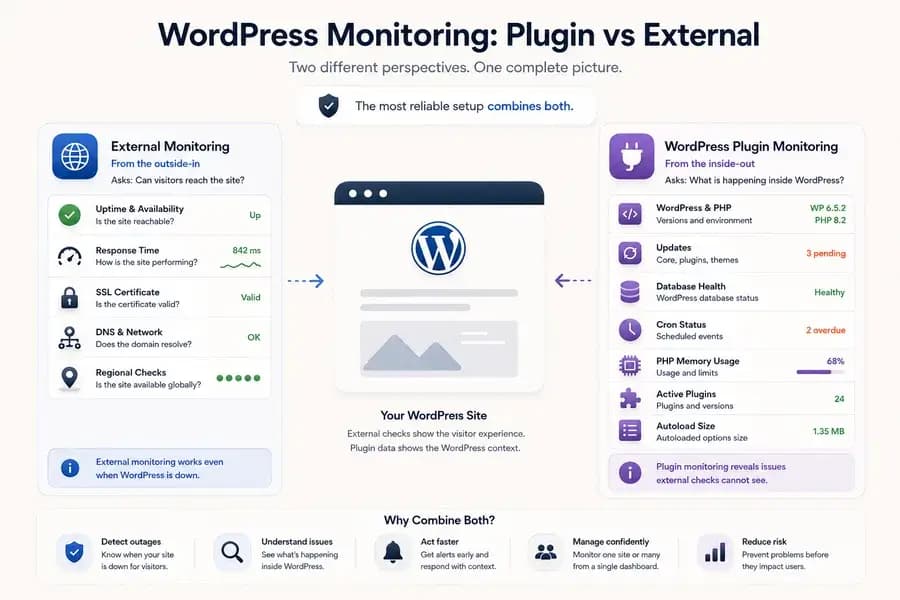
WordPress plugins reveal what is happening inside the application, while external monitoring shows whether users can reach the site. This comparison explains why both layers matter.
A WordPress monitoring plugin and an external monitoring service may appear to solve the same problem. Both promise to monitor a website, detect issues, and help teams respond before users are affected.
In reality, they observe two different layers of a WordPress site.
- External monitoring watches the site from the outside and asks whether visitors can reach it.
- Plugin-based monitoring observes the WordPress installation from the inside and reports application-specific health information.
Neither approach provides the complete picture on its own. External monitoring is essential for reliable uptime detection, while a WordPress monitoring plugin provides internal context that can help explain why a site is becoming unstable, outdated, or difficult to maintain.
The most reliable setup usually combines both.
WordPress Plugin Monitoring and External Monitoring Answer Different Questions
The difference becomes clearer when each monitoring method is reduced to the question it is designed to answer.
External monitoring asks: Can visitors reach the site?
An external monitor sends requests to the WordPress site from outside its hosting environment. It observes the site from a perspective similar to that of a visitor, customer, search engine, or connected service.
It can detect whether the site:
- Is publicly reachable
- Returns a successful or failed HTTP response
- Responds within an acceptable amount of time
- Has a valid SSL certificate
- Resolves correctly through DNS
- Is available from different geographic regions
Plugin monitoring asks: What is happening inside WordPress?
A monitoring plugin runs inside the WordPress installation. It has access to application-level information that an external HTTP request cannot see.
Depending on the plugin and platform, this may include:
- WordPress and PHP versions
- Pending core, plugin, and theme updates
- Active plugins and installed versions
- PHP memory usage and configured limits
- Database health
- Cron status and overdue scheduled events
- Autoload size
- WordPress configuration details
This information helps teams understand the internal condition of WordPress, even when the site is still publicly reachable.
What External WordPress Monitoring Can Detect
External monitoring should form the baseline of a WordPress reliability strategy because it remains independent of the application it observes.
If WordPress, PHP, the web server, the hosting provider, or the network fails, an external monitor can still attempt to reach the site and record the result.
Complete Website Downtime
External monitoring can detect when the WordPress site becomes unreachable or begins returning errors such as:
- 500 Internal Server Error
- 502 Bad Gateway
- 503 Service Unavailable
- Connection timeout
- Connection refused
- DNS resolution failure
A plugin running inside the failed site may be unable to send any information during these incidents.
Response Time and Performance Degradation
A WordPress site does not need to be completely offline to create a poor user experience. Slow database queries, overloaded hosting, network latency, or application problems can increase response times while the site technically remains available.
External monitoring can record these response-time changes and show whether they affect one location or multiple regions.
SSL Certificate Problems
An expired, invalid, or untrusted certificate can prevent users from safely accessing a WordPress site.
External monitoring evaluates the certificate from the public side of the connection, where visitors actually encounter the problem.
DNS and Network Failures
WordPress may continue running on the server while the domain fails to resolve, a CDN route breaks, or a firewall prevents public access.
Internal monitoring can appear healthy in these situations even though users cannot reach the site.
Regional Availability Problems
A website may work correctly from one country or network while failing from another.
Multi-region external checks help distinguish a local connection problem from a broader outage involving hosting, routing, DNS, or a content delivery network.
What a WordPress Monitoring Plugin Can Detect
External monitoring shows the customer-facing result. A WordPress plugin provides internal application context that may reveal risks before they become full outages.
Pending WordPress Updates
A plugin can report whether WordPress core, installed plugins, or the active theme have pending updates.
Update visibility becomes especially useful for agencies and teams responsible for multiple sites. Instead of opening every WordPress administration panel individually, they can review maintenance needs from a centralized dashboard.
PHP Memory Pressure
High PHP memory usage can contribute to slow requests, failed operations, and server errors.
A WordPress monitoring plugin can report the configured PHP memory limit and current usage. This provides application-level context that an external response-time chart cannot show directly.
Database Health
A site may remain partially available while WordPress is experiencing database problems.
Internal monitoring can expose database health information and help teams investigate whether application failures are connected to WordPress data access.
Cron Visibility
WordPress uses scheduled events for background work such as publishing scheduled posts, processing maintenance operations, and running plugin tasks.
A monitoring plugin can report overdue cron events and upcoming scheduled tasks. This is valuable diagnostic information even when the public website remains online.
Active Plugin and Environment Inventory
Plugin-based monitoring can provide a current snapshot of:
- Active plugins
- Installed plugin versions
- Active theme
- WordPress version
- PHP version
- Memory configuration
- Autoload size
This does not automatically prove the cause of an incident, but it gives the person investigating the problem more useful context.
Where Plugin-Only Monitoring Falls Short
A plugin runs inside the same application it is trying to observe. This creates an unavoidable blind spot.
- If the server is down, the plugin is unavailable too.
- If PHP cannot execute, the plugin cannot report.
- If DNS fails, the plugin may continue running while visitors cannot reach the domain.
- If the SSL certificate expires, internal WordPress information may still look normal.
- If a CDN, firewall, or routing problem blocks public traffic, the plugin may not observe the customer-facing impact.
Plugin data can therefore provide important health context, but it should not be treated as the only source of truth for uptime.
Where External-Only Monitoring Falls Short
External monitoring can confirm that a WordPress site is online, slow, or unavailable. It is much weaker at explaining what is happening inside the application.
An external check usually cannot tell you:
- Which WordPress or PHP version is installed
- Whether plugin updates are pending
- Whether scheduled cron events are overdue
- Whether PHP memory usage is approaching its limit
- Which plugins are active
- Whether the WordPress database health check has failed
- Whether autoloaded data may be contributing to application overhead
External monitoring is essential for availability, but it cannot replace application-level visibility.
WordPress Monitoring Plugin vs External Monitoring Comparison
| Capability | WordPress Monitoring Plugin | External Monitoring |
|---|---|---|
| Detect complete website downtime | Limited | Yes |
| Detect HTTP errors and timeouts | Limited | Yes |
| Track public response time | Usually no | Yes |
| Detect SSL certificate problems | Usually no | Yes |
| Detect DNS or routing failures | No | Yes |
| Monitor from multiple regions | No | Yes |
| Report WordPress and PHP versions | Yes | No |
| Show core and plugin updates | Yes | No |
| Report active plugins | Yes | No |
| Show PHP memory usage | Yes | No |
| Show cron and database context | Yes | No |
| Continue checking when WordPress fails | No | Yes |
How Each Approach Handles Real WordPress Incidents
Scenario 1: The Hosting Server Goes Offline
The WordPress site becomes completely unreachable because the server has stopped responding.
- External monitoring: Detects the timeout or failed connection.
- WordPress plugin: Cannot report because WordPress is unavailable.
External monitoring is the reliable detection layer in this incident.
Scenario 2: PHP Memory Usage Becomes Dangerous
The site remains online, but memory usage is approaching its configured PHP limit. Administrative operations become unstable and occasional requests begin failing.
- External monitoring: May observe slow response times or intermittent errors.
- WordPress plugin: Can report memory usage and the configured limit.
The combination shows both the public impact and the internal condition that may be contributing to it.
Scenario 3: The SSL Certificate Expires
WordPress and the hosting server remain operational, but browsers display certificate warnings or reject the connection.
- External monitoring: Detects the certificate problem.
- WordPress plugin: May continue reporting normal internal health.
Plugin-only monitoring would miss the actual visitor experience.
Scenario 4: WordPress Cron Events Become Overdue
The public website still loads, but scheduled tasks are no longer running as expected.
- External monitoring: May show no obvious problem.
- WordPress plugin: Can report overdue cron events and upcoming scheduled tasks.
Internal monitoring reveals an application-level problem before it necessarily becomes a complete outage.
Scenario 5: DNS Stops Resolving
The server and WordPress installation remain healthy, but the domain no longer resolves correctly for visitors.
- External monitoring: Detects the DNS failure.
- WordPress plugin: May remain operational on the server but cannot represent the public availability problem.
Scenario 6: Multiple Plugin Updates Are Pending
The website is currently available, but several outdated plugins require maintenance.
- External monitoring: Continues to report that the site is reachable.
- WordPress plugin: Reports the pending plugin updates.
This is not yet a downtime incident, but it is operational information that a maintenance team may need to act on.
Why “Plugin vs External Monitoring” Is Usually the Wrong Decision
The two approaches are often compared as though one must replace the other.
That framing overlooks their different responsibilities.
- External monitoring provides independent evidence of public availability.
- Plugin monitoring provides internal WordPress context.
The more useful question is:
How should external checks and WordPress health signals work together?
A strong monitoring setup uses external monitoring as the availability baseline. Plugin-based signals are then added to provide maintenance visibility and diagnostic context.
When External Monitoring Should Come First
External monitoring should be the first layer when your main concern is knowing whether users can reach the WordPress site.
This is particularly important for:
- WooCommerce stores
- Lead-generation websites
- Client sites with service-level expectations
- Membership websites
- Login and authentication portals
- Campaign landing pages
- WordPress sites supporting business-critical services
External checks do not depend on WordPress remaining healthy enough to report its own failure.
When Plugin-Based Monitoring Adds the Most Value
A WordPress monitoring plugin becomes valuable when teams need more than basic uptime status.
It is especially useful for:
- Agencies maintaining multiple client sites
- Developers troubleshooting recurring WordPress problems
- Teams tracking plugin and core update requirements
- Site owners investigating memory or cron problems
- Organizations that need centralized WordPress environment visibility
Plugin-based data should be viewed as an additional application-health layer rather than a substitute for external availability monitoring.
How Watchman Tower Combines Both Monitoring Layers
Watchman Tower begins with external monitoring.
You can add a WordPress site and monitor its uptime, response time, regional performance, SSL certificate, and domain expiry without installing a plugin.
When deeper WordPress visibility is required, the official Watchman Tower plugin connects the installation to the same monitoring dashboard.
The plugin adds WordPress-specific information such as:
- WordPress and PHP versions
- Active plugins and theme
- Pending core, plugin, and theme updates
- Database health
- Cron visibility
- PHP memory usage
- Autoload size
- Registration and XML-RPC status
This creates two complementary views of the same site:
- Outside-in monitoring for customer-facing availability and performance
- Inside-out context for WordPress health and maintenance visibility
Learn more about the complete setup on the WordPress Monitoring feature page.
Practical Recommendation
If you are choosing between a WordPress monitoring plugin and external monitoring, use the following rule:
- Start with external monitoring when uptime and public availability are the priority.
- Add a WordPress monitoring plugin when you need internal application-health and maintenance context.
- Use both together when reliability, diagnosis, and multi-site operations all matter.
External monitoring should remain the independent source of truth for whether the website is reachable. The plugin should enrich that result with WordPress-specific information.
Continue Building Your WordPress Monitoring Setup
The following resources explain the next parts of the monitoring workflow:
Free plan available. No credit card needed.
FAQ
Is a WordPress monitoring plugin enough on its own?v
What does external WordPress monitoring catch that a plugin may miss?v
What does a WordPress monitoring plugin catch that external checks do not?v
Should I use both a WordPress monitoring plugin and external monitoring?v
When is it best to start with a WordPress monitoring plugin?v
When should I prioritize external monitoring for my WordPress site?v
What is the recommended approach for setting up WordPress monitoring?v
Blog Posts
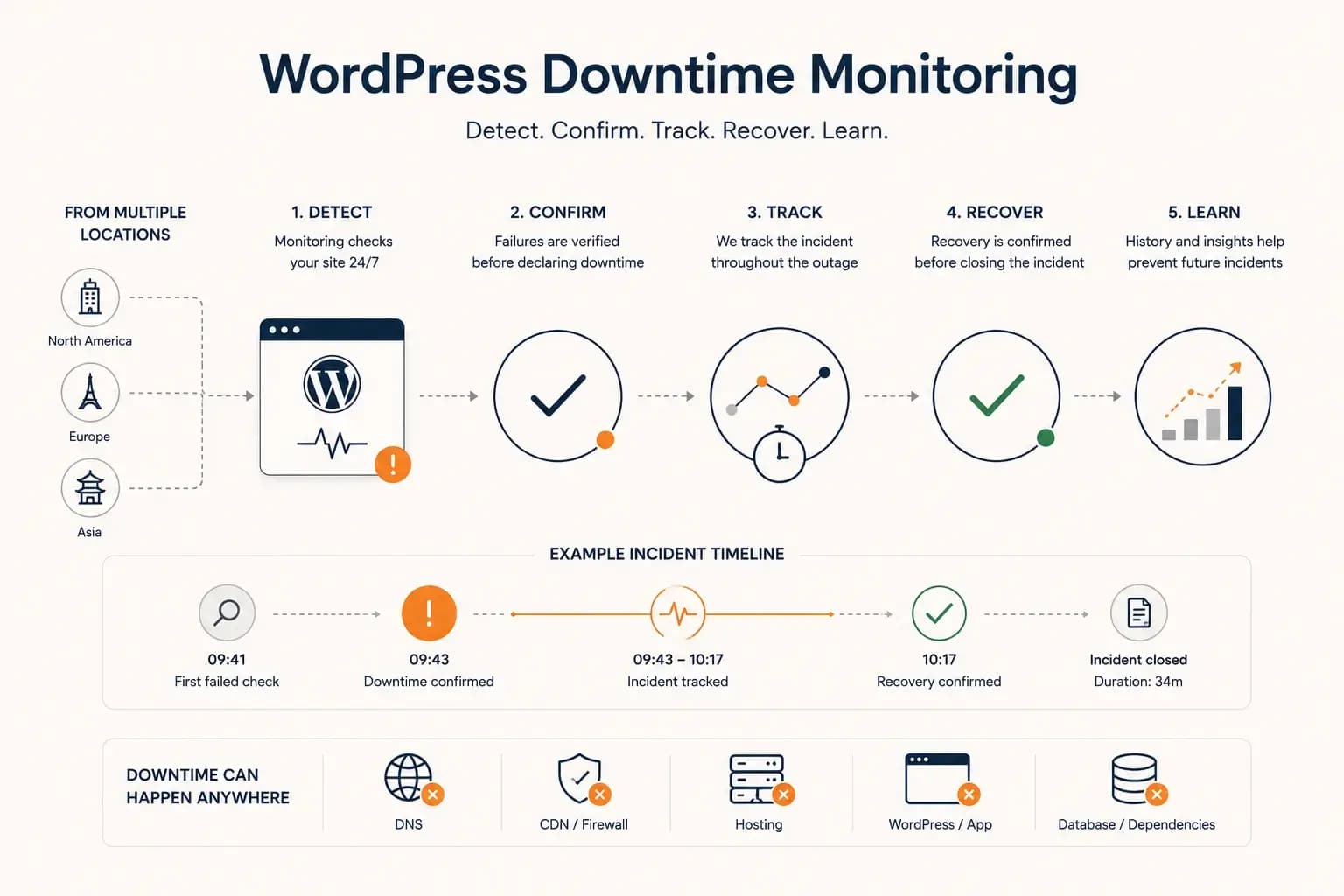
WordPress Downtime Monitoring: How to Detect and Track Outages...
WordPress downtime monitoring goes beyond detecting a failed request. Learn how to confirm real outages, track incidents, verify recovery, and use downtime history to improve reliability.
Learn more about WordPress Downtime Monitoring: How to Detect and Track Outages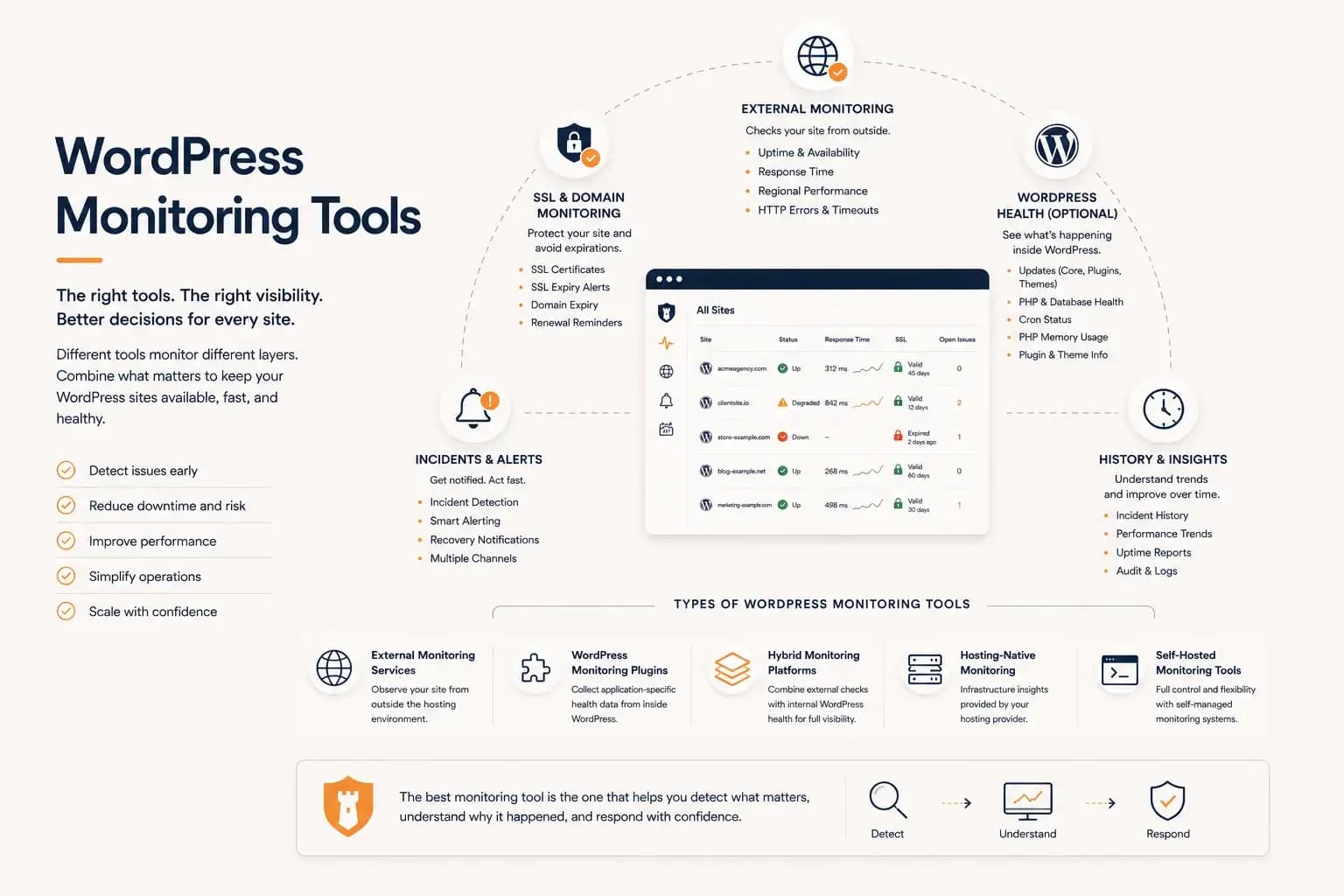
WordPress Monitoring Tools: Complete Guide...
WordPress monitoring tools include external uptime monitoring, WordPress plugins, hybrid monitoring platforms, and hosting-native solutions. This guide explains how they differ, what they monitor, and how to choose the right monitoring workflow for your websites.
Learn more about WordPress Monitoring Tools: Complete Guide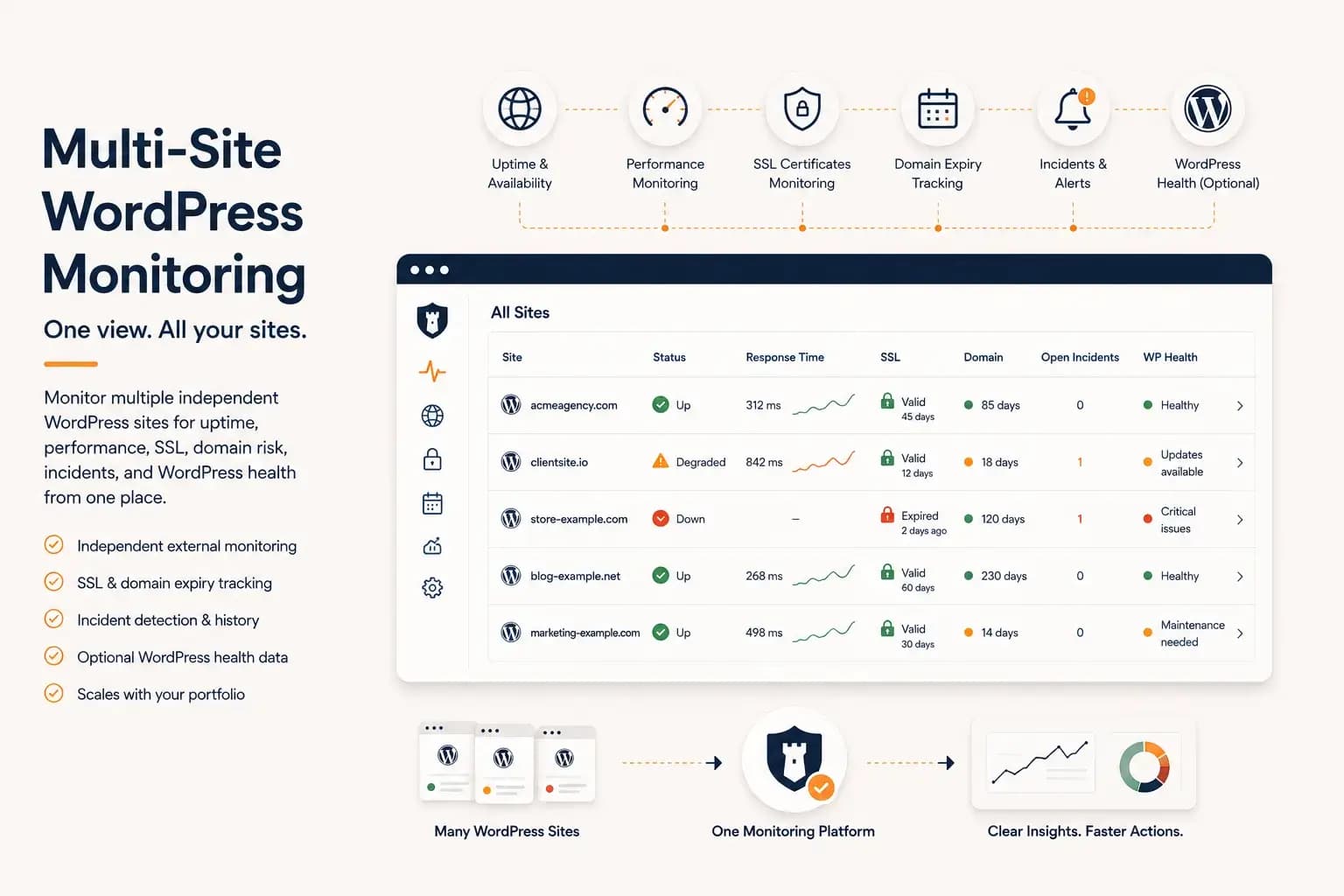
WordPress Multi-Site Monitoring: Manage Multiple Sites Efficiently...
Managing multiple WordPress websites requires more than uptime checks. Learn how to centralize monitoring, reduce operational overhead, and gain visibility into performance, SSL, domains, and WordPress health from a single dashboard.
Learn more about WordPress Multi-Site Monitoring: Manage Multiple Sites Efficiently